
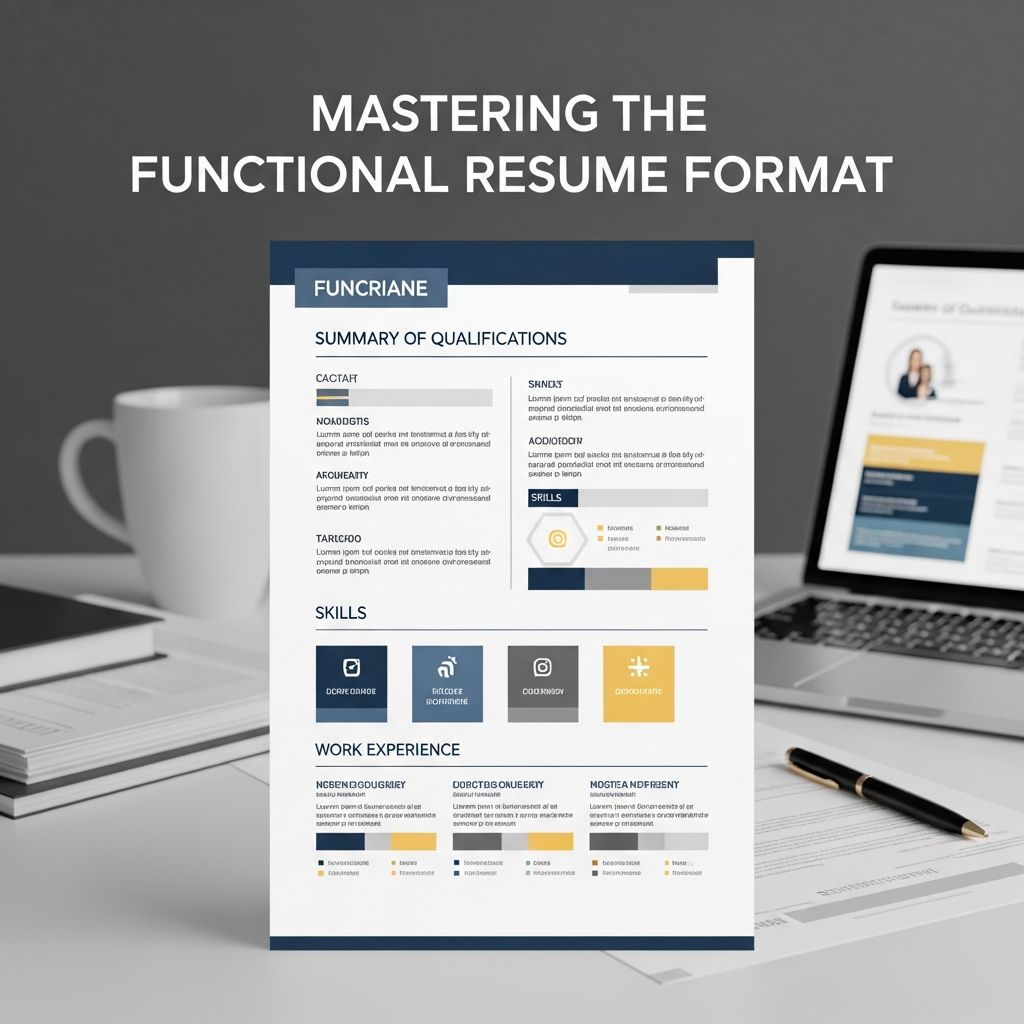
A functional resume, also known as a skills-based resume, shifts the spotlight from when and where you worked to what you can do. Instead of walking employers through your jobs in strict date order, it organizes your experience into skill categories that match the role you want.
This approach can be powerful for some candidates and risky for others. Understanding when and how to use it is essential if you want hiring managers and applicant tracking systems (ATS) to take your application seriously.
What Is a Functional Resume?
A functional resume is a resume format that primarily highlights your skills, abilities, and accomplishments rather than your chronological work history. Instead of listing every role with bullet points under each job, you group your capabilities into sections such as:
- Communication and Collaboration
- Project Management
- Technical Expertise
- Customer Service and Support
Under each heading, you add bullet points that describe how you have used that skill—whether in paid jobs, internships, freelance work, education, or volunteer experience.
Core Characteristics of a Functional Resume
- Skills-first layout: The resume opens with a summary, followed by grouped skills sections, and only then lists basic work history and education.
- Emphasis on capabilities: Each skill group includes short, results-oriented bullet points that demonstrate what you can do, not just what your job title was.
- Condensed employment history: Past roles may be reduced to job title, employer, and dates, without extensive bullet points under each job.
- Flexible experience sources: Achievements from coursework, side projects, caregiving, and volunteering can all be presented as evidence of skill.
Who Benefits Most From a Functional Resume?
The functional format is a niche tool. Many hiring professionals still prefer reverse-chronological resumes, and some see skills-only formats as a way to hide something. That said, for certain situations, a functional resume can make your candidacy clearer and stronger.
Situations Where a Functional Resume Can Help
- Career changers: When your past job titles do not match your target role, but your skills do—for example, a teacher moving into instructional design.
- Workers with employment gaps: If you took time away for caregiving, illness, travel, or education and want to draw attention to what you can do now, not why there are gaps.
- Recent graduates and early-career candidates: When you have limited formal work history but strong skills from projects, internships, or campus leadership.
- Freelancers and gig workers: When your work has been short-term, overlapping, or project-based and doesn’t fit neatly into traditional job descriptions.
- Professionals with highly transferable skills: For example, military veterans or returning caregivers who can demonstrate leadership, problem-solving, and reliability through nontraditional roles.
When a Functional Resume May Not Be Ideal
- Traditional industries: Some sectors, especially large corporations and government roles, strongly prefer chronological work history.
- When you have a strong, relevant track record: If your previous jobs line up cleanly with your target role, a reverse-chronological or combination resume usually serves you better.
- For ATS-heavy hiring processes: Some applicant tracking systems scan job titles and dates to assess experience, which a purely functional format may obscure.
Functional vs Chronological vs Combination: A Quick Comparison
| Resume Format | Main Focus | Best For | Potential Drawbacks |
|---|---|---|---|
| Functional (Skills-based) | Skills and achievements grouped by theme | Career changers, employment gaps, limited work history | Can look like you are hiding work history; some recruiters dislike it |
| Reverse-chronological | Recent roles and accomplishments listed by date | Professionals with consistent, relevant experience | May underplay transferable skills from older or unrelated positions |
| Combination | Blends key skills summary with detailed work history | Mid-career professionals and many career changers | Longer, can feel dense if not edited carefully |
Essential Sections of a Functional Resume
Although the emphasis is different, a functional resume uses most of the same components as any professional resume. The order and depth change to support a skills-focused story.
1. Contact Information
At the top of the page, include:
- Full name
- City and state (or general location)
- Phone number
- Professional email address
- LinkedIn profile and/or portfolio link (if relevant)
2. Professional Summary or Headline
Next, add a short paragraph (2–4 sentences) or a strong one-line headline that:
- Names your target role or field
- Highlights 2–3 key strengths or specializations
- Mentions relevant achievements or outcomes when possible
- Includes key terms from the job posting for ATS alignment
3. The Skills Clusters (Core of the Functional Resume)
This is the heart of a functional resume. Choose three to five themed skill sections that reflect what the job description emphasizes most.
Examples of headings include:
- Data Analysis and Reporting
- Team Leadership and Coaching
- Client Relations and Sales Support
- Instructional Design and Training
- Laboratory Techniques and Quality Control
Under each heading, use 3–5 bullet points that follow a simple pattern:
- Strong action verb + description of task or project + specific outcome or metric when possible.
For instance, instead of writing “Responsible for managing customer emails,” you might write:
- Resolved incoming customer inquiries via email and chat, maintaining an average satisfaction rating above 95% over 12 months.
4. Condensed Work History
After your skills sections, add a brief work history that usually includes:
- Job title
- Employer name
- Location (city, state)
- Dates of employment (month and year or year-only, depending on norms in your region)
Many functional resumes keep this section minimal, with few or no bullet points, because the detailed achievements are already captured under the skills clusters.
5. Education and Training
List your educational background and relevant training, such as:
- Degrees and majors
- Certifications and licenses
- Professional development courses and bootcamps
- Relevant workshops or continuing education
Official education and training can be especially valuable in a functional resume because they reinforce your skills with recognized credentials.
6. Optional Sections
Depending on your field and experience, you can also include:
- Projects: Academic, freelance, or personal projects that demonstrate the skills you highlight.
- Volunteer experience: Community work that shows leadership, organization, or technical skills.
- Awards and honors: Scholarships, recognition, or performance awards.
- Publications or presentations: Articles, conference talks, or posters, especially in academic or technical roles.
How to Write a Functional Resume Step by Step
Use this process to build an effective functional resume from scratch.
Step 1: Study the Job Description Thoroughly
- Underline or list the skills, tools, and results mentioned repeatedly.
- Look at several postings for similar roles to spot patterns.
- Use these patterns to choose which skills to emphasize in your resume.
Step 2: Inventory Your Skills and Evidence
- List your technical skills (software, tools, languages, methods).
- List your soft skills (communication, collaboration, leadership, problem-solving).
- For each skill, write down one or two concrete examples of when you used it, including any measurable results (time saved, errors reduced, revenue increased, etc.).
Step 3: Define 3–5 Skill Themes
- Group related skills and examples into coherent categories.
- Choose skill headings that reflect the job posting’s language when appropriate.
- Avoid generic headings like “Skills” or “Other” that do not communicate focus.
Step 4: Draft Strong, Impactful Bullet Points
For each skill category, write brief bullets that:
- Start with an action verb (e.g., “designed”, “coordinated”, “analyzed”).
- Describe what you did, for whom, and why.
- Include outcomes or metrics where possible, even if approximate.
Research from labor economists and HR scholars shows that including specific, outcome-focused statements helps employers better predict future performance compared with vague responsibility lists.
Step 5: Keep the Design Simple and Scannable
- Use a clean layout with clear headings and plenty of white space.
- Stick to one or two readable fonts and avoid heavy graphics that can confuse ATS parsing.
- Use bullet points instead of long paragraphs.
Step 6: Tailor for ATS and Human Readers
- Include job-relevant keywords naturally in your summary and skills bullets.
- Use standard section titles like “Work History” and “Education” to help automated systems interpret your resume.
- Save and submit your resume in the format requested (usually PDF or DOCX).
Common Mistakes With Functional Resumes
To make a functional resume work for you rather than against you, avoid these pitfalls:
- Hiding your work history entirely: Employers often view resumes without any dates or employers as red flags.
- Overstuffing skills sections: Listing every skill you can think of dilutes your message. Focus on what matters for the target role.
- Using vague language: Phrases like “responsible for” or “helped with” don’t show impact. Replace them with specific, measurable achievements where possible.
- Ignoring the employer’s perspective: A functional format should still answer the recruiter’s essential questions: Can this person do the job, and do they have enough relevant experience?
- Relying on a functional format when a combination resume would be safer: In many cases, a hybrid structure that blends skills and chronology feels more transparent while still highlighting your strengths.
Best Practices to Make a Functional Resume More Credible
Because some recruiters are wary of skills-based resumes, take extra steps to build trust:
- Be transparent about dates: Even if you have gaps, include accurate ranges for each role.
- Align your story everywhere: Make sure your resume, LinkedIn profile, and cover letter tell a consistent story about your background and goals.
- Use your cover letter strategically: Briefly explain any major transitions or gaps and focus on the value you bring now.
- Prepare clear explanations for interviews: Employers may ask why you chose a functional format. Have a concise, positive answer that emphasizes your skills and readiness.
- Consider a hybrid format: If you are unsure, a combination resume can highlight skills while still offering a detailed, chronological employment section.
Frequently Asked Questions About Functional Resumes
Q1: Do recruiters like functional resumes?
Some recruiters are cautious about functional resumes because they can obscure employment dates and career progression. Surveys of hiring professionals and guidance from HR organizations indicate that reverse-chronological and combination formats are more widely preferred, especially in large organizations that use ATS technology.
Q2: Will a functional resume work with applicant tracking systems (ATS)?
A functional resume can be read by ATS software as long as it uses standard headings and text-based formatting. However, because many ATS tools weigh job titles and dates when screening candidates, a purely functional format may not showcase your experience as clearly as a chronological or combination resume.
Q3: How long should a functional resume be?
For most candidates, a functional resume should be one page. If you have over 10–15 years of relevant experience or work in a technical or academic field where more detail is expected, extending to two pages can be appropriate—provided every line adds value.
Q4: Can I use a functional resume if I have no work experience?
Yes. A functional resume can be effective for students and new graduates by shifting attention to projects, coursework, internships, campus involvement, and volunteer work. The key is to describe what you accomplished and which skills you used, not simply list club memberships or class titles.
Q5: What is the difference between a functional resume and a skills section?
A traditional resume often includes a short skills section that lists tools and abilities in a few lines. A functional resume turns that concept into the main structure of the document by creating multiple, detailed skill clusters with bullet points that read like mini case studies of your experience.
References
- Resume Formats — UC Davis Human Resources. 2023-03-01. https://hr.ucdavis.edu/departments/learning/toolkits/career-dev/action/resumes-formats
- Functional Resume Format: Examples & Templates — MyPerfectResume Editorial Team. 2024-01-10. https://www.myperfectresume.com/resume/formats/functional
- Should You Use a Functional Resume Template in 2024? — Jobscan. 2024-02-15. https://www.jobscan.co/blog/recruiters-functional-resume-format/
- Functional Resume Guide: Template and Tips — Coursera Career Academy. 2023-08-22. https://www.coursera.org/articles/functional-resume
- Functional Resume: Definition, Tips and Examples — Indeed Career Guide. 2023-06-05. https://www.indeed.com/career-advice/resumes-cover-letters/functional-resume-tips-and-examples
- Signals of Worker Productivity and Performance in Hiring — National Bureau of Economic Research (NBER Working Paper 28794). 2021-05-17. https://www.nber.org/papers/w28794
- Improving the Recruitment Process with Technology — Society for Human Resource Management (SHRM). 2022-07-19. https://www.shrm.org/resourcesandtools/hr-topics/technology/pages/improving-the-recruitment-process-with-technology.aspx

Medha Deb is an editor with a master's degree in Applied Linguistics from the University of Hyderabad. She believes that her qualification has helped her develop a deep understanding of language and its application in various contexts. Medha specializes in the areas of beauty, health, sports, and wellness and is committed to ensuring that the content on the website is…