
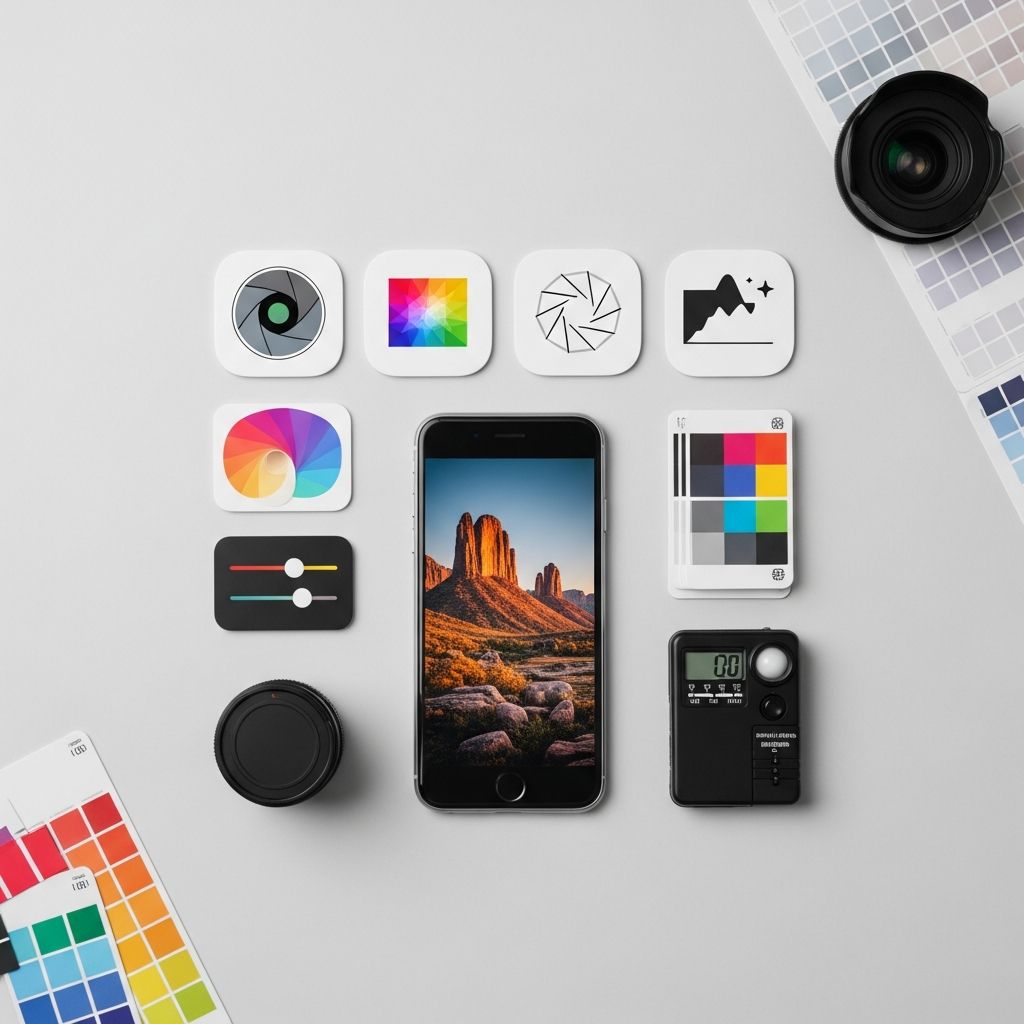
Modern smartphones and laptops put a capable camera and editing studio in your pocket, and a surprising amount of that power is available through free photo apps. With the right mix of tools, you can polish quick snapshots, design social media graphics, and refine high-resolution images without paying for expensive software.
This guide walks through key types of free photo apps, why they matter, and how to choose the best ones for your style and workflow. It is inspired by popular recommendations from photography and productivity publications, but the explanations and structure here are entirely original.
Why Free Photo Apps Matter More Than Ever
Smartphone cameras have rapidly improved, with many devices offering multi-lens systems, computational photography, and high-dynamic-range capture that rival entry-level dedicated cameras.1 At the same time, mobile and browser-based apps now provide editing tools once restricted to desktop suites.
Free photo apps are especially valuable because they:
- Lower the barrier to entry so beginners can experiment with editing before investing in paid tools.
- Support quick, on-the-go adjustments like cropping, exposure, and color corrections on a phone or tablet.
- Enable social sharing with templates, aspect-ratio presets, and export options designed for popular platforms.
- Offer specialized effects such as background removal, collage creation, or typography for posts and stories.
According to consumer research, most users now edit their photos on mobile devices at least some of the time, and expectations for high-quality visual content on social platforms continue to rise.2
Core Features to Look For in a Free Photo App
Before diving into specific categories, it helps to understand the core capabilities that distinguish a powerful free photo app from a basic filter tool. When comparing options, evaluate the following:
- Non-destructive editing: The ability to revert to the original image or adjust edits later, which is standard in advanced editors.3
- RAW file support: Useful if you shoot in RAW on phones or cameras and want more control over exposure and color.3
- Local adjustments: Tools for selective editing (e.g., brushes, gradients) instead of global changes to the entire image.
- Layer or stack-based workflows: Helpful for compositing, text overlays, and complex effects usually found in professional software.
- Export flexibility: Control over resolution, file type, and compression so you can choose between web sharing and print-ready files.
Categories of Free Photo Apps You Should Know
Photo apps tend to specialize. The strongest setup often involves a small toolkit rather than one “do-everything” app. Below are common categories and how they fit into a modern workflow.
1. General-Purpose Mobile Editors
These are your everyday workhorses, ideal for quick adjustments and creative filters on your phone. Strong choices usually include:
- Basic corrections: Brightness, contrast, highlights, shadows, and white balance.
- Perspective fixes: Straightening horizons and correcting lens distortion.
- Detail tools: Sharpening and noise reduction for low-light shots.
- Presets and looks: One-tap styles to create a consistent aesthetic.
Some general-purpose editors also support RAW files and local adjustments, bridging the gap between casual use and enthusiast-level editing.2
2. Social Media & Story Design Apps
For content creators, specialized apps simplify designing posts, stories, and thumbnails. Key features include:
- Templates for common platforms like Instagram Stories, Reels covers, YouTube thumbnails, and Pinterest pins.
- Text and graphic overlays with customizable fonts, colors, and shapes.
- Branding tools such as saving color palettes and logos for consistent visuals.
- Batch resizing and export presets for different aspect ratios.
Many of these apps follow a freemium model: core design features are free, with more fonts, stock images, or cloud storage unlocked through paid plans.1
3. AI-Powered Enhancement Tools
Recent years have seen an explosion of AI-driven photo tools that automate tedious tasks:
- Automatic subject and background detection for quick masking.
- One-tap enhancement that adjusts tone, color, and sharpness based on learned models.
- Portrait retouching to smooth skin, brighten eyes, or adjust lighting.
- Generative features that add, remove, or reimagine elements in a scene.4
Research and industry guidance emphasize the need to use such tools responsibly, especially when editing portraits, to avoid misleading or overly manipulated images.4
4. Desktop-Class Free Editors
For more demanding tasks—large batches of photos, print preparation, or composite work—desktop editors (including open-source options) can match or come close to premium suites.3 Typical strengths include:
- Layer-based editing for complex composites, graphic design, and advanced retouching.
- High-bit-depth processing and color-managed workflows for accurate prints.
- Plug-in ecosystems that extend functionality with extra filters or automation.
- Better performance on large files than most mobile apps.
5. Specialty Apps for Collages, Text, and Effects
Finally, there are apps built for a narrow but useful purpose:
- Collage makers that combine multiple images into grids or creative layouts.
- Typography apps centered around quotes, posters, or announcements.
- Light-leak and film-look filters for vintage or artistic styles.
- Watermarking tools to add logos or signatures.
Specialty tools are great companions to a main editor, letting you create a distinctive style without learning a full design suite.
Comparing Types of Free Photo Apps
The table below summarizes how different categories of free photo apps stack up for common needs.
| App Type | Best For | Typical Strengths | Common Limitations |
|---|---|---|---|
| General-purpose mobile editor | Everyday photo fixes | Quick adjustments, presets, intuitive UI | Less control over color and print workflows |
| Social & design app | Posts, stories, graphics | Templates, text tools, export presets | Advanced tonal and color controls often limited |
| AI enhancement tool | Fast corrections and effects | Automatic masking, retouching, object removal | Free tiers may restrict resolution or usage |
| Desktop-class editor | Enthusiast & professional work | Layers, RAW, plug-ins, color management | Steeper learning curve, requires more powerful hardware |
| Specialty app | Collages, overlays, stylized looks | Focused tools that are easy to learn | Not suitable as the only editor |
Building a Free Photo Editing Workflow
Instead of searching for a single “perfect” app, think about how different free tools can connect into a simple workflow from capture to sharing.
Step 1: Capture and Organize
Start with the camera you already have—usually your phone. Built-in camera apps have steadily improved exposure and focus systems, and many now provide advanced modes like night scenes and portrait blur.1 For organization:
- Use the phone’s gallery app or a cloud service to create albums by project, trip, or client.
- Enable automatic backups so you do not lose images if a device fails.
- Tag favorites to keep your best shots easy to find for later editing.
Step 2: First-Pass Mobile Edits
Next, apply a quick editing pass in your preferred mobile app:
- Crop and straighten to improve composition.
- Fix exposure and contrast, then adjust white balance for realistic colors.
- Apply a mild preset if you want a consistent style, but avoid over-processing.
Industry guidance suggests subtle edits preserve more detail and avoid issues like banding or posterization, especially on heavily compressed social media uploads.2
Step 3: Detailed Adjustments (Optional)
For important images—portraits, landscapes you plan to print, or client work—move to a more advanced editor on mobile or desktop:
- Fine-tune color using HSL (hue, saturation, luminance) adjustments.
- Apply selective edits, such as darkening a bright sky or lifting shadows on a face.
- Retouch small distractions using a healing brush or clone tool, keeping edits realistic.
Open-source and professional editors increasingly offer advanced RAW processing and local adjustments without subscription fees.3
Step 4: Design and Export for Sharing
Once the image is polished, move into a design-oriented app (if needed) to add text, lay out collages, or prepare multiple versions for different platforms.
- Resize for each platform’s recommended dimensions to avoid unexpected cropping.
- Export in JPEG or WebP for online sharing; keep a higher-resolution file for printing.
- Add subtle branding only where appropriate, such as watermarks for portfolios or logos for business posts.
Tips for Choosing the Right Free Photo Apps
With hundreds of options available, making confident choices can feel overwhelming. Use these criteria to narrow down your toolkit:
- Platform compatibility: Confirm the app is available for your phone’s operating system and any desktop OS you use.
- Data and privacy policies: Review how the service handles cloud storage, AI training, and sharing of uploaded images.4
- Offline capability: If you travel or work with limited connectivity, favor apps that function fully offline.
- Community and support: Large user communities, tutorials, and documentation speed up learning.
- Upgrade path: If you might later pay for more features, check how painless it is to move from the free tier to a premium version or companion desktop app.1
Ethical and Practical Considerations
As AI tools and realistic filters become widespread, it is worth thinking about the ethical side of photo editing. Organizations such as the National Press Photographers Association publish guidelines emphasizing accuracy and transparency, particularly in journalism and documentary photography.5
Even for everyday creators, good practice includes:
- Being honest about edits when photographs are used as evidence, documentation, or news.
- Avoiding distortive body edits that contribute to unrealistic beauty standards.
- Respecting privacy when sharing photos that include other people, especially children.
- Checking licenses for any stock elements or fonts you incorporate in your designs.
Frequently Asked Questions (FAQs)
Q: Are free photo apps good enough for professional work?
A: Many free apps, especially desktop-class editors and some mobile tools, offer features suitable for professional use, such as RAW editing, layer support, and precise color controls.3 The main trade-offs are customer support, cloud services, and certain advanced or AI features that may require paid plans.
Q: Will editing photos on my phone reduce their quality?
A: Quality depends on how the app handles files and exports. Choose apps that allow full-resolution export and avoid repeatedly saving and re-compressing the same JPEG. For maximum fidelity, keep a master version in a higher-quality format and only downsize copies for social media.
Q: Do I need RAW support, or are JPEG edits enough?
A: For casual sharing, editing JPEGs is usually sufficient. RAW support matters more if you frequently shoot in challenging light, plan to print large, or want maximum control over color and exposure.3 Many smartphones and cameras now offer RAW capture modes for this purpose.
Q: How can I avoid over-editing my photos?
A: Work in small steps, compare edits to the original often, and keep an eye on skin tones, noise, and halos around edges. Subtle adjustments generally produce more timeless results and align with professional editing practices.2
Q: Is it safe to use AI features in photo apps?
A: AI tools are widely used, but you should review each app’s privacy policy to understand how your images and metadata are stored or used for model training.4 For sensitive projects or client work, consider tools that allow local processing without uploading files to external servers.
References
- Mobile Photography Technology Brief — GSMA. 2023-05-12. https://www.gsma.com/mobilefordevelopment/resources
- Consumer Photos and Videos: Usage and Attitudes — Ofcom. 2023-03-30. https://www.ofcom.org.uk/research-and-data
- Five Free, Open-Source Photo Editors To Try in 2025 — Photography Life. 2025-01-15. https://photographylife.com/free-open-source-photo-editors
- AI and the Future of Photography — Adobe (White Paper). 2023-10-02. https://www.adobe.com/creativecloud/design/discover/ai-photography.html
- NPPA Code of Ethics — National Press Photographers Association. 2022-06-01. https://nppa.org/code-ethics

Medha Deb is an editor with a master's degree in Applied Linguistics from the University of Hyderabad. She believes that her qualification has helped her develop a deep understanding of language and its application in various contexts. Medha specializes in the areas of beauty, health, sports, and wellness and is committed to ensuring that the content on the website is…