
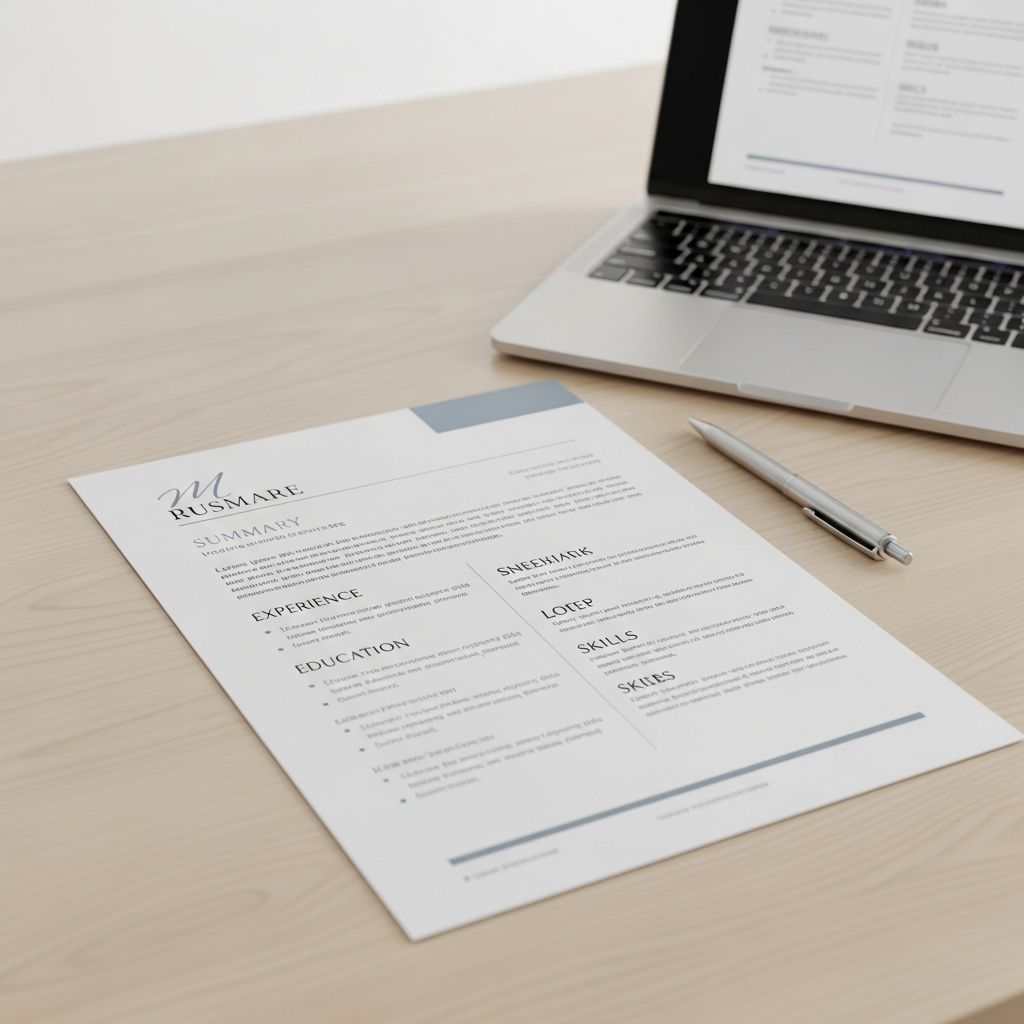
Why the One-Page Resume Still Matters in 2025
In today’s fast-paced hiring environment, recruiters and hiring managers often spend just seconds scanning each resume. A one-page resume forces you to be selective, clear, and impactful. It’s not about fitting everything you’ve ever done onto a single sheet; it’s about showcasing the most relevant parts of your professional story in a way that’s easy to digest and hard to ignore.
For most job seekers—especially those with less than 10–12 years of experience—a one-page resume is the standard. It signals that you understand professional norms, can prioritize information, and respect the reader’s time. Even if you have a long career, a well-edited one-page version can serve as a powerful summary that invites further conversation.
When a One-Page Resume Is the Right Choice
Not every candidate should limit themselves to one page, but many can and should. Here’s a quick guide to help you decide:
- Recent graduates and early-career professionals: One page is ideal. Focus on education, internships, projects, and transferable skills.
- Mid-career professionals (5–10 years of experience): One page is usually sufficient if you focus on recent, relevant roles and measurable achievements.
- Senior professionals and executives: Two pages may be acceptable, but a strong one-page version can still be useful for networking, referrals, or applications where brevity is valued.
If you’re unsure, ask yourself: Does every line on my resume directly support my candidacy for this specific role? If not, it’s time to edit.
Structuring Your One-Page Resume for Maximum Impact
A one-page resume isn’t just shorter—it’s more strategic. Every section must earn its place. Here’s a recommended structure that balances completeness with conciseness:
- Contact information
- Professional summary or objective
- Key skills and competencies
- Professional experience
- Education and certifications
- Optional: select achievements, projects, or volunteer work (if highly relevant)
The order can be adjusted based on your background and the job, but the goal is always the same: make it easy for the reader to see why you’re a strong fit within the first 10–15 seconds.
Designing a Clean, Readable Layout
Good design isn’t about flashy colors or complex graphics—it’s about clarity and readability. A one-page resume should look professional, not cramped. Consider these principles:
- Use consistent formatting: Same font, heading styles, and bullet point style throughout.
- Choose a professional font: Sans-serif fonts like Calibri, Lato, or Helvetica are modern and easy to read on screens and in print.
- Set reasonable margins: Aim for 0.7–1 inch on all sides. Avoid going below 0.5 inches unless absolutely necessary, as it can look cluttered.
- Use white space wisely: Leave space between sections so the resume doesn’t feel overwhelming. Dense blocks of text are hard to scan.
- Limit lines and borders: Thin horizontal lines can separate sections, but avoid heavy borders or decorative elements that distract from the content.
A clean layout also improves how your resume performs with applicant tracking systems (ATS), which many companies use to filter applications before a human ever sees them.
Optimizing Each Section for Space and Impact
Every section of your resume should be written with two goals: relevance and brevity. Here’s how to handle each one effectively.
Contact Information
Keep this section compact but complete:
- Your full name (larger, bold font)
- Professional email address (e.g., firstname.lastname@domain.com)
- Phone number (simple format, no extra characters)
- City and state (no full street address needed)
- LinkedIn profile or personal website (if professional and up to date)
Place this at the top, aligned left or centered, depending on your layout. Avoid icons or graphics that may not render well in ATS.
Professional Summary or Objective
This is your elevator pitch—2–4 concise sentences that tell the reader who you are, what you do, and what value you bring. Focus on:
- Your role or area of expertise (e.g., marketing manager, software developer, project coordinator)
- Years of relevant experience
- Key skills or industries you specialize in
- One or two standout achievements or strengths
Example: Results-driven marketing professional with 6 years of experience in digital campaigns and lead generation. Skilled in SEO, email marketing, and analytics, with a track record of increasing conversion rates by 30%+ across multiple campaigns. Seeking to leverage data-driven strategies in a growth-focused marketing role.
Skills and Competencies
Instead of a long bullet list, group your skills into categories or use a compact format. For example:
- Technical: Python, SQL, Tableau, Excel, Salesforce
- Marketing: SEO/SEM, Google Analytics, email marketing, content strategy
- Soft skills: project management, cross-functional collaboration, client communication
Limit this section to 6–10 of your most relevant skills. If the job description emphasizes certain tools or abilities, make sure those are included.
Professional Experience
This is usually the longest section, but it must be tightly edited. For a one-page resume, focus on:
- Recent roles (last 10–12 years)
- Positions most relevant to the job you’re applying for
- Measurable achievements, not just duties
For each role, include:
- Job title
- Company name and location
- Dates of employment (month/year format)
- 3–5 bullet points highlighting key responsibilities and accomplishments
Use action verbs and quantify results where possible:
- “Increased website traffic by 45% through targeted SEO and content optimization”
- “Managed a $500K annual budget, delivering projects 10% under budget on average”
- “Led a team of 5 developers to deliver a new SaaS product 2 weeks ahead of schedule”
If you’ve held multiple similar roles, consider combining them under one heading (e.g., “Senior Developer Roles, 2018–2023”) and listing the most impactful achievements across those positions.
Education and Certifications
For most professionals, education can be summarized in 2–3 lines:
- Degree (e.g., B.A. in Communications)
- Institution and location
- Graduation year (optional if it’s been many years)
Include only relevant certifications, licenses, or professional development that directly support the job. For example:
- Google Analytics Certification, 2023
- PMP (Project Management Professional), 2022
- Certified ScrumMaster, 2021
If you’re a recent graduate, you can expand slightly on academic achievements, relevant coursework, or honors. For experienced professionals, keep this section brief and focused on what matters for the role.
Strategies to Fit Everything on One Page
Even with a strong structure, fitting everything on one page can be challenging. Here are practical, ethical ways to save space without sacrificing quality:
- Trim older or less relevant roles: Focus on the last 10–12 years. Older positions can be mentioned briefly or omitted if they don’t add value.
- Shorten bullet points: Aim for 1–2 lines per bullet. Remove filler words and focus on the action and result.
- Use concise phrasing: Replace “Responsible for managing a team of…” with “Managed a team of…”
- Adjust spacing: Reduce line spacing and section spacing slightly, but avoid making the resume look cramped.
- Optimize margins: Use 0.7–1 inch margins instead of the default 1 inch, but don’t go too narrow.
- Use a smaller, readable font: 10–11 point for body text, 12–14 for your name and section headings.
- Remove redundant information: Avoid phrases like “References available upon request” or “I am a highly motivated professional.”
The goal is not to squeeze in as much as possible, but to present a focused, high-impact document that makes the hiring manager want to learn more.
Common Mistakes to Avoid
Even well-intentioned resumes can undermine their own effectiveness. Watch out for these common pitfalls:
- Overloading with irrelevant details: Hobbies, outdated skills, or every job from 20 years ago don’t belong on a one-page resume.
- Using long paragraphs: Recruiters scan resumes quickly. Use bullet points and short phrases instead of dense paragraphs.
- Ignoring the job description: A generic resume is less effective than one tailored to the specific role. Mirror keywords and requirements from the posting.
- Over-designing: Fancy fonts, colors, and graphics may look impressive but can confuse ATS and distract from your qualifications.
- Forgetting to proofread: Typos, inconsistent dates, or formatting errors can make even a strong candidate appear careless.
How to Tailor Your One-Page Resume for Different Roles
A strong one-page resume is not a one-size-fits-all document. For best results, customize it for each application:
- Review the job description carefully and identify the top 5–7 skills and experiences they’re looking for.
- Adjust your professional summary to align with the role.
- Reorder or rephrase bullet points to highlight the most relevant achievements.
- Update your skills section to include keywords from the posting.
- Consider adding a short “Key Achievements” or “Relevant Projects” section if it strengthens your case.
Tailoring doesn’t mean rewriting everything from scratch each time. It means making small, strategic changes that increase your chances of passing both ATS filters and human review.
One-Page Resume vs. Two-Page Resume: When to Extend
While one page is ideal for many, there are situations where a two-page resume is appropriate:
- Senior-level roles with extensive, relevant experience
- Academic, research, or technical positions that require detailed project or publication lists
- Executive or leadership roles where a comprehensive career history is expected
Even in these cases, the first page should still be the strongest. If the hiring manager only reads the first page, they should still see enough to want to continue. If you do extend to two pages, ensure that:
- Every line adds value
- The second page is mostly filled (not just a few lines)
- Key information (contact details, summary, recent experience) is on the first page
Final Checklist Before Sending
Before you submit your one-page resume, run through this checklist:
- Is the resume no longer than one page (unless two pages are clearly justified)?
- Is the contact information accurate and professional?
- Does the professional summary clearly state who you are and what you offer?
- Are skills and keywords aligned with the job description?
- Is work experience focused on recent, relevant roles with measurable achievements?
- Is education and certification information concise and up to date?
- Is the formatting clean, consistent, and ATS-friendly?
- Have you proofread for spelling, grammar, and consistency?
- Is the file saved as a PDF (unless the employer requests a Word document)?
Frequently Asked Questions
Can I include volunteer work or side projects on a one-page resume?
Yes, if they’re directly relevant to the job. For example, if you’re applying for a marketing role and you run a successful blog or social media account, that’s worth including. Keep it brief and focus on skills and results.
Should I include a photo on my one-page resume?
In most U.S. and Canadian job markets, it’s not standard or necessary to include a photo. Doing so can introduce unconscious bias and is generally discouraged unless specifically requested (e.g., in some creative or international roles).
How do I handle gaps in employment on a one-page resume?
Focus on what you did during that time that’s relevant—freelance work, courses, certifications, or volunteer roles. If the gap is short or not recent, you can often just list the years without months. Be prepared to explain gaps briefly in an interview, but your resume should emphasize your strengths and achievements.
Is a one-page resume enough for a career change?
Yes, but you’ll need to reframe your experience to highlight transferable skills and relevant accomplishments. Use your summary and skills section to make the connection clear, and choose bullet points that demonstrate abilities needed in the new field.
How often should I update my one-page resume?
Review and update it at least every 6–12 months, or whenever you achieve something significant (new role, promotion, major project, certification). Keeping it current makes job searching much faster and more effective.
References
- Resume Writing Best Practices — Mignone Center for Career Success, Harvard University. 2025. https://careerservices.fas.harvard.edu/resources/create-a-strong-resume/
- Applicant Tracking Systems and Resume Optimization — UC San Diego Extended Studies. 2025. https://extendedstudies.ucsd.edu/news-events/extended-studies-blog/12-resume-best-practices-from-a-career-advisor-how-to-make-your-resume-stand-out-in-2025
- Modern Resume Formatting Guidelines — The Interview Guys. 2025. https://blog.theinterviewguys.com/resume-formatting/

Medha Deb is an editor with a master's degree in Applied Linguistics from the University of Hyderabad. She believes that her qualification has helped her develop a deep understanding of language and its application in various contexts. Medha specializes in the areas of beauty, health, sports, and wellness and is committed to ensuring that the content on the website is…