
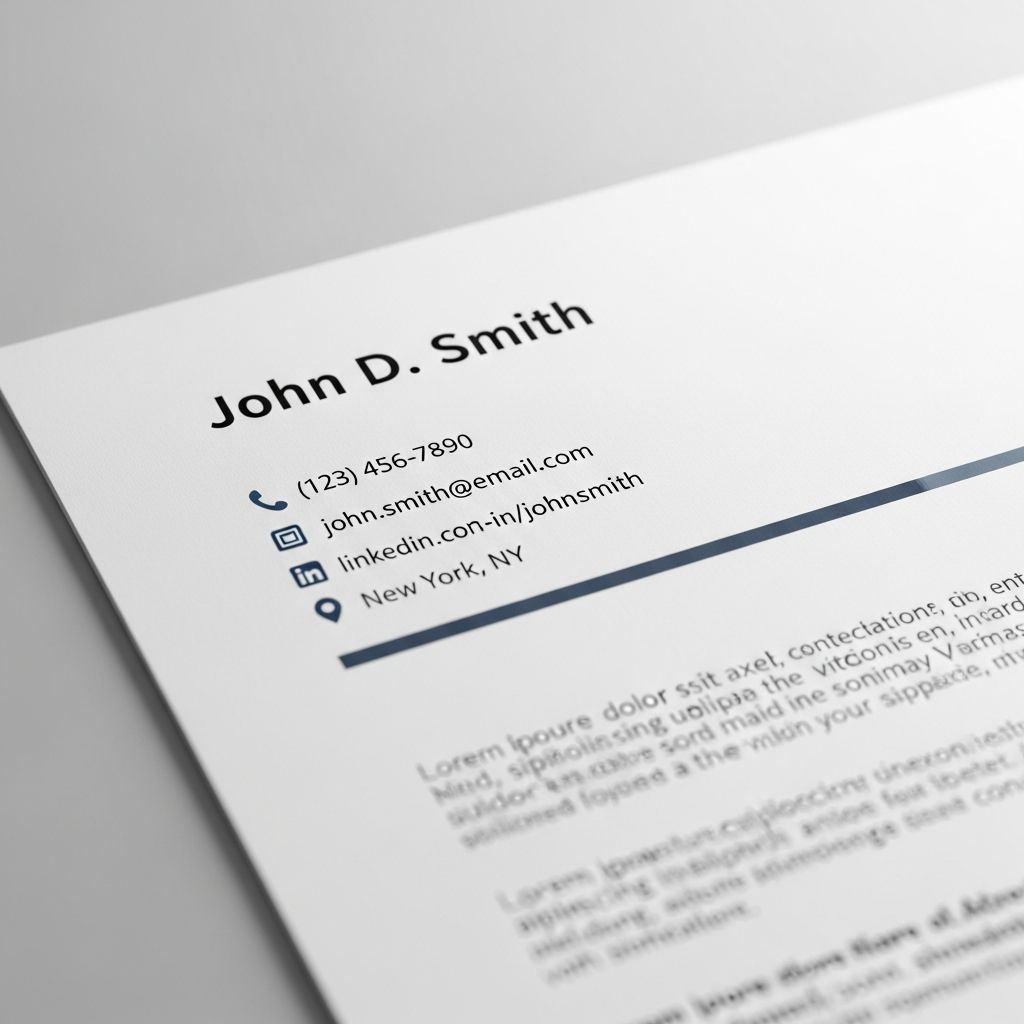
Understanding the Foundation of a Strong Resume Header
The resume header serves as your professional introduction on paper. It’s the first element that catches a hiring manager’s eye, making it crucial to invest time and thought into its construction. Many job applicants underestimate the importance of this section, viewing it as merely a formality. However, a well-crafted header can differentiate you from other candidates before they even read your accomplishments and experience.
The primary purpose of your resume header is to provide quick access to essential information that allows recruiters and hiring managers to contact you and learn more about your professional background. Think of it as the digital equivalent of a business card—concise, professional, and easy to navigate. Your header should immediately convey that you are a serious candidate worth considering.
Essential Elements Every Resume Header Must Include
Building an effective resume header requires understanding which components are non-negotiable and which are optional additions. The foundational elements ensure that decision-makers can reach you and verify your identity.
Your Full Name as the Primary Focus
Your name should dominate the header visually. This means using a larger font size than the rest of your resume content, typically between 16 and 22 points, depending on your chosen typeface. Your full name should always be presented exactly as you use it professionally. If you’ve recently changed your name due to marriage or personal preference, consistency across all professional platforms is critical. Using the same name on your resume, LinkedIn profile, and any online portfolio prevents confusion and helps pass applicant tracking systems that cross-reference candidate information.
For individuals with common names, including a middle initial or middle name can help distinguish you from other candidates with identical names. Similarly, if you’re known by a nickname professionally, you may include it in quotation marks between your first and last name for clarity. These small adjustments prevent your resume from being confused with another candidate’s application.
Reliable Contact Methods
Your phone number and email address are the two most critical pieces of contact information on your resume. Select the phone number you use most frequently and ensure your voicemail greeting is professional and straightforward. Recruiters often make initial contact attempts via phone, and an unprofessional greeting can create a negative first impression before they even speak with you.
Your email address should be equally professional. Generic addresses or those containing outdated references or personal quirks may hurt your candidacy. If your current email address doesn’t reflect professionalism, consider creating a dedicated email for job searching that uses a combination of your name or initials. Check this email regularly throughout your job search to ensure you don’t miss time-sensitive opportunities or interview requests.
Geographic Location
Including your city and state helps recruiters quickly determine whether you’re in their target market or would require relocation assistance. For remote positions, this becomes less critical, but for roles requiring on-site presence, your location can be a deciding factor. You don’t need to include your full street address—just city and state suffices for privacy and security reasons.
Strategic Optional Elements to Elevate Your Header
Beyond the essentials, several optional components can strengthen your header and make you stand out among candidates with similar qualifications.
Professional Credentials and Certifications
If your field requires specific licenses or certifications, incorporating them into your header adds credibility and immediately communicates your qualifications. For example, presenting yourself as “Jennifer Martinez, CPA” or “David Chen, PMP” tells hiring managers immediately that you possess industry-recognized credentials. This placement ensures the information isn’t buried in the body of your resume where it might be overlooked during a quick scan.
Choose credentials that are relevant to the position you’re pursuing. Including every certification you’ve ever earned clutters your header and dilutes the impact of the most relevant ones. Prioritize those that directly relate to the job description or that demonstrate specialized expertise in your field.
LinkedIn Profile Connection
Over 85% of hiring managers utilize LinkedIn during their recruitment process, making your LinkedIn presence a valuable extension of your resume. Including a clickable link to your LinkedIn profile in your header encourages recruiters to learn more about your professional history, recommendations, and network. Ensure your LinkedIn URL is customized to feature your name rather than the default numerical identifier. For example, “linkedin.com/in/jennifersmith” is far more professional than “linkedin.com/in/jsmith12345.” When adding this link to your resume, exclude the “http://” or “www” prefix to maintain a clean appearance.
Personal Website or Portfolio
For creative professionals, technologists, designers, and architects, a portfolio website demonstrates your capabilities through visual work samples. A portfolio link in your header gives recruiters immediate access to tangible examples of your expertise. This is particularly effective for showcasing design projects, code repositories, architectural renderings, or published articles. Ensure your portfolio is polished, up-to-date, and reflective of the quality of work you’ll produce for the employer.
Strategic Considerations for Header Formatting
How you visually present your header information impacts readability and professional appearance. Strategic formatting makes your information accessible while maintaining aesthetic appeal.
Alignment and Layout Decisions
Your header can be centered, left-aligned, or positioned to the right, depending on your resume template and personal preference. Center alignment often creates a more formal, polished appearance, while left alignment is standard and universally accepted. The most important consideration is consistency with the rest of your resume design and ensuring that your name remains the most visually prominent element. Whatever alignment you choose should make information easy to scan and locate quickly.
Font Selection and Size Hierarchy
Choose fonts that are professional and widely available across different computer systems and programs. Arial, Calibri, and Cambria are excellent choices because they’re standard, highly readable, and won’t cause formatting issues when your resume is opened on different devices. Use a significantly larger font size for your name—typically 18 to 22 points—and a smaller, consistent size for contact information, usually 10 to 12 points. This hierarchy guides the reader’s eye naturally from your name to your contact details.
Avoiding Common Technical Pitfalls
If you’re formatting your resume in Microsoft Word, avoid using Word’s built-in header and footer functions. Most applicant tracking systems cannot properly read information placed in document headers, and your carefully formatted contact information might not be captured by the ATS software. Instead, manually create your header at the top of your resume document using standard text formatting. This ensures your information remains accessible to both automated systems and human readers.
Header Optimization for Applicant Tracking Systems
Applicant tracking systems play a significant role in modern recruitment. Optimizing your header for these systems increases the likelihood that your resume reaches human reviewers.
ATS software scans resumes for keywords that match the job description, and your header should include appropriate terminology. If you’re applying for a position where a specific job title appears frequently in the description, including that title in your header or early in your resume improves your chances of passing the automated screening. For instance, if a posting repeatedly mentions “Marketing Manager,” consider including this title alongside your name in your header.
Consistency of information helps ATS systems verify your candidacy. Ensure the name on your resume matches the name on your LinkedIn profile and other professional documents exactly. Inconsistencies can cause the system to flag your application as potentially fraudulent or incomplete, even if the variations are minor.
Common Header Mistakes to Avoid
Understanding what not to include or do is as important as knowing what to emphasize. Several common mistakes can undermine an otherwise strong header.
Many candidates make the error of labeling their resume with the word “Resume” at the top. This is unnecessary and wastes valuable space. Recruiters recognize a resume instantly by its format and content. Similarly, avoid outdated information such as outdated phone numbers, inactive email addresses, or LinkedIn profiles that haven’t been updated in years. A header that directs recruiters to dead ends damages your credibility and may result in missed opportunities.
Social media links should be approached cautiously. While a professional Twitter account or GitHub profile might be relevant, Facebook or Instagram generally shouldn’t appear on your resume unless the job specifically requires social media expertise. Including personal social media accounts can expose unprofessional content to potential employers and works against your candidacy.
Tailoring Your Header for Different Opportunities
While your core contact information remains constant, certain elements of your header can be strategically modified for different applications. If you’re applying for creative positions, your header design can reflect your aesthetic sensibilities through thoughtful use of color, lines, or subtle design elements. However, maintain professionalism—avoid excessive colors, fonts, or decorative elements that distract from the content.
For career changers, the job title element of your header can be adjusted to highlight the position you’re pursuing rather than your previous role. If you’re transitioning from healthcare administration to project management, for example, your header might read “Rachel Thompson, Project Management Professional” rather than “Rachel Thompson, Healthcare Administrator.”
Header Examples for Different Professional Contexts
Technology Professional Header
Michael Zhang, Full-Stack Developer
San Francisco, CA | (415) 555-0147 | michael.zhang@email.com
linkedin.com/in/michaelzhang | github.com/mzhang
Finance Professional Header
Sarah Mitchell, CFA, CFP
New York, NY | (212) 555-0198 | sarah.mitchell@email.com
linkedin.com/in/sarahmitchell
Creative Professional Header
James Rodriguez, Graphic Designer
Los Angeles, CA | (323) 555-0156 | james.rodriguez@email.com
linkedin.com/in/jamesrodriguez | jamesrodriguez.design
Technical Implementation Tips
When creating your header, maintain consistent spacing and alignment throughout. Use single line breaks between your name and contact information for a clean, organized appearance. If your information spans multiple lines, ensure the formatting remains aligned and visually balanced. Test your resume in multiple formats—view it as a PDF and as a Word document—to confirm that your header maintains its formatting across different platforms.
When submitting your resume as a PDF, your formatting will be more consistently preserved than with a Word document. However, some employers specifically request Word format. Prepare both versions and verify that your header looks professional in each. This attention to detail demonstrates your commitment to presenting yourself professionally.
Frequently Asked Questions
Should I include my full street address on my resume header?
No, including your complete street address is unnecessary and poses privacy risks. City and state are sufficient to convey your location to potential employers. This also helps protect your personal security.
Is it necessary to include a LinkedIn link if I don’t have many connections?
Yes, including your LinkedIn link remains valuable even if your network is smaller. A complete, professional LinkedIn profile—even with fewer connections—is better than not including the link at all. Use the opportunity to build your network and maintain an active profile.
How should I handle my header if I’m searching for positions in multiple cities?
If you’re open to positions in multiple locations, listing one primary location is standard. You can mention flexibility in your cover letter or in a professional summary below your header. Alternatively, if you’re willing to relocate, you can indicate this in your header with a note like “Willing to relocate” below your location.
Can I use a nickname in my resume header?
You can use a nickname professionally if you’re widely known by it in your field. However, ensure consistency across all professional platforms. Include your legal first name as your primary name, and place the nickname in quotation marks if included.
What’s the ideal font size for different header elements?
Use 18-22 points for your name, 10-12 points for contact information, and 12-14 points for job titles or credentials. These sizes create clear visual hierarchy while maintaining readability.
References
- Resume Header Examples and Best Practices — Zety Career Blog. 2024. https://zety.com/blog/resume-header
- How to Write an Effective Resume Header — Career.io Career Advice. 2024. https://career.io/career-advice/write-a-fitting-resume-header-with-examples
- How To Write a Resume Header With Examples and Tips — Indeed Career Advice. 2025. https://www.indeed.com/career-advice/resumes-cover-letters/resume-headers
- Creating Resume Headers: Video Tutorial and Expert Tips — Distinctive Resume Templates. 2024. https://www.distinctiveresumetemplates.com/how-to-create-resume-headers/
- Create a Strong Resume — Harvard University Mignone Center for Career Success. 2024. https://careerservices.fas.harvard.edu/resources/create-a-strong-resume/

Medha Deb is an editor with a master's degree in Applied Linguistics from the University of Hyderabad. She believes that her qualification has helped her develop a deep understanding of language and its application in various contexts. Medha specializes in the areas of beauty, health, sports, and wellness and is committed to ensuring that the content on the website is…