
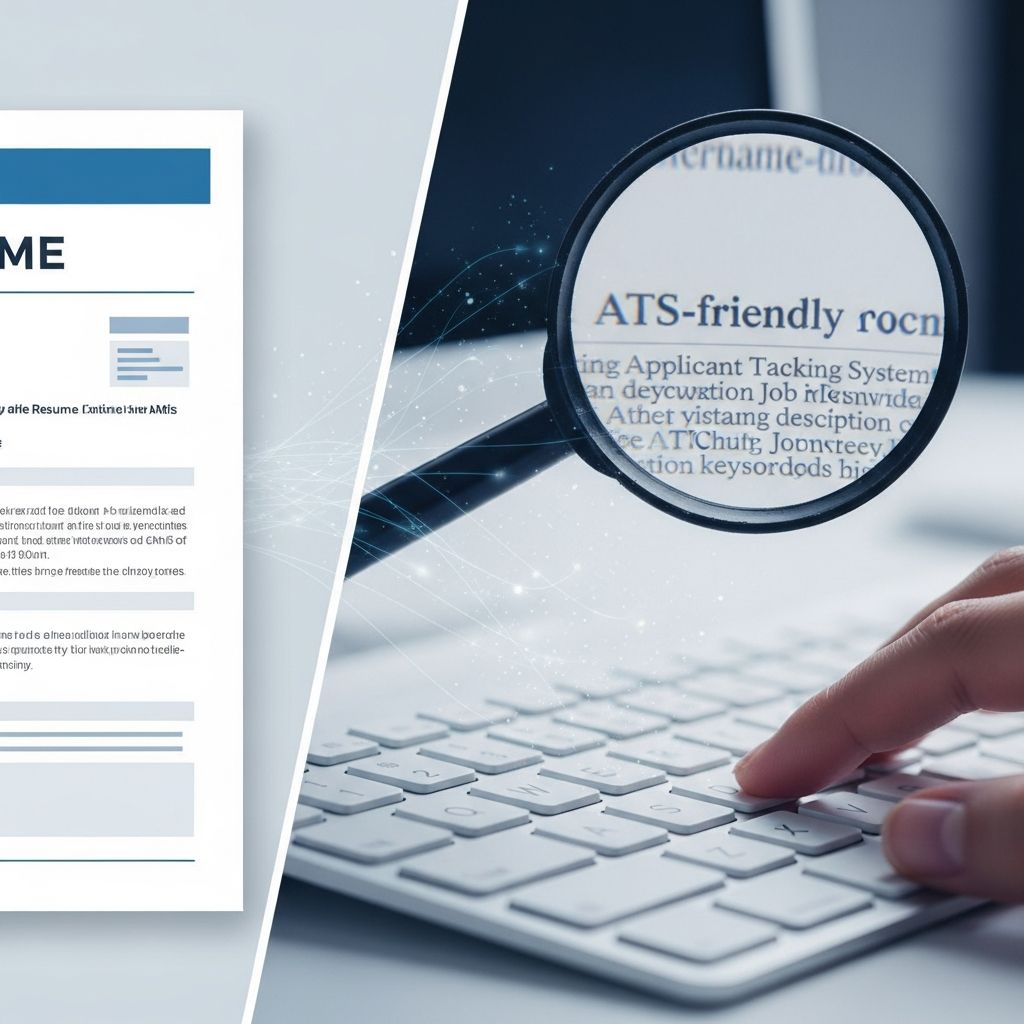
Most mid- to large-sized employers rely on applicant tracking systems (ATS) to screen resumes before a human recruiter ever looks at them. To get more interviews, your resume has to be readable both by software and by people. This guide explains how ATS works, what makes a template ATS-friendly, and how to choose and customize the right layout for your career stage.
Understanding Applicant Tracking Systems
An applicant tracking system is software that helps employers collect, organize, and search large numbers of job applications. Many organizations receive hundreds of applications for a single role, so they use ATS to parse resume content, compare it with the job description, and filter out candidates who don’t appear to match basic requirements.
Typical ATS functions include:
- Scanning resumes and extracting information such as contact details, work history, skills, and education
- Indexing resumes so recruiters can search by keywords, experience, or qualifications
- Ranking or scoring applications based on keyword matches or screening questions
- Tracking candidates through stages like screening, interviews, and offers
Because the software relies on structure and text recognition, resumes that use complex formatting, images, or unusual layouts risk becoming unreadable to the ATS, which can cause qualified applicants to be filtered out prematurely.
What Makes a Resume Template ATS-Friendly?
An ATS-friendly resume template is a layout designed so that resume-screening software can accurately parse your content and recruiters can quickly understand it. The goal is not just to look neat, but to provide machine-readable structure and clear, keyword-rich information.
Key characteristics of ATS-friendly templates include:
- Logical section order (e.g., summary, experience, skills, education), with standard headings like “Work Experience” and “Education”
- Simple formatting using text, spacing, and basic lines rather than graphics or text boxes
- Consistent bullet points and date formats, making it easy to interpret timelines
- Standard fonts such as Calibri, Arial, Times New Roman, or similar widely available options
- No critical information in images, charts, or icons, since many ATS cannot read them
- Minimal use of columns, or columns implemented in ways that still read in a sensible order when the document is parsed as plain text
Good templates balance visual appeal and structure: they remain easy for a recruiter to skim on screen while still being safe for automated screening.
Why ATS-Friendly Templates Matter
In competitive job markets, a resume often gets a few seconds of attention—or none at all if it fails ATS screening. Research indicates that large employers frequently receive hundreds of applications for each opening and use automated filters to manage volume. If your resume template blocks or scrambles key content, your application may never be seen by a hiring manager.
Using an ATS-aware template helps you:
- Increase your chance of passing initial screening by presenting your experience in a format the system can parse
- Show clear career progression with standardized job titles, employers, and dates
- Highlight relevant skills and keywords that match the job posting
- Save time by starting with a layout that already follows best practices instead of redesigning from scratch
Core Elements of an ATS-Friendly Resume
Regardless of the template you choose, certain structural elements improve compatibility with applicant tracking systems.
1. Clean, Consistent Formatting
- Use a single, readable font family for body text and headings.
- Keep font sizes around 11–12 pt for text and 14–16 pt for headings.
- Stick to standard bullet styles (• or –) rather than decorative shapes.
- Maintain one-inch margins or close to it, so nothing important is cut off.
- Avoid headers and footers for critical information, since some ATS may ignore them.
2. Standard Section Headings
Most ATS are configured to recognize common headings. Using conventional labels helps the system correctly categorize your information.
- Contact Information
- Professional Summary or Profile
- Work Experience or Professional Experience
- Skills
- Education
- Optional: Certifications, Projects, Publications, or Volunteer Experience
3. Keyword-Rich Content
Many ATS configurations allow recruiters to search by skills, tools, or qualifications. Using keywords drawn from the job posting—while staying honest—is central to being found in these searches.
- Include the exact job title from the posting somewhere visible, such as in your headline or summary.
- Mirror core skills and technologies listed under requirements when they truly reflect your experience.
- Use both the full term and abbreviation for specialized tools or certifications (e.g., “Search Engine Optimization (SEO)”).
4. Clear Work History Structure
For each position, follow a predictable order so the ATS can correctly associate titles, employers, and dates.
- Job title
- Employer name and location
- Dates of employment (format consistently, such as MM/YYYY – MM/YYYY)
- Bullet points describing responsibilities and measurable achievements
Comparing Resume Formats for ATS
Different resume formats place emphasis on experience, skills, or both. Some work better than others with ATS and recruiters.
| Format | Overview | ATS Compatibility | Best For |
|---|---|---|---|
| Reverse-Chronological | Lists positions from most recent to oldest, emphasizing career progression. | Excellent. Widely recommended as the most ATS-friendly format. | Most professionals with a steady work history. |
| Hybrid (Combination) | Combines a prominent skills section with chronological work history. | Very good if headings and bullets are kept simple. | Candidates with diverse skills, career changers, or experienced applicants. |
| Functional | Focuses almost entirely on skills, grouping experience thematically. | Problematic. Many ATS and recruiters find it confusing, and detailed timelines may be missing. | Specific situations only; generally not recommended for ATS-heavy hiring processes. |
Types of ATS-Friendly Resume Templates
Once you understand the formats, you can choose a template style that fits your industry, seniority, and personal brand while staying compatible with ATS.
1. Classic Professional Templates
These templates prioritize clarity and familiarity. They typically use a single column or a subtle side column, a neutral color palette, and straightforward section headings.
Best suited for:
- Accounting, finance, law, and other conservative fields
- Large organizations with formal hiring processes
- Candidates who want to highlight a strong, linear career path
2. Minimalist and Clean Templates
Minimalist designs strip away anything unnecessary and focus on white space, simple typography, and highly scannable content. They are usually very safe for ATS because they rely on plain text and clear hierarchy.
Best suited for:
- General corporate roles
- Early-career candidates who need to make limited experience easy to read
- Anyone concerned about compatibility across different ATS tools
3. Modern Templates with Subtle Styling
Modern layouts use restrained color, subtle lines, and occasionally a side column for skills or contact details. As long as they avoid heavy graphics and maintain a logical text flow, they can remain ATS-friendly while standing out visually.
Best suited for:
- Marketing, communications, HR, and operations
- Growing startups and mid-sized companies
- Professionals who want a polished but not overly traditional look
4. Templates Tailored to Technical Roles
Templates aimed at IT, engineering, and data roles often make space for technical skills, tools, and projects while still keeping a clear chronological experience section. A separate skills or “Technical Proficiencies” block near the top can help your core technologies stand out.
Best suited for:
- Software developers, data analysts, cybersecurity professionals
- Engineers with project-based experience
- Technical specialists who need to showcase tools and tech stacks
5. Executive and Leadership Templates
Executive-level templates emphasize scope, impact, and strategic results. They typically feature a powerful summary, sections for highlights or key achievements, and well-organized experience entries focused on outcomes.
Best suited for:
- Senior managers and C-suite candidates
- Directors leading large teams or budgets
- Consultants and leaders moving between industries
How to Customize an ATS-Friendly Template
Choosing the right template is only the first step. Tailoring the content for each role can significantly improve your chances of passing ATS screening and impressing recruiters.
Step 1: Align Your Headline and Summary with the Job
- Include the target job title in your headline, matching the posting when appropriate.
- Use the summary to mention 3–5 qualifications or skills that directly reflect the job’s top requirements.
- Keep this section short—typically 3–4 concise lines or bullet points.
Step 2: Mirror the Job Description’s Core Keywords
- Scan the posting for repeated terms—technical tools, soft skills, certifications, or methodologies.
- Integrate these phrases naturally into your skills list and work experience bullets, where you genuinely have experience.
- Use parallel wording, but avoid copying full sentences; focus on meaning and accuracy.
Step 3: Emphasize Achievements, Not Just Tasks
- Transform generic duties into results-oriented statements (e.g., “Reduced processing time by 20% by automating…”).
- Quantify improvements when possible—percentages, revenue, time saved, or customer satisfaction.
- Include role-specific keywords within these achievements to support ATS matching.
Step 4: Keep Dates and Locations Consistent
- Choose a single date format (e.g., “03/2022 – 08/2024” or “March 2022 – August 2024”) and use it everywhere.
- Always list city and state (or city and country) for employers for clarity.
- If you had overlapping roles, clearly label each one; avoid merging unrelated positions into a single entry.
Step 5: Export in ATS-Friendly File Types
- Most ATS accept DOCX and PDF; always follow the employer’s instructions if a specific format is requested.
- Check that your exported file preserves text, section headings, and bullets correctly.
- Run a quick test by copying all the text from your file into a plain-text editor—if the order still makes sense, it’s likely ATS-readable.
Common Mistakes That Break ATS Compatibility
Many visually attractive resumes fail ATS screening because of avoidable formatting problems. When using any template, avoid these pitfalls:
- Placing essential content in text boxes, shapes, or images
- Using non-standard or decorative fonts that may not be recognized
- Relying heavily on icons, graphics, or charts to convey skills
- Embedding keywords only in images instead of in actual text
- Overusing complex multi-column layouts that become jumbled when read as plain text
- Leaving out dates or job titles, which can confuse both ATS and recruiters
Quick Checklist for an ATS-Friendly Resume
Before sending your application, use this checklist to confirm your template and content support ATS screening:
- Reverse-chronological or hybrid format with clear work history
- Standard headings: Summary, Experience, Skills, Education
- No critical information in headers, footers, images, or text boxes
- Job-specific keywords included throughout, especially in experience bullets
- Consistent dates, bullet formatting, and font usage
- Saved as the file type requested by the employer (DOCX or PDF)
Frequently Asked Questions (FAQs)
Q: How can I tell if a resume template is ATS-friendly?
A: Look for a simple layout with standard headings, minimal graphics, and content that remains logical when copied into a plain-text editor. Avoid templates that rely heavily on images, complex columns, or decorative fonts.
Q: Do I need a different template for every job?
A: You can usually keep the same base template but adjust your headline, summary, skills, and a few key bullets for each role to reflect the posting’s most important keywords and requirements.
Q: Are PDF resumes always safe for ATS?
A: Many modern ATS can read well-formed PDF files, but compatibility varies. If a posting specifies Word or another format, follow those instructions. When in doubt, DOCX is often the safest choice.
Q: Is a functional resume format bad for ATS?
A: Functional resumes can confuse both ATS and recruiters because they often lack clear timelines and job-specific context. A reverse-chronological or hybrid format is generally a better choice for ATS-heavy hiring processes.
Q: Do visuals and color always hurt ATS compatibility?
A: Moderate use of color and simple lines is fine as long as the underlying text and structure remain clear. Problems arise when templates use images, heavy graphics, or complex design elements instead of text.
References
- Applicant Tracking Systems (ATS): A Guide for Job Seekers — U.S. Equal Employment Opportunity Commission. 2023-05-18. https://www.eeoc.gov/laws/guidance/automated-systems-artificial-intelligence-and-employment-decision-making
- Using Artificial Intelligence and Algorithms in the Hiring Process — U.S. Department of Labor. 2022-09-15. https://www.dol.gov/agencies/odep/program-areas/emerging-technology/artificial-intelligence
- How to Create an ATS-Friendly Resume in 2026 — Jobscan. 2024-06-10. https://www.jobscan.co/blog/20-ats-friendly-resume-templates/
- ATS-Friendly Resume and Cover Letter Templates — Microsoft. 2024-02-01. https://word.cloud.microsoft/create/en/ats-templates/
- Best Practices for Résumés — National Association of Colleges and Employers (NACE). 2023-04-05. https://www.naceweb.org/career-development/effective-practices/resume-writing-guidelines/

- Integrated M.A. in Applied Linguistics, University of Hyderabad
- 5+ years in editorial, instructional, SEO, and research-based writing
Sneha is a relationships and lifestyle writer with a strong foundation in applied linguistics and certified training in relationship coaching. She brings over five years of writing experience to theskillvault, crafting thoughtful, research-driven content that empowers readers to build healthier relationships, boost emotional well-being, and embrace holistic living. Her writing and insights reflect the belief that beauty, happiness, and wellness…