
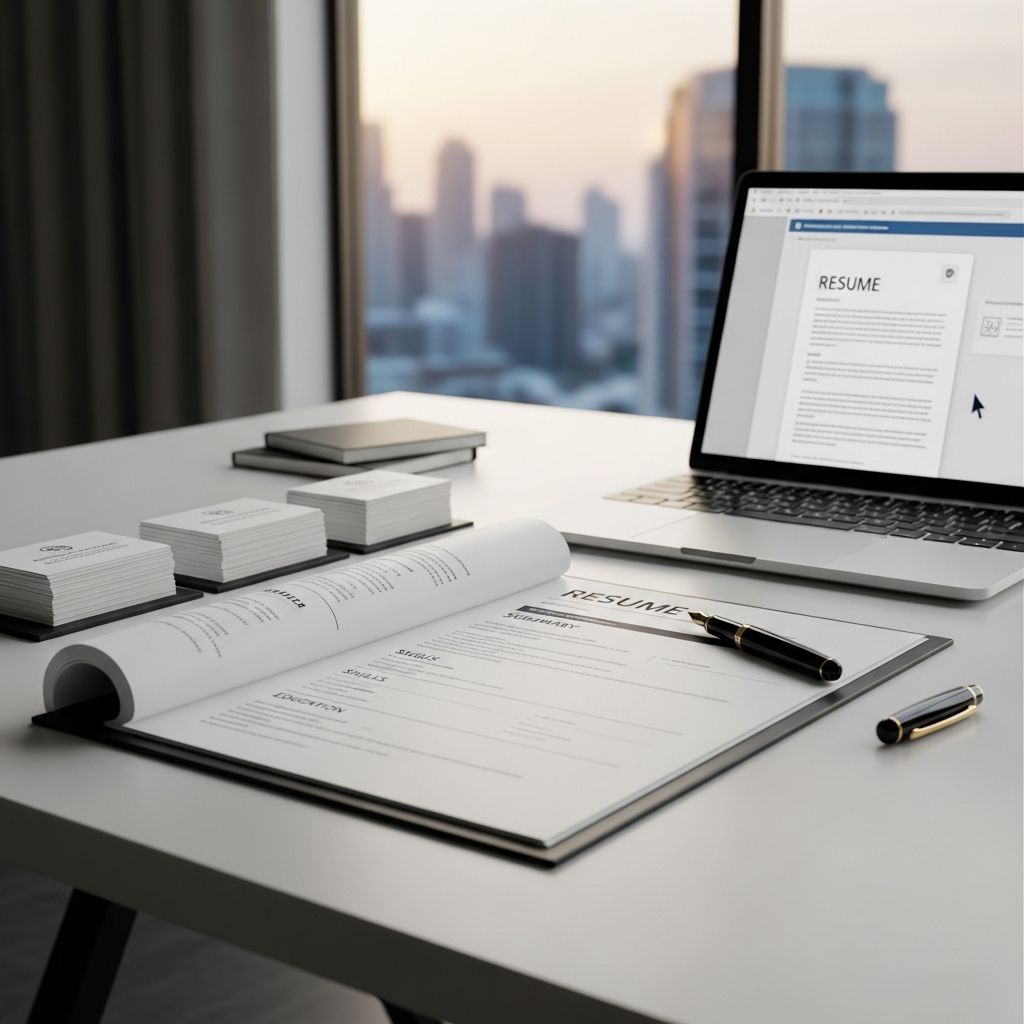
Crafting Your Professional Foundation: The Office Assistant Resume
An office assistant position serves as a critical stepping stone in many administrative careers. The role requires demonstrating organizational prowess, communication excellence, and technical proficiency. Your resume is the primary tool to showcase these competencies to hiring managers. Unlike generic application materials, a well-tailored office assistant resume must highlight your ability to manage multiple priorities, interact professionally with diverse stakeholders, and maintain meticulous attention to detail.
The administrative landscape has evolved significantly, with employers now seeking candidates who can navigate modern office technologies while maintaining traditional organizational standards. Your resume must bridge this gap, presenting you as both technically capable and personally reliable. Understanding the nuances of what hiring managers seek in administrative professionals will transform your resume from a simple document into a powerful marketing instrument.
Understanding the Core Competencies Employers Value
Office assistant positions demand a distinct set of skills that extend beyond basic computer literacy. Employers prioritize candidates who demonstrate exceptional communication abilities, whether through written correspondence or verbal interactions. The role frequently involves serving as the office’s first point of contact, making interpersonal skills paramount.
Administrative professionals must exhibit strong organizational capabilities, managing everything from supply inventories to complex scheduling systems. Time management becomes crucial when juggling multiple concurrent tasks across different departments. Technical proficiency in office software suites, email systems, and document management platforms remains essential, though not necessarily at expert levels.
Beyond these fundamentals, hiring managers increasingly value adaptability and problem-solving orientation. Modern office environments require assistants who can troubleshoot minor technical issues, coordinate between departments, and implement new procedures without extensive supervision. Your resume should weave these competencies throughout, demonstrating how past experiences reflect these sought-after qualities.
Strategic Resume Structure and Formatting Approaches
Your resume’s visual presentation significantly impacts its effectiveness. Recruiters typically spend limited time reviewing each application, making clean formatting essential for ensuring your qualifications stand out. A logical progression from contact information through professional experience creates a natural reading flow that guides the reader through your qualifications.
The most effective office assistant resumes employ a reverse chronological format, presenting your most recent positions first. This approach allows hiring managers to immediately see your current skill level and recent accomplishments. However, if you’re transitioning careers or have employment gaps, a functional resume format emphasizing transferable skills may serve you better.
Typography choices matter more than many candidates realize. Stick with professional fonts like Arial, Calibri, or Times New Roman in sizes between 10 and 12 points. Excessive formatting, unusual fonts, or elaborate graphics distract from your content and may not survive Applicant Tracking System (ATS) scanning. White space around sections improves readability without compromising professionalism.
Optimal resume length for administrative positions typically ranges from one to two pages. Most hiring managers expect a single page unless you possess substantial relevant experience or advanced certifications. Keep margins consistent at 0.5 to 1 inch, and maintain uniform spacing between sections for a polished appearance.
Constructing an Impactful Professional Summary
The professional summary section provides your first opportunity to capture a hiring manager’s attention. Rather than generic statements about being a “detail-oriented professional,” craft a targeted summary that speaks directly to the specific position and organization. Your summary should quickly establish why you’re an ideal fit for the role.
An effective summary for office assistant positions typically includes four key elements: your years of relevant experience, primary area of expertise, key accomplishments that demonstrate impact, and specific technologies you’ve mastered. For example, a summary might highlight experience managing office operations for a growing organization, proficiency with specific software platforms, and a track record of improving operational efficiency.
If you’re entering the field with minimal experience, your summary can emphasize transferable skills, educational qualifications, and your enthusiasm for administrative work. Highlight any internships, volunteer positions, or academic projects that demonstrate your ability to handle office-related responsibilities. This approach positions you as a capable candidate despite lacking extensive professional background.
Keep your summary concise—typically between two and four sentences. The goal is to entice the reader to explore your qualifications further, not to comprehensively detail your career. Quantify achievements whenever possible, as numbers immediately convey impact and credibility.
Showcasing Professional Experience With Impact
The professional experience section forms the resume’s backbone, demonstrating your practical capabilities and achievements. Rather than simply listing job duties, focus on accomplishments that show measurable impact. Describe what you achieved in your positions, not merely what you were responsible for doing.
For each position, begin with your job title and company name, followed by employment dates and location. Then provide a concise description of your role’s scope. Follow this with four to six bullet points highlighting specific achievements, using action verbs that convey initiative and impact.
When describing office assistant experience, emphasize how you improved existing processes or contributed to organizational goals. Instead of stating “responsible for managing office supplies,” describe how you “implemented a new inventory tracking system that reduced supply ordering costs by 15% while improving stock availability.” This distinction transforms passive responsibility into active accomplishment.
Include quantifiable results wherever possible. Numbers like “processed 200+ monthly financial transactions,” “coordinated schedules for five senior executives,” or “reduced meeting setup time by 30%” provide concrete evidence of your capabilities. These specifics make your contributions tangible and memorable.
If you’re transitioning from different industries, highlight transferable skills that apply to office assistant roles. Customer service experience demonstrates communication skills; retail positions show organizational abilities; educational backgrounds reveal your capacity to learn technical systems quickly. Frame these experiences in terms relevant to administrative work.
Highlighting Technical and Administrative Skills
Modern office environments demand specific technical competencies. Your skills section should prominently feature the software platforms and tools essential for administrative success. Rather than creating an exhaustive list, prioritize skills most relevant to the positions you’re targeting.
Essential technical skills for office assistants typically include proficiency with Microsoft Office Suite applications, familiarity with common email platforms, and experience with document management systems. Additional valuable skills might encompass video conferencing software, project management tools, scheduling applications, or industry-specific systems. If you possess certifications in relevant software or administrative practices, these deserve prominent placement.
Beyond technical skills, highlight soft skills that define administrative excellence. Strong written and verbal communication, attention to detail, multitasking ability, customer service orientation, and problem-solving capabilities all matter significantly in office environments. When listing these abilities, tie them to specific contexts or accomplishments from your experience section.
Organize skills by category for clarity. Creating sections for “Office Software Proficiency,” “Communication & Organization,” and “Administrative Tools” helps readers quickly locate relevant competencies. Group related skills together to demonstrate depth in particular areas rather than scattered, isolated abilities.
Educational Background and Certification Positioning
Your education section establishes foundational credibility, though it typically receives less emphasis than professional experience. Include your highest level of education, institution name, graduation date, and any relevant honors or distinctions. For office assistant positions, a high school diploma typically represents the minimum requirement, though some employers prefer additional education.
If you possess relevant certifications—such as Microsoft Office Specialist credentials, administrative professional certifications, or medical office administration qualifications—these deserve dedicated attention. Certifications demonstrate your commitment to professional development and validate your technical competencies. Place them prominently, either in a dedicated section or within your skills section, depending on their relevance to your target positions.
Relevant coursework or academic projects that developed administrative skills can strengthen your candidacy, particularly if you lack extensive professional experience. Mention courses in business communication, office management, or data entry, or highlight academic projects involving organizing information, creating presentations, or managing group timelines. These examples demonstrate practical application of skills beyond classroom settings.
If you’re currently pursuing further education, include this information with your expected completion date. Many employers appreciate candidates investing in professional development. Similarly, if you’ve completed online courses or professional development training related to administrative skills, these additions strengthen your qualifications.
Strategic Customization for Different Position Types
Office assistant positions vary significantly across industries and organizational sizes. A healthcare facility requires different expertise than a law firm or corporate office. Successful candidates customize their resumes to emphasize relevant experience and skills for each specific position.
When targeting healthcare office positions, emphasize experience with patient confidentiality, familiarity with medical terminology, and exposure to healthcare management systems. If you’re applying to legal offices, highlight experience with legal documentation, court filing procedures, or litigation support. Corporate environments may prioritize executive support experience, conference coordination, or project management assistance.
Review each job posting carefully, noting required skills and preferred qualifications. Incorporate specific language from the posting into your resume when it accurately reflects your capabilities. Many organizations use Applicant Tracking Systems that identify applications containing relevant keywords, making this alignment strategically important.
Consider creating two to three versions of your resume tailored to different position types. Maintain your core professional narrative while emphasizing different accomplishments and skills depending on the target role. This customization demonstrates genuine interest in specific positions and increases your chances of progressing past initial screening.
Optimizing for Applicant Tracking Systems
Most modern hiring processes involve Applicant Tracking Systems that scan resumes for specific keywords and formatting patterns. Understanding how these systems work helps you structure your resume to survive automated screening and reach human reviewers.
ATS systems struggle with elaborate formatting, unusual fonts, graphics, and special characters. They may incorrectly parse resumes with multiple columns, tables, or creative layouts. For maximum compatibility, maintain a simple, linear format using standard fonts and straightforward structure. Save your resume as a .docx or .pdf file format, which most systems handle reliably.
Keyword optimization significantly impacts your resume’s visibility in ATS screenings. Review job postings in your target field, noting repeatedly mentioned skills and qualifications. Incorporate these keywords throughout your resume, particularly in your summary and skills sections. Use exact terms from job descriptions when they genuinely reflect your abilities—this honesty ensures you advance to positions where you’re truly qualified.
Create a master resume containing all your relevant skills and experiences, then customize versions for specific positions. This approach ensures you maintain keyword diversity while customizing focus. Test your final resume by converting it to a text file and reviewing formatting—this reveals how ATS systems will read your document.
Common Mistakes to Avoid in Resume Development
Even capable candidates undermine their resume’s effectiveness through preventable errors. Being aware of common pitfalls helps you maintain professional credibility throughout your application materials.
Grammatical and spelling errors immediately damage your credibility, especially problematic for administrative roles where accuracy matters. Proofread multiple times, reading aloud to catch errors your eyes might skip. Have trusted friends review your resume—fresh eyes frequently spot mistakes missed during self-editing.
Inconsistent formatting within your resume creates an unprofessional appearance. Ensure dates follow consistent formatting, bullet points align properly, and spacing remains uniform throughout. This attention to detail demonstrates the carefulness essential for administrative positions.
Including irrelevant information dilutes your resume’s impact. Hobbies, personal interests, and references to high school achievements (unless recently graduated) typically detract from professional focus. Keep references available but provide them separately when requested, rather than including them on your resume.
Exaggerating qualifications or misrepresenting experience creates problems during verification processes and can damage your reputation if discovered. Present yourself honestly but positively, emphasizing genuine accomplishments without embellishment. Employers value integrity, and dishonesty discovered later may result in position termination.
Using generic summaries and objective statements that could apply to any position signals lack of genuine interest. Customize your opening section for each position, demonstrating specific enthusiasm for the organization and role.
Presentation and Delivery Best Practices
Your resume’s final presentation significantly impacts first impressions. Submitting your resume with attention to detail demonstrates the meticulousness employers seek in administrative professionals. Always save your document with a professional filename—”FirstName_LastName_Resume” works better than generic “Resume.docx.”
When submitting digitally, follow application instructions precisely. If the posting requests a specific file format, provide exactly what’s requested. Include a brief, professional cover letter when possible, as this additional document allows you to explain your specific interest in the position and organization.
If printing your resume, use quality paper in white or light gray. Print from a quality printer, and ensure ink is dark and crisp. Present your printed resume in a professional folder or envelope for in-person interviews, demonstrating respect for the opportunity.
Before submitting any application, verify that all email addresses, phone numbers, and website links are current and professional. A recruiter should be able to contact you immediately without confusion. Set up a professional voicemail greeting and monitor your email regularly, responding promptly to interview requests.
Strengthening Your Overall Candidacy Beyond the Resume
While your resume opens doors, comprehensive job preparation enhances interview performance. Develop strong answers to common administrative position questions, such as how you prioritize competing deadlines or examples of improved office processes. Research organizations before interviews, understanding their industry, size, and culture.
Consider developing a portfolio demonstrating your organizational systems, document templates, or process improvements from previous positions. Creating samples showing your capability with office software—well-formatted documents, organized spreadsheets, or professional presentations—provides tangible evidence of your skills during interviews.
Networking within administrative and office management communities provides job opportunities and career insights. Connecting with colleagues on professional platforms, attending industry events, and joining administrative professional organizations creates relationships that often lead to position opportunities before they’re publicly posted.
Continuous skill development strengthens your candidacy over time. Pursuing certifications, learning new software systems, or improving skills in specific areas demonstrates commitment to professional growth. These accomplishments provide fresh resume updates and increased confidence during interviews.
Frequently Asked Questions
Q: How should I handle employment gaps in my office assistant resume?
A: Address gaps honestly but briefly. A functional resume format emphasizing skills rather than chronological employment can minimize focus on gaps. In interviews, prepare a concise explanation emphasizing what you gained during the period—education, caregiving responsibilities, or personal development—and how you’re energized to return to work.
Q: What’s the ideal length for an office assistant resume?
A: One page is standard for most office assistant positions, unless you have extensive experience or advanced certifications. Recruiters appreciate concise, focused documents that quickly communicate your key qualifications without overwhelming detail.
Q: Should I include my GPA on my resume if I recently graduated?
A: Include your GPA only if it’s 3.5 or higher. For recent graduates with limited work experience, educational achievements help demonstrate academic capability and commitment. For established professionals with significant work history, omit GPA to keep focus on professional accomplishments.
Q: How can I make my office assistant resume stand out from other candidates?
A: Quantify your achievements with specific numbers and percentages. Use strong action verbs and focus on impact rather than responsibilities. Customize your resume for each position, demonstrating genuine knowledge of the organization and thoughtful consideration of how your skills match their needs.
Q: Is it important to include a cover letter with my office assistant application?
A: Yes, when possible. A well-written cover letter allows you to explain your specific interest in the position and organization, demonstrate cultural fit, and address any potential concerns about your background. It shows extra effort and genuine enthusiasm beyond the resume.
Q: What technical skills are most important to highlight for office assistant positions?
A: Microsoft Office Suite proficiency (especially Word and Excel) remains essential. Also emphasize experience with email systems, scheduling software, document management platforms, and any industry-specific systems. Communication skills and organizational abilities matter equally with technical capabilities.
Q: How should I describe my office assistant experience if I had multiple similar positions?
A: Combine them into a single comprehensive position description emphasizing your progression and learning. Alternatively, list each position separately if they occurred in significantly different industries or if each contributed unique skills. Focus on demonstrating growing capability and increased responsibility.
Q: Should I include references on my office assistant resume?
A: No, provide references separately when requested. A simple note stating “References available upon request” suffices. Having your references ready in a separate document shows preparedness without consuming valuable resume space.
References
- Office Assistant Job Description — Workable. 2022-02-01. https://resources.workable.com/office-assistant-job-description
- Office Assistant Job Description [Updated for 2025] — Indeed. 2025. https://www.indeed.com/hire/job-description/office-assistant
- What Does an Office Assistant Do? — Perk. https://www.perk.com/guides/office-management/what-does-office-assistant-do/
- Office Assistant Job Description Template — Betterteam. https://www.betterteam.com/office-assistant-job-description
- Office Assistant General Responsibilities. Essential Duties and Responsibilities — Albany County, Wyoming. https://www.albanycountywy.gov/DocumentCenter/View/1512/Office-Assistant-PDF
- Office Assistant Job Description, Roles & Responsibilities — WeCreate Problems. https://www.wecreateproblems.com/job-descriptions/office-assistant-job-description

Medha Deb is an editor with a master's degree in Applied Linguistics from the University of Hyderabad. She believes that her qualification has helped her develop a deep understanding of language and its application in various contexts. Medha specializes in the areas of beauty, health, sports, and wellness and is committed to ensuring that the content on the website is…