
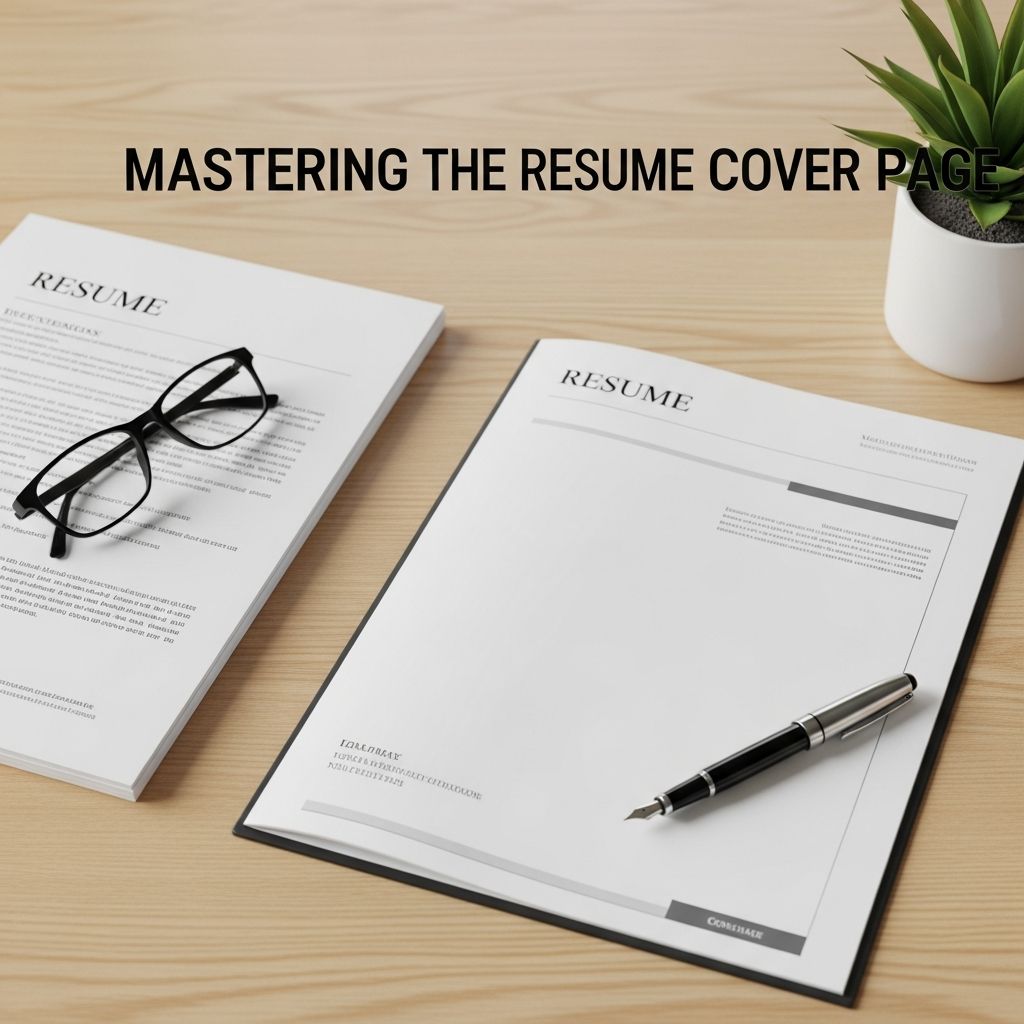
Your resume cover page is often the first thing a hiring manager sees, and it can determine whether they read your resume thoroughly or move on to the next applicant. Used well, it acts as a persuasive introduction that connects your background to the specific role you want, instead of just repeating bullet points from your resume.
This guide walks you through every element of a strong resume cover page, from layout and formatting to what to write in each paragraph, with practical tips to stand out in a competitive job market.
What Is a Resume Cover Page?
A resume cover page (commonly called a cover letter) is a one-page business document that accompanies your resume and explains why you are a strong match for a specific job. It highlights your most relevant skills, adds context to your experience, and shows your motivation for joining the organization.
| Document | Main Purpose | Key Focus |
|---|---|---|
| Resume | Provide a factual overview of your work history, skills, and education. | What you have done and achieved. |
| Resume Cover Page | Explain why your experience matters for this role and employer. | How and why you are the right fit now. |
Core Principles of an Effective Cover Page
Before you start writing, keep these fundamentals in mind:
- One page only: Most employers expect a concise cover letter no longer than one page, aligned with general resume guidance to keep core application materials brief.
- Relevant and targeted: Emphasize skills and achievements that match the job description instead of listing everything you have done.
- Professional tone and formatting: Use a clean layout, formal language, and a structure similar to a business letter.
- Evidence-based claims: Support your strengths with specific examples and, where possible, numbers or outcomes.
- Customization for each role: Tailor your cover page to each employer and position rather than reusing the same generic text.
Formatting and Layout: Look Professional at First Glance
Recruiters often scan documents quickly, so a clean, consistent layout helps them find the key information they need. Research from university career centers and employer surveys consistently recommends a simple, professional format.
Basic Formatting Guidelines
- Font: Use a standard, readable font such as Calibri, Arial, Georgia, or Times New Roman.
- Font size: 10–12 pt for body text; a slightly larger size for your name in the header.
- Line spacing: Approximately single to 1.5 spacing for easy reading.
- Margins: Around 0.8–1 inch on all sides to keep the page balanced.
- Alignment: Left-align text for a standard business look.
- File type: PDF is typically safest to preserve formatting across devices.
Match Your Resume’s Visual Style
Your resume and cover page should look like a coordinated set. Career guides from leading universities emphasize consistency across application materials because it helps create a polished professional brand.
- Use the same font family and font sizes where possible.
- Apply the same heading style (bolding, capitalization, spacing).
- Repeat subtle design elements such as accent colors or lines in moderation.
- Align your name and contact details in the same way on both documents.
Essential Sections of a Resume Cover Page
While content will change depending on the role, most cover pages follow a similar structure.
1. Header With Contact Details
At the top of the page, add a simple, clear header including:
- Your full name (visually prominent)
- Phone number
- Professional email address
- City and state or country (optional full address)
- LinkedIn profile or portfolio link, if relevant
Below your information, include the date (optional in many online applications), then the employer’s details:
- Hiring manager’s name and title (if known)
- Company name
- Company city and state or country
2. Greeting That Feels Personal
Whenever possible, address your letter to a specific person (for example, “Dear Ms. Nguyen”). Research from career services offices suggests that personalization increases engagement because it shows you invested time learning about the organization.
- If you cannot find a name, use a neutral professional greeting such as “Dear Hiring Manager.”
- Avoid overly generic phrases like “To Whom It May Concern” when you can reasonably identify a role or department.
3. Opening Paragraph: Capture Attention Quickly
The first paragraph should state the role you are applying for and give a compelling reason to keep reading.
Use your opening to:
- Specify the exact job title and where you saw the posting.
- Highlight one or two high-impact qualifications or achievements that match the role.
- Show enthusiasm for the opportunity or organization.
A concise, targeted opening makes it easier for busy hiring managers to understand who you are and why they should care about your application.
4. Middle Paragraphs: Prove Your Fit With Evidence
The body of your cover page usually consists of one to two paragraphs (and sometimes a short bullet list) that connect your background directly to the job description.
Focus on:
- Relevant achievements: Pick 2–3 accomplishments that demonstrate you can handle the main responsibilities of the role.
- Skills in context: Show how you used key skills—such as communication, analysis, or leadership—to achieve results.
- Quantifiable results: Where possible, include numbers (e.g., “increased response rate by 25%”) to make your impact tangible.
- Alignment with requirements: Refer to specific skills, tools, or experiences mentioned in the job posting.
You can also use a short bullet list to highlight standout points clearly, such as:
- Three key results you delivered in your last role.
- A combination of technical skills and soft skills highly relevant to the posting.
- Major projects or initiatives that mirror the employer’s needs.
5. Paragraph Connecting to the Company
Employers look not only for qualified candidates, but also for people who are genuinely interested in their mission and culture. Use a brief paragraph to explain:
- Why this organization appeals to you (e.g., products, values, research, or recent initiatives).
- How your values or long-term goals align with their work.
- What unique perspective or contribution you would bring to their team.
6. Closing Paragraph and Sign-off
Your conclusion should be polite, confident, and forward-looking.
- Reaffirm your interest in the role.
- Briefly restate your strongest point of fit.
- Thank the reader for their time and consideration.
- Optionally, express your hope to discuss your application further in an interview.
End with a professional closing such as “Sincerely,” “Best regards,” or “Kind regards,” followed by your name.
Strategic Content Tips to Stand Out
Beyond basic structure, strong cover pages share several characteristics that help them rise above generic applications.
Highlight Achievements, Not Tasks
Career experts consistently advise focusing on outcomes rather than simply listing responsibilities, both in resumes and cover letters.
- Replace: “Responsible for managing social media accounts.”
- With: “Managed social media channels that grew audience engagement by 30% in six months.”
This shift shows what you accomplished, not just what you were assigned.
Mirror the Job Description Language
Use keywords and phrases from the job posting—especially skills, tools, and core responsibilities—so it is clear that you are addressing the employer’s specific needs.
- Identify 5–10 key requirements from the posting.
- Incorporate those terms naturally in your cover page.
- Demonstrate with examples rather than simply listing skills.
Align Tone With Company Culture
Researching the company’s website and communications can help you match your tone appropriately.
- For formal industries (e.g., law, finance), keep language traditional and conservative.
- For creative or startup environments, a slightly more conversational tone may be appropriate, while still remaining professional.
Address Potential Concerns Proactively
Your cover page can add context that a resume cannot easily convey.
- Briefly explain employment gaps, if relevant.
- Highlight transferable skills when changing industries.
- Show how previous experiences prepare you for a new function or level of responsibility.
Common Mistakes to Avoid
A few frequent errors can weaken even strong candidates’ cover pages. Career centers and employer surveys highlight the following pitfalls:
- Being too generic: Using the same letter for every role and company.
- Repeating your resume verbatim: Your cover page should add depth, not restate bullet points.
- Overly long or dense text: Large blocks of text without breaks can discourage busy recruiters from reading closely.
- Casual or inappropriate tone: Even in informal industries, respect professional norms.
- Typos and grammatical errors: Mistakes can create doubts about attention to detail.
- Unclear objective: Failing to state which role you are applying for and why.
Proofreading and Final Checks
Thorough review is a crucial final step. University career centers and employer guides consistently stress that errors can quickly disqualify otherwise strong candidates.
- Read your cover page aloud to catch awkward phrasing or missing words.
- Use spelling and grammar tools, but do not rely on them exclusively.
- Print a copy or view it on a different device to see formatting clearly.
- Ask a trusted friend, mentor, or career adviser to review for clarity and tone.
- Check that your file name is professional (for example, FirstName_LastName_CoverLetter.pdf).
Quick Checklist Before You Submit
- Does the cover page clearly state the job title and company?
- Is it tailored to the specific posting, with relevant keywords?
- Do you highlight 2–3 concrete achievements tied to the role?
- Is the layout clean, with consistent fonts and margins?
- Is the length limited to one page?
- Have you proofread multiple times and removed all errors?
- Does it complement—rather than copy—your resume?
Frequently Asked Questions (FAQs)
Q: Is a resume cover page always required?
Many employers expect a cover letter or cover page, especially for professional roles, and career centers at universities generally recommend including one unless the posting explicitly says not to. If an application form labels it as “optional,” submitting a strong cover page can still help you stand out.
Q: How long should my resume cover page be?
Aim for a single page with focused, relevant content. Most hiring managers prefer concise letters that can be scanned quickly while still showing your main strengths.
Q: Should my cover page use the same design as my resume?
Yes. Using consistent fonts, headings, and styling creates a unified, professional impression and reinforces your personal brand across all application materials.
Q: Can I reuse the same cover page for multiple jobs?
You can keep a core template, but you should always adapt each cover page to the specific job and employer. Update the greeting, role, company details, and especially the paragraphs that link your experience to the job description.
Q: Where should I mention salary expectations or availability?
Only include salary information if the employer specifically asks for it in the job posting or application instructions. Availability can be mentioned briefly in the final paragraph if it is relevant (for example, if you are relocating or completing a degree by a certain date).
References
- RESUMES/COVER LETTERS — Stanford Career Education. 2023-01-01. https://careered.stanford.edu/sites/g/files/sbiybj22801/files/media/file/resume-and-cover-letter-examples.pdf
- Create a Strong Resume — Harvard University, Mignone Center for Career Success. 2024-01-01. https://careerservices.fas.harvard.edu/resources/create-a-strong-resume/
- How to Write an Effective Cover Page — Indeed Career Guide. 2023-06-15. https://www.indeed.com/career-advice/resumes-cover-letters/write-an-effective-cover-page
- How to Write a Resume Cover Page That Stands Out — Novorésumé Career Blog. 2024-02-01. https://novoresume.com/career-blog/how-to-write-a-resume-cover-page
- Crafting a Standout Cover Page for Your Resume — Jobscan. 2023-09-01. https://www.jobscan.co/blog/cover-page-for-resume/
- Best Cover Letters of 2025 (10 Good Examples) — Resume Genius. 2025-01-10. https://resumegenius.com/blog/cover-letter-help/best-cover-letters
- Resume Formatting for 2025: 9 Modern Techniques That Will Get You Hired — The Interview Guys. 2024-11-01. https://blog.theinterviewguys.com/resume-formatting/

- Integrated M.A. in Applied Linguistics, University of Hyderabad
- 5+ years in editorial, instructional, SEO, and research-based writing
Sneha is a relationships and lifestyle writer with a strong foundation in applied linguistics and certified training in relationship coaching. She brings over five years of writing experience to theskillvault, crafting thoughtful, research-driven content that empowers readers to build healthier relationships, boost emotional well-being, and embrace holistic living. Her writing and insights reflect the belief that beauty, happiness, and wellness…