
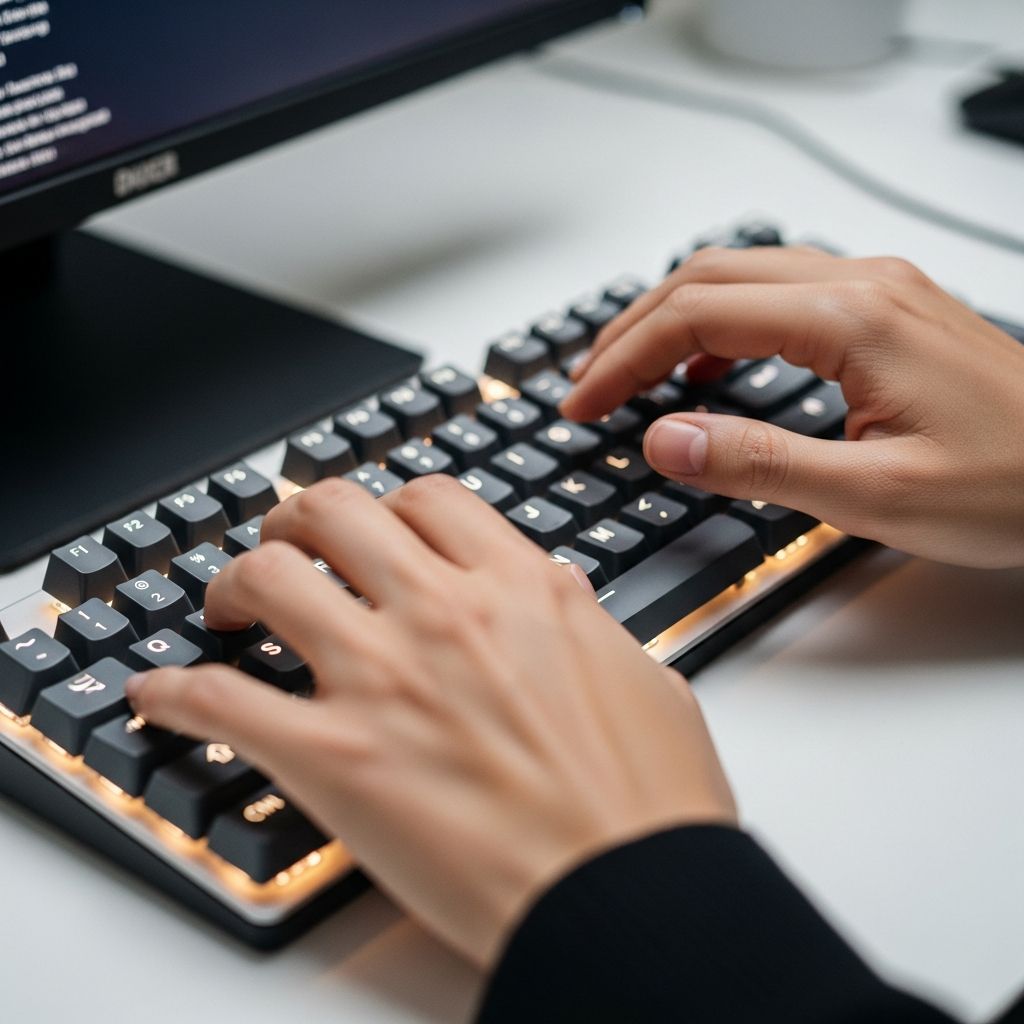
Enhancing Your Typing Velocity: A Comprehensive Guide to Keyboard Mastery
In our increasingly digital world, the ability to type quickly and accurately has become a fundamental skill that directly impacts productivity, professional opportunities, and overall efficiency. Whether you spend your days writing emails, coding, content creation, or data entry, improving your typing speed can save you considerable time and reduce the physical strain associated with extended keyboard use. This guide explores evidence-based strategies to help you develop faster and more reliable typing habits.
Understanding the Foundation: Ergonomic Positioning
The foundation of efficient typing begins long before your fingers touch the keyboard. Many people overlook the importance of proper physical setup, yet ergonomics plays a crucial role in both speed development and injury prevention. Your body position, hand placement, and workspace configuration directly influence your ability to type efficiently over extended periods.
Establishing Correct Posture
Your body alignment creates the foundation for consistent typing performance. Maintaining an upright spine with your shoulders relaxed allows your arms to operate in their natural range of motion. When you slouch or lean forward, you restrict blood flow and create unnecessary muscle tension that slows your typing speed and causes fatigue. Position yourself in a chair that supports your lower back, with both feet flat on the floor to create a stable base.
Hand and Wrist Positioning
Proper hand alignment significantly reduces the strain on your wrists and fingers. Your wrists should remain slightly elevated and straight—not bent upward or downward—while typing. This positioning prevents repetitive stress injuries and maintains the efficiency of your finger movements. Rest your elbows comfortably on the table, maintaining a natural angle that doesn’t create tension in your shoulders. The keyboard should sit at a height where your forearms are roughly parallel to the ground.
The Home Row: Your Typing Reference Point
One of the most transformative practices in touch typing involves anchoring your fingers to the home row—the middle row of letter keys. This reference point allows you to develop muscle memory, enabling your fingers to find all other keys without visual guidance.
Proper Finger Placement
Position your left-hand fingers on A, S, D, and F, while your right-hand fingers rest on J, K, L, and the colon (:) key. Your thumbs should hover just above the spacebar, ready to activate it when needed. This positioning requires intentional practice for several weeks until it becomes automatic. Once established, returning to the home row between keystrokes maintains consistency and speed. The raised bumps on the J and F keys serve as tactile guides to help you locate this position without looking.
Minimizing Finger Movement
Efficient typing requires minimal finger displacement from the home row position. Rather than moving your entire hand across the keyboard, individual fingers should extend only as far as necessary to reach their target keys. This economical movement pattern significantly reduces fatigue and allows you to maintain higher speeds throughout your typing session. Research indicates that this focused approach can increase typing velocity by up to 20% compared to inefficient movement patterns.
Breaking the Visual Dependency: Eyes-On-Monitor Typing
One of the most challenging yet essential transitions involves training yourself to type without watching your hands. This fundamental shift separates casual typists from truly efficient keyboard users.
The Transition Challenge
Initially, avoiding downward glances at your keyboard will feel uncomfortable and may temporarily decrease your typing speed. Your fingers will seem to move uncertainly, and you might make more errors. However, this period of reduced performance is a necessary investment in your long-term capability. By forcing yourself to maintain visual focus on your monitor, you accelerate muscle memory development in your fingers. Within a few weeks of consistent practice, your hands will begin automatically locating keys without conscious thought.
Benefits of Screen-Focused Typing
Maintaining your gaze on the monitor rather than your keyboard offers multiple advantages beyond speed improvement. You catch typographical errors as they occur, allowing real-time correction rather than discovering mistakes during proofreading. Additionally, keeping your visual attention on your work content helps maintain concentration and reduces the cognitive load associated with managing multiple focus points.
Strategic Practice: Building Competence Through Deliberate Effort
Improvement in typing speed cannot be rushed. Consistent, focused practice over time produces measurable results, but the approach matters significantly.
Establishing a Practice Routine
Research demonstrates that beginners benefit from practicing two to three times weekly, while more advanced typists should aim for four to five sessions per week to continue improvement. Each session should last approximately 30 minutes, providing enough time for meaningful practice without causing fatigue that leads to poor form and bad habits. Setting aside dedicated practice time regularly proves more effective than sporadic intensive sessions.
Progressive Goal Setting
Rather than focusing solely on a distant speed target, break your improvement journey into smaller milestones. If you currently type at 60 words per minute and aspire to reach 100, establish intermediate goals at 65, 70, 75, and 80 words per minute. This approach maintains motivation by providing achievable short-term objectives while building toward your larger goal. Celebrating each milestone reinforces positive progress and sustains your commitment to improvement.
Maintaining a Steady Pace
During practice sessions, prioritize accuracy over speed. Rushing through exercises creates muscle memory for errors, requiring you to unlearn bad patterns later. Instead, type at a sustainable pace where you maintain high accuracy while gradually increasing velocity. As your accuracy improves and techniques become automatic, speed naturally follows.
Leveraging Technology: Specialized Typing Platforms
Modern typing practice platforms transform what could be monotonous repetition into engaging, progressive learning experiences.
Keybr: Adaptive Learning Approach
Keybr presents a unique methodology that begins with a small subset of letters and expands based on your demonstrated mastery. The platform provides real-time finger placement diagrams and adapts difficulty according to your current speed, preventing discouragement from overly challenging content while avoiding boredom from material that’s too simple. The interface simplicity makes it accessible while its sophisticated backend algorithms ensure appropriate challenge levels.
Ratatype: Comprehensive Skill Development
Ratatype emphasizes touch typing principles alongside speed development. The platform encourages continuous practice beyond formal lessons, suggesting you apply typing skills during social media communication and routine tasks. This real-world application accelerates skill development by reinforcing techniques in natural contexts rather than artificial practice environments.
Speed Testing Platforms
Tools like 10fastfingers provide standardized measurement of your progress through timed tests that generate words-per-minute scores and accuracy metrics. Testing your speed semi-regularly—even just once weekly—produces significant improvements over several months. One documented case showed improvement from 65 WPM to 95 WPM through just one weekly practice session over several months.
Keyboard-Centric Digital Habits: Reducing Mouse Dependency
Beyond traditional typing practice, adopting keyboard-first habits throughout your digital workflow compounds your speed improvements.
The Efficiency Advantage of Keyboard Navigation
Keyboard shortcuts enable faster navigation between applications, tabs, and interface elements compared to mouse-based interaction. Moving your hand between keyboard and pointing device creates delays and breaks your typing rhythm. By mastering keyboard shortcuts and navigation commands, you maintain continuous interaction with your keyboard, effectively practicing typing techniques during productive work rather than just formal practice sessions.
Essential Keyboard Shortcuts for Error Correction
Two critical shortcuts streamline the error-correction process, which typically represents the most time-consuming aspect of typing. On Mac systems, OPTION + BACKSPACE deletes entire words rather than single characters, while Windows users employ CTRL + BACKSPACE for the same function. These shortcuts save substantial time by eliminating repetitive single-character deletion and should become automatic through regular use.
Unconventional Techniques: Exploring Alternative Approaches
Beyond standard methodology, some less unconventional practices may enhance your typing performance.
Typing with Increased Force
While lacking rigorous scientific validation, some typists report that typing with more deliberate force—producing audible keystrokes—correlates with improved speed. This approach may reflect a psychological effect where increased physical effort translates to greater mental focus and intensity. The mentality of forceful typing sometimes naturally accelerates keystroke velocity, though results vary among individuals. If you discover this method enhances your performance, the minor auditory impact may be worth the speed benefit during appropriate contexts.
Comparison of Major Typing Improvement Platforms
| Platform | Primary Strength | Best For | Format |
|---|---|---|---|
| Keybr | Adaptive difficulty scaling | Customized learning paths | Browser-based |
| Ratatype | Comprehensive touch typing curriculum | Structured learning progression | Browser-based with gamification |
| 10fastfingers | Speed measurement and tracking | Progress monitoring and benchmarking | Quick timed tests |
| Typing.com | Structured lessons and exercises | Educational and adult learners | Comprehensive platform |
Realistic Expectations: Understanding the Timeline for Improvement
Developing advanced typing skills requires patience and realistic expectations about progress. Most people can observe meaningful improvements within 2-4 weeks of consistent daily 30-minute practice sessions. However, reaching professional-level speeds (80+ WPM) typically requires several months of dedication. The rate of improvement varies based on your starting speed, natural ability, practice consistency, and technique refinement.
Frequently Asked Questions
Q: How long does it take to significantly improve typing speed?
A: With consistent practice of 30 minutes daily, most people observe meaningful speed improvements within 2-4 weeks. Reaching professional-level speeds (80+ WPM) typically requires several months of dedication, depending on your starting point and practice intensity.
Q: Should I prioritize speed or accuracy when practicing?
A: Accuracy should always take priority over speed, especially when developing new techniques. Typing faster while making errors simply reinforces bad habits. As accuracy improves and techniques become automatic, speed naturally increases as a byproduct.
Q: Can I improve typing speed without specialized practice platforms?
A: While platforms like Keybr and Ratatype provide structure and feedback, you can improve by applying proper technique during regular typing tasks. However, dedicated practice platforms accelerate progress by providing targeted exercises and consistent measurement of improvement.
Q: Why is the home row position important?
A: The home row position serves as your tactile reference point, allowing your fingers to locate other keys through muscle memory without visual guidance. This foundational positioning dramatically improves speed and accuracy once established through consistent practice.
Q: How often should I practice typing to see results?
A: Beginners should practice 2-3 times weekly, while intermediate typists benefit from 4-5 sessions per week. Consistency matters more than duration—regular 30-minute sessions produce better results than occasional longer sessions.
Q: What’s the relationship between typing speed and digital productivity?
A: Faster typing directly translates to improved digital productivity by reducing time spent on text input. Additionally, developing keyboard-first habits and mastering shortcuts creates compounding efficiency gains across all computer-based work.
References
- 6 Easy Ways on How to Improve Typing Speed — Ditto Transcripts. Accessed January 2026. https://www.dittotranscripts.com/blog/how-to-improve-your-typing-speed/
- How To Type Faster: 8 Actionable Tips To Increase Your Typing Speed — Ali Abdaal. Accessed January 2026. https://aliabdaal.com/productivity/how-to-type-faster-8-actionable-tips-to-increase-your-typing-speed/
- Learn how to type faster: Touch typing tips — Ratatype. Accessed January 2026. https://www.ratatype.com/learn/
- How to Improve Your Speed and Accuracy — Typing.com. Accessed January 2026. https://www.typing.com/student/lesson/134187/how-to-improve-your-speed-and-accuracy

- Integrated M.A. in Applied Linguistics, University of Hyderabad
- 5+ years in editorial, instructional, SEO, and research-based writing
Sneha is a relationships and lifestyle writer with a strong foundation in applied linguistics and certified training in relationship coaching. She brings over five years of writing experience to theskillvault, crafting thoughtful, research-driven content that empowers readers to build healthier relationships, boost emotional well-being, and embrace holistic living. Her writing and insights reflect the belief that beauty, happiness, and wellness…