
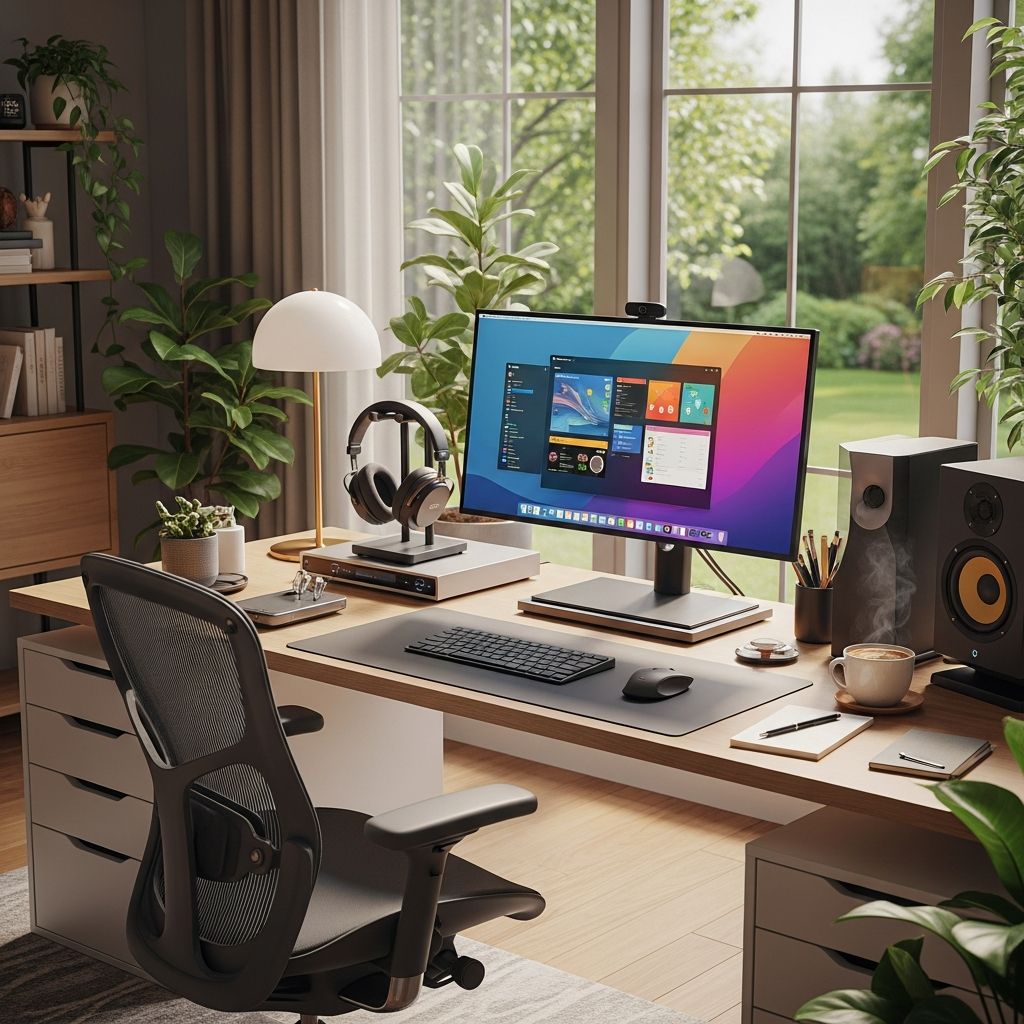
Remote work has become a cornerstone of modern professional life, offering flexibility but also unique challenges to maintaining high output. Creating an effective home office environment requires intentional design, disciplined routines, and smart habits to combat distractions and fatigue. This guide explores comprehensive approaches to maximize efficiency, drawing from established practices that support sustained focus and well-being.
Designing Your Ideal Workspace
A dedicated workspace is foundational for separating professional duties from personal life, signaling to your brain when it’s time to concentrate. Select a specific area in your home, even if compact, reserved exclusively for work activities. This psychological boundary helps transition into productivity mode effortlessly.
Ergonomics play a critical role in preventing strain during long hours. Position your chair so feet rest flat on the floor, knees at a 90-degree angle, and screen at eye level to maintain neutral posture. Proper setup reduces risks of back pain and eye fatigue, enabling longer, more effective sessions.
- Choose natural or adjustable lighting to minimize glare and eye strain.
- Minimize clutter by using organizers for cables, documents, and supplies.
- Incorporate plants or calming decor to foster a motivating atmosphere without overwhelming the space.
Investing in quality equipment, such as an adjustable desk or supportive chair, yields long-term benefits. Companies promoting employee wellness often provide stipends for such items, recognizing their impact on sustained performance.
Mastering Time Management Techniques
Effective time allocation prevents overload and ensures progress on high-priority items. Time blocking divides your day into dedicated segments for specific task types, reducing decision fatigue and context switching.
| Technique | Effort Level | Benefits | Best For |
|---|---|---|---|
| Time Blocking | Medium | Structured focus periods | Complex schedules |
| Task Batching | Low-Medium | Groups similar activities | Repetitive work |
| Pomodoro Method | Low | Short bursts with breaks | Focus-challenged days |
Start by listing daily tasks, categorizing them into communication, creative work, or admin duties. Assign blocks like 9-10 AM for deep focus projects and 4 PM for emails. Tools like digital calendars reinforce these boundaries.
The two-minute rule streamlines minor tasks: if something takes under two minutes, complete it immediately to avoid accumulation. Reserve short windows, such as post-lunch, for these to maintain momentum without derailing major efforts.
Eliminating Distractions Effectively
Home environments teem with interruptions from family, notifications, and household chores. Establish clear rules, like ‘do not disturb’ signs during focus hours, and communicate them to household members.
Digital hygiene is essential: set phones to silent, use browser extensions to block social media, and designate communication check-ins, such as twice daily for emails and messages. This contains reactive work, preserving uninterrupted periods for high-value tasks.
- Employ noise-canceling headphones for immersive focus.
- Create separate channels for non-urgent team chats.
- Schedule buffer time between meetings for mental resets.
Incorporating Movement and Wellness
Sedentary routines drain energy and impair cognition. Integrate regular movement to refresh both body and mind. Set hourly alarms for 5-10 minute walks, stretches, or standing tasks like phone calls.
Opt for movement-friendly activities during low-cognitive tasks, boosting circulation and creativity. End-of-day rituals, including a short walk, signal workday closure, aiding recovery.
Daily routines anchor productivity: begin with a morning ritual like exercise or meditation to prime focus, and conclude by reviewing achievements, planning tomorrow, and tidying the workspace. This bookends the day, reducing overnight rumination.
Leveraging Tools and Technology
Task management software centralizes priorities, tracks progress, and facilitates collaboration. Platforms allow assigning duties, setting deadlines, and visualizing workloads, ideal for solo or team efforts.
Voice assistants like smart speakers handle quick actions—timers, reminders, or lists—freeing mental bandwidth. They also provide ambient music or podcasts for background focus.
Prioritize tasks using methods like Eisenhower Matrix: categorize by urgency and importance to tackle what matters most first.
Fostering Team Connections Remotely
Isolation can erode motivation. Combat this with virtual interactions: schedule casual check-ins, themed channels for fun, or wellness sessions like group yoga. These build camaraderie without sacrificing time.
Weekly planning huddles align goals, while end-of-week reflections celebrate wins and prep for ahead.
Common Pitfalls and Solutions
Avoid multitasking, which fragments attention and lowers output. Stick to one task per block for deeper engagement.
Overcommitting leads to burnout; use realistic estimates based on past performance. Flexibility is key—adjust blocks as needed.
Measuring and Sustaining Progress
Track metrics like completed tasks or focus hours weekly to refine habits. Celebrate small victories to build momentum.
Periodically audit your setup: is lighting optimal? Are boundaries holding? Iterative tweaks ensure long-term efficacy.
Frequently Asked Questions
How do I maintain work-life balance in a home office?
Set strict end times, change environments post-work, and log off digitally to delineate boundaries.
What if I lack space for a dedicated office?
Use a foldable desk or consistent corner; consistency in location trains your mind for focus.
Which time management tool is best for beginners?
Start with a simple calendar app for blocking; advance to full task managers as needs grow.
How often should I take breaks?
Every 25-60 minutes for 5 minutes, plus longer midday pauses to sustain energy.
Can productivity tips differ for teams vs. individuals?
Teams emphasize communication syncs; individuals focus more on self-imposed structures.
References
- 8 Essential Remote Work Productivity Tips for 2026 — Nearshore Business Solutions. 2026. https://nearshorebusinesssolutions.com/news/remote-work-productivity-tips/
- 25 Top Tips for Work Productivity from Home in 2026 — Upwork. 2026. https://www.upwork.com/resources/productivity-tips-working-from-home
- 10 working from home productivity tips in 2026 — Career Gappers. 2026. https://careergappers.com/working-from-home-productivity-tips/
- 10 Productivity Hacks to Beat Distractions and Work Smarter in 2026 — Nextiva. 2026. https://www.nextiva.com/blog/productivity-hacks.html

Medha Deb is an editor with a master's degree in Applied Linguistics from the University of Hyderabad. She believes that her qualification has helped her develop a deep understanding of language and its application in various contexts. Medha specializes in the areas of beauty, health, sports, and wellness and is committed to ensuring that the content on the website is…