
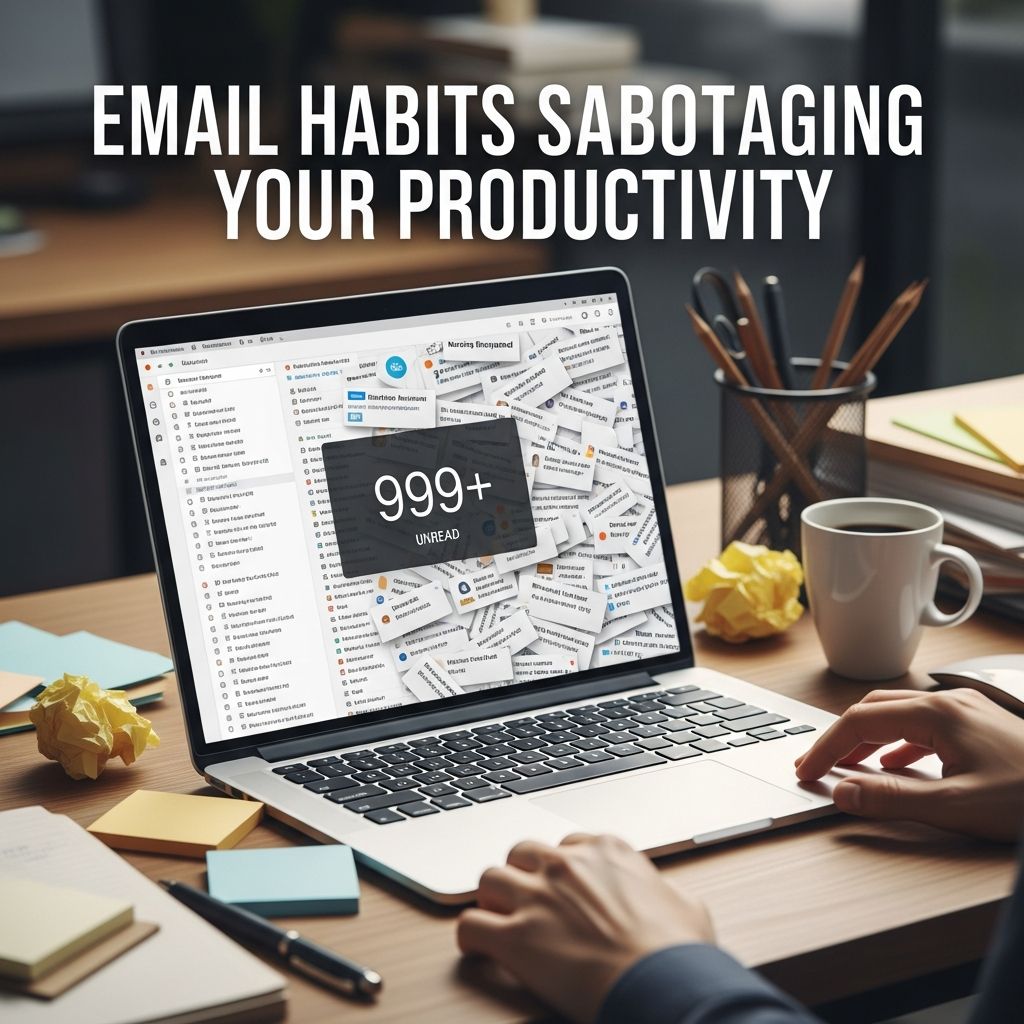
The modern workplace presents a paradox: email was designed to streamline communication, yet for most professionals it has become a significant source of stress, distraction, and lost productivity. Research consistently demonstrates that knowledge workers spend approximately 28% of their workday—roughly 2.6 hours—managing email. Rather than facilitating work, unexamined email habits frequently undermine professional effectiveness. Understanding and eliminating these counterproductive patterns represents one of the highest-leverage productivity interventions available to any professional.
The Cost of Constant Email Monitoring
Perhaps the most pervasive and damaging habit plaguing modern workers is the compulsion to check email continuously throughout the workday. This behavior stems from a combination of professional expectations, technological design, and psychological reinforcement patterns. When notifications arrive constantly and interruptions fragment attention, professionals find themselves unable to engage in the sustained concentration necessary for meaningful work.
The cognitive costs of this habit are substantial. Each time attention switches from primary work to email, researchers have documented a recovery period where focus gradually rebuilds—a phenomenon often called “context switching overhead.” By checking email every few minutes, professionals essentially guarantee they never achieve the deep work state necessary for complex problem-solving, creative thinking, or strategic planning. The accumulation of these brief interruptions consumes far more time than the actual email processing requires.
How to eliminate this habit:
- Establish a deliberate email checking schedule with 2-4 specific times daily (for example, 9 AM, 12 PM, and 4 PM)
- Disable all email notifications, including desktop alerts and sound alerts, during focus periods
- Close your email application entirely between scheduled checking times rather than simply minimizing it
- Communicate your checking schedule to colleagues through your email signature or team norms to manage expectations around response times
Deferring Decision-Making on Incoming Messages
Another widespread pattern involves reading emails repeatedly without taking definitive action, allowing messages to linger in the inbox in an ambiguous state. This habit creates psychological overhead as unresolved messages occupy mental space and require repeated processing. The mental energy expended on these recurring decisions far exceeds the actual time required to address them permanently.
This pattern typically develops when professionals encounter emails they find unpleasant, unclear, or requiring judgment calls, prompting them to defer the decision. Yet each subsequent encounter with the same unaddressed message reactivates the internal conflict without resolving it. Over time, inboxes accumulate hundreds of these partially-processed messages, creating a persistent sense of incompleteness and anxiety.
Strategic alternatives to implement:
- Apply decision-making frameworks immediately upon reading: delete permanently, respond now (if taking under two minutes), or defer to a specific future time
- Use the “touch it once” principle where every message receives a definitive action during first contact
- Implement email snooze or follow-up features that remove messages from view until the appropriate action time arrives
- For genuinely unclear messages, send a brief clarifying question rather than leaving the email suspended
Neglecting Proper Email Organization Systems
Many professionals maintain inbox systems that lack any coherent structure, storing hundreds or thousands of messages in chaotic arrangements where finding specific information requires extensive searching. This disorganization creates hidden time costs through inefficient retrieval, duplicated email processing, and the cognitive burden of maintaining ad-hoc storage approaches.
Without systematic organization, professionals waste substantial time searching for previous communications, losing important context, and reprocessing information they previously encountered. The lack of structure also makes it difficult to identify patterns, track commitments, or maintain clear communication threads with colleagues.
Implementation framework for email organization:
- Establish a folder structure aligned with your primary responsibilities and projects rather than arbitrary categories
- Create destination folders for messages requiring action, awaiting response, reference materials, and completed projects
- Develop a consistent naming convention for folders that facilitates searching and reduces cognitive load
- Implement automatic rules that sort incoming emails into appropriate categories based on sender, subject line, or keywords
- Archive processed emails rather than deleting them permanently, maintaining searchable historical records
Starting Your Day Reactively Rather Than Proactively
A pervasive counterproductive pattern involves beginning the workday by immediately opening email and addressing whatever arrives first, surrendering control of priorities to incoming messages. This reactive approach means the most important work receives whatever attention remains after urgent-appearing emails consume the most productive hours of the day.
Research on cognitive performance consistently demonstrates that most professionals experience peak mental clarity and creative capacity during morning hours. Spending these high-value hours responding to email means sacrificing your most productive time for reactive communication. The opportunity cost of this daily pattern compounds substantially over weeks and months.
Reframing your morning routine:
- Establish a “no email” mornings protocol lasting 60-90 minutes minimum before opening your inbox
- Use morning hours exclusively for your highest-priority work, strategic thinking, or complex problem-solving
- Identify your top three objectives for the day before checking any messages
- Block calendar time for focused work on priorities before email hours commence
- Recognize that delayed email responses during your morning focus period won’t significantly impact urgent communications
Failing to Set Clear Response Expectations
Many professionals inadvertently establish unrealistic response expectations by answering emails immediately whenever they’re received, even outside business hours. Colleagues and supervisors quickly learn they can expect rapid responses at any time, creating pressure for constant availability and making it difficult to establish boundaries.
This habit has multiple negative consequences: it prevents genuine disconnection, encourages colleagues to interrupt focus time, normalizes after-hours work expectations, and trains people to expect unreasonable responsiveness. The cycle becomes self-reinforcing as quick responses encourage more urgent-feeling messages.
Establishing sustainable expectations:
- Provide clear response time estimates in your email signature (e.g., “I respond to emails within 24 business hours”)
- Use email scheduling tools to send messages during business hours only, avoiding late-night or weekend sending
- Establish alternative communication channels for genuine emergencies rather than relying on email for urgent matters
- Model healthy email boundaries as a leader or team member, demonstrating that delayed responses remain professional
- Communicate response schedules in initial team discussions and revisit them periodically
Maintaining Separate Professional and Personal Accounts Without Boundaries
While many professionals maintain both work and personal email accounts, they frequently blend the two throughout their workday, switching between accounts and allowing personal email to interrupt professional focus. This boundary collapse creates several problems: increased email checking frequency, difficulty separating work and personal concerns, and constant low-level distraction.
Conversely, some professionals use a single account for both purposes, which multiplies the volume of incoming messages and makes it impossible to have true disconnection from work communications. The solution involves clear account separation with designated checking times for each.
Implementing effective account separation:
- Reserve work accounts exclusively for professional communications and access only during work hours
- Check personal email during designated personal time only, maintaining clear separation
- Use separate email clients or tab arrangements if using the same application
- Disable notifications from one account while focusing on the other
- Create team norms that respect account separation and boundaries
Writing Lengthy Emails Without Considering Clarity
Many professionals compose lengthy, detailed emails that obscure the core message within extensive context and background information. Recipients must wade through considerable text to identify what action is required, what decision is needed, or what information matters most. This habit wastes time for both the sender and all recipients.
Verbose email communication also creates a negative feedback loop: unclear emails generate follow-up questions, requiring additional exchanges that could have been prevented through concise initial clarity. The cumulative time cost across an organization becomes substantial.
Developing clearer email communication habits:
- Lead with the primary message or required action in the first sentence or two
- Use formatting (bold text, bullet points, numbered lists) to highlight key information
- Reserve detailed context and background for separate sections marked clearly as such
- State deadlines and decision requirements explicitly
- Include required next steps with clear ownership and timeframes
- Proofread before sending to eliminate confusion from typos or unclear phrasing
Overlooking Email Search and Retrieval Capabilities
Many professionals maintain disorganized inboxes partly because they’ve never developed competence with search and filtering features available in modern email systems. This leads to manual scrolling through thousands of messages rather than efficiently locating specific communications. Underutilized search capabilities represent hidden productivity drains.
Modern email systems offer sophisticated search syntax, filtering rules, and categorization features specifically designed to address information retrieval challenges. Professionals who master these tools recover significant time daily.
Leveraging email system capabilities:
- Learn and use advanced search operators specific to your email platform
- Create saved searches for frequently accessed message categories
- Set up filters that automatically organize messages by sender, subject matter, or keywords
- Use labels or tags to mark messages by priority, project, or status
- Explore built-in analytics that identify communication patterns and high-volume senders
Comparison Table: Counterproductive vs. Productive Email Habits
| Counterproductive Habit | Productivity Impact | Recommended Alternative |
|---|---|---|
| Checking email constantly throughout day | Prevents deep focus; increases context-switching overhead by 40% | Batch processing: 2-4 dedicated times daily |
| Deferring decisions on incoming messages | Creates recurring decision-making; increases anxiety and mental overhead | Touch-once principle with immediate action or scheduled follow-up |
| Starting day with email before priorities | Sacrifices peak cognitive hours to reactive work | 60-90 minute no-email morning devoted to primary objectives |
| Responding to emails outside business hours | Establishes unsustainable expectations; prevents genuine disconnection | Schedule emails during business hours; use alternative channels for emergencies |
| Lengthy, unclear messages requiring follow-up | Generates additional exchanges; multiplies total communication time | Lead with core message; use formatting for clarity; state required actions explicitly |
Frequently Asked Questions About Email Productivity
How long should I dedicate to each email checking session?
Most professionals find that 20-30 minute sessions prove optimal. This duration provides sufficient time to process accumulated messages without email consuming excessive blocks of the workday. Time-blocking the entire day with four 20-minute email sessions typically replaces what previously consumed 2-3 hours of fragmented checking.
What constitutes a genuine email emergency requiring immediate response?
Genuine emergencies requiring immediate notification typically involve system failures, safety issues, or significant client crises. The vast majority of emails don’t meet this threshold. Establishing alternative communication channels (direct messaging apps, phone calls) for true urgencies allows professionals to maintain focus while ensuring critical issues receive attention.
Can I use automation to reduce email volume?
Yes. Setting up filters, rules, and automatic responses can significantly reduce inbox volume. Examples include auto-filing routine notifications, creating separate inboxes for newsletters and non-urgent communications, and using templates for frequently sent message types. Automation can contribute to reducing email management time by 40-60% when combined with behavioral changes.
How do I transition to batch processing if constantly checking is habitual?
The transition typically requires 2-3 weeks to become comfortable. Begin by establishing your email-free periods and disabling notifications. It’s normal to experience anxiety about missed emails initially; this diminishes as you discover that genuine urgencies rarely arrive in email form. Communicating your schedule to colleagues helps normalize the new pattern.
Measuring Success Beyond Inbox Metrics
Evaluating the effectiveness of email habit changes shouldn’t focus solely on achieving “inbox zero.” More meaningful metrics include: hours recovered weekly for focused work, perceived stress reduction, response quality improvement, and progress on primary objectives. Track these indicators informally or through productivity apps to ensure new habits genuinely improve your work experience rather than simply rearranging the inbox.
The transformation from email-driven reactivity to intentional email management fundamentally changes daily work experience. Professionals who successfully eliminate these counterproductive habits consistently report recovering 2-3 hours of productive time daily while simultaneously reducing email-related stress and improving communication quality. The investment in breaking these patterns yields returns that compound over months and years.
References
- Time-Saving Email Habits for Busy Professionals 2026 — Mailbird. 2026. https://www.getmailbird.com/time-saving-email-habits-master-inbox/
- 10 email tips to increase productivity and control your inbox — Karbon. https://karbonhq.com/resources/10-email-tips-to-increase-productivity-and-control-your-inbox/
- Inbox Overload: 7 Healthy Email Routines That Actually Work — CleanFox. https://blog.cleanfox.io/inbox-overload-7-healthy-email-routines-that-actually-work/
- 20 Email Management Strategies (Best Practices and Tips) — Get Inbox Zero. https://www.getinboxzero.com/blog/post/email-management-strategies
- 7 Email Habits That Will Increase Your Productivity Today — Betts Recruiting. https://bettsrecruiting.com/blog/7-email-habits-that-will-increase-your-productivity-today/

- Integrated M.A. in Applied Linguistics, University of Hyderabad
- 5+ years in editorial, instructional, SEO, and research-based writing
Sneha is a relationships and lifestyle writer with a strong foundation in applied linguistics and certified training in relationship coaching. She brings over five years of writing experience to theskillvault, crafting thoughtful, research-driven content that empowers readers to build healthier relationships, boost emotional well-being, and embrace holistic living. Her writing and insights reflect the belief that beauty, happiness, and wellness…