
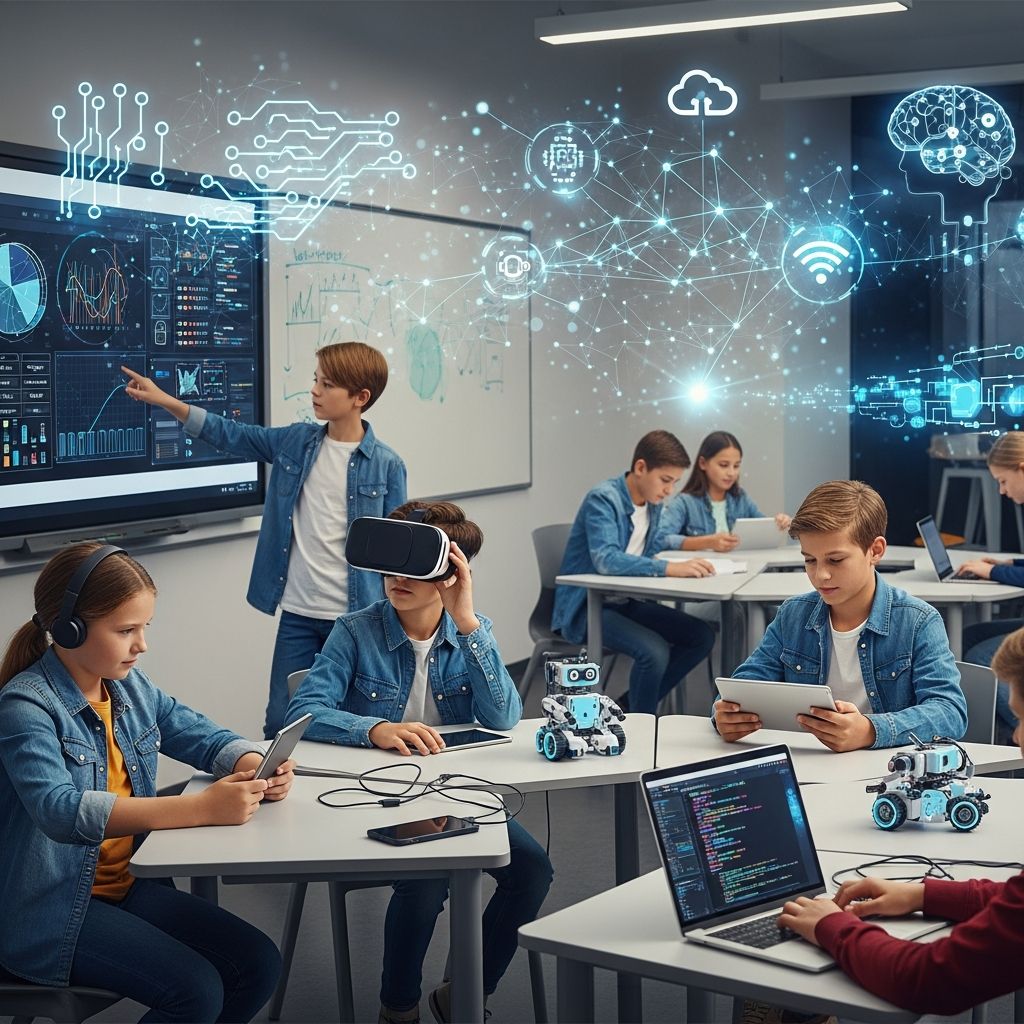
The landscape of classroom instruction has fundamentally transformed over the past decade. Teachers today have access to an unprecedented range of digital tools and platforms designed to enhance pedagogical effectiveness, foster student engagement, and create more inclusive learning environments. These technological solutions address longstanding challenges in education while opening new possibilities for interactive, personalized, and meaningful learning experiences. Whether you’re an experienced educator or new to integrating technology into your curriculum, understanding the breadth of available options helps you make informed decisions about which tools best serve your students’ needs and your teaching objectives.
Understanding the Role of Technology in Contemporary Education
Educational technology serves multiple critical functions in modern classrooms. Beyond simply digitizing traditional instruction, contemporary edtech platforms facilitate collaborative learning, enable real-time assessment and feedback mechanisms, accommodate diverse learning styles, and create pathways for student agency and voice. The most effective technological tools don’t replace teachers but rather amplify their capacity to differentiate instruction, respond to individual student needs, and create more dynamic learning environments. When thoughtfully integrated into pedagogical practice, technology can reduce teacher workload, increase student accountability, and provide data-driven insights that inform instructional decisions.
The integration of technology also reflects broader shifts in workforce requirements and societal expectations. Students today must develop digital literacy and technological fluency to succeed in virtually any career path. By embedding technology meaningfully throughout the curriculum, educators prepare students for the demands of higher education and the contemporary workplace while building critical thinking skills around technology use itself.
Learning Management Systems: Creating Digital Hubs for Instruction
Learning Management Systems (LMS) function as central repositories for course content, assignments, communication, and assessment data. These platforms serve as digital classrooms where teachers organize resources, students submit work, and stakeholders access progress information. A well-implemented LMS reduces administrative burden by automating grade calculation, organizing materials chronologically, and providing transparent communication channels between teachers, students, and families.
Canvas stands out among LMS options as a platform specifically designed for K-12 environments, featuring intuitive navigation, extensive third-party integrations, and robust analytics capabilities. The platform supports various instructional models including traditional, hybrid, and fully remote teaching. Teachers can create master course templates, establish adaptive learning paths that adjust based on student performance, and access detailed analytics about student engagement patterns. The availability of free educator accounts makes Canvas particularly accessible for individual teachers seeking to organize and streamline their digital instruction without institutional barriers.
For educators seeking simplified alternatives to complex LMS platforms, Pathwright offers a more streamlined approach to course development and student progression. This platform appeals to teachers who find traditional LMS systems overwhelming while still needing essential features for organizing content and tracking student advancement through learning sequences.
Formative Assessment and Real-Time Feedback Mechanisms
Formative assessment—the process of gathering evidence about student understanding during instruction—represents a crucial yet often underutilized component of effective teaching. Digital tools have revolutionized how teachers conduct formative assessment by enabling instantaneous data collection and analysis. These platforms allow teachers to identify learning gaps quickly, adjust instruction responsively, and provide meaningful feedback that helps students understand their progress toward learning objectives.
Kahoot! functions as an industry-leading platform for game-based formative assessment, transforming quiz and poll activities into engaging competitive experiences. Students use personal devices to respond to multiple-choice questions in real-time, with the platform generating instant reports showing individual and class-level performance data. This immediate feedback helps teachers identify misconceptions, adjust pacing, and celebrate successes. The platform’s flexibility allows teachers to create original assessments aligned to specific learning objectives or select from an extensive library of ready-made quizzes across subject areas.
Edpuzzle specializes in video-based assessment by enabling teachers to embed questions, audio notes, and knowledge checks directly into video content. This approach transforms passive video consumption into active learning experiences where students cannot progress until answering embedded questions correctly. Teachers gain visibility into which video segments students struggle with, allowing targeted intervention and reteaching. The platform’s compatibility with both synchronous and asynchronous instruction makes it valuable across various instructional models.
Nearpod extends formative assessment capabilities by providing real-time polling, open-ended response collection, and collaborative activities that generate instantaneous class-level data. Teachers can project student responses anonymously, facilitating whole-class discussions around misconceptions or interesting variations in thinking.
Creative Expression and Multimedia Communication Platforms
Contemporary pedagogical approaches increasingly recognize the value of multimodal communication—the ability to convey meaning through various media forms including video, audio, images, and text. Digital platforms that facilitate multimedia creation and sharing empower students to express understanding in varied formats while developing technological competencies essential for contemporary communication.
Flip (formerly Flipgrid) functions as a video-based discussion platform that democratizes participation by providing alternative communication modes beyond traditional hand-raising. Students record short video responses to teacher prompts, creating asynchronous discussion threads that students review and respond to over time. This approach benefits students who require processing time, struggle with spontaneous verbal expression, or benefit from multiple opportunities to refine their thinking. The platform particularly supports English language learners, students with social anxiety, and those in remote or hybrid settings who might otherwise have limited opportunities for substantive classroom participation.
BandLab revolutionizes music education by providing a free, fully-featured digital audio workstation accessible through web browsers. Both teachers and students can create sophisticated musical compositions using built-in virtual instruments, collaborate with peers in real-time, and even connect external instruments and audio equipment. The platform democratizes music creation by removing financial barriers that typically limit access to recording technology, enabling students regardless of socioeconomic background to develop musical literacy and creative expression skills.
STEM Learning and Applied Problem-Solving Through Technology
STEM education—integrating science, technology, engineering, and mathematics—increasingly emphasizes authentic application of concepts to real-world challenges. Contemporary edtech tools support this applied approach by providing interactive environments where students solve problems, build solutions, and see tangible results from their learning.
Makers Making Change represents a unique model of STEM education that combines technical skill development with social impact. Students learn 3D printing and electronics by designing and building open-source assistive devices for people with disabilities. This approach grounds abstract technical concepts in concrete human benefit, fostering empathy alongside engineering skills. Students experience authentic problem-solving where design choices directly affect functionality and user experience, creating motivation that transcends typical classroom constraints.
Brilliant provides interactive STEM courses in mathematics, science, and computer science through an educator-friendly platform offering free access for teachers. Rather than passive content consumption, Brilliant emphasizes active problem-solving where students work through carefully-sequenced challenges that build conceptual understanding progressively. Teachers can assign courses for enrichment, use brief challenges as warm-up activities, or leverage the platform for supplementary skill-building. Built-in progress tracking helps teachers identify students requiring additional support or acceleration.
AI-Powered Teaching Assistants and Instructional Support
Artificial intelligence has introduced new capabilities for automating routine teaching tasks, personalizing instruction, and providing intelligent feedback. Rather than replacing teacher judgment, well-designed AI tools handle administrative and planning burdens, freeing teachers to focus on higher-order instructional decisions and human relationships that characterize effective teaching.
Google Gemini offers integrated AI assistance directly within the Google Workspace applications most teachers already use daily. Embedded within Docs, Slides, Sheets, and Gmail, Gemini assists with writing lesson plans, creating presentation materials, organizing spreadsheet data, and drafting communications without requiring context-switching between applications. This seamless integration dramatically reduces friction in the planning and preparation process.
MagicSchool.ai functions as a comprehensive AI assistant specifically designed for educational contexts. The platform automates lesson planning, generates quiz questions and study guides, creates differentiated materials for diverse learners, and suggests accommodations aligned to individual education plan (IEP) requirements. Teachers can specify grade level, subject area, and learning objectives, then receive instantly-generated instructional materials requiring only minor customization. This capability dramatically reduces preparation time while enabling teachers to create more diverse materials supporting varied learner needs.
Google NotebookLM combines research aggregation with AI-powered synthesis, helping both teachers and students manage information overload. Users upload source materials—texts, PDFs, videos—and the tool automatically generates summaries, creates study guides, and generates comprehension questions at various difficulty levels. For teachers, this capability streamlines preparation of supplementary materials and assessment tools. For students, it transforms passive research into active synthesis where AI helps organize and understand complex information sources.
Visual Communication and Content Design Tools
Effective instruction increasingly relies on clear visual communication, yet many teachers lack graphic design experience or time to create polished visual materials. AI-powered design tools democratize visual content creation by transforming text descriptions into professional-quality graphics in seconds.
Napkin AI specializes in converting written descriptions into engaging visual diagrams, charts, and infographics. Teachers paste existing lesson content or notes, and the tool generates accompanying visuals that enhance clarity and engagement. This capability proves particularly valuable for explaining complex relationships, processes, or data. Students can similarly use Napkin AI to transform written assignments into visual explanations, supporting multimodal expression of understanding.
Interactive Learning Environments and Engagement Tools
Beyond traditional quiz and discussion platforms, various tools create immersive, interactive learning spaces that increase student agency and engagement through gamification, customization, and immediate feedback.
Sketchpad provides a browser-based digital canvas requiring no login or complex setup, making it accessible for students across age ranges and technological experience levels. From early elementary students creating simple digital drawings to secondary students producing sophisticated multimedia compositions, Sketchpad scales to support varied learning objectives. The platform’s simplicity reduces technical barriers while its feature depth supports ambitious creative projects.
Classroom Zen addresses the reality that classroom management includes attention regulation and emotional well-being. This free platform provides breathing exercises, guided brain breaks, and ambient noise monitoring to help learners pause, refocus, and regulate their attention. While distinct from content-delivery tools, Classroom Zen supports the foundational conditions necessary for learning by helping students develop metacognitive awareness and self-regulation strategies.
MegaMinds creates immersive 3D environments where students explore AI concepts, storytelling, and authentic challenges through interactive simulations. The platform emphasizes student agency by enabling learners to direct their own exploration while building digital literacy and understanding of artificial intelligence. The browser-based platform removes technical barriers while supporting customizable, standards-aligned content.
Standards-Aligned Content and Curriculum Support
Effective curriculum implementation requires alignment between learning objectives, instructional activities, and assessment strategies. Digital platforms that provide standards-aligned content libraries reduce the burden of ensuring instructional coherence while saving time on resource development.
PebbleGo functions as a specialized content hub for elementary educators, providing curated informational articles, ready-made learning activities, and literacy supports specifically designed for K-2 students. The platform scaffolds learning by providing materials at varied complexity levels, supporting independent reading and research while maintaining accessibility for early readers. Teachers can assign specific articles or activities knowing content aligns to grade-level expectations and reading abilities.
EduGems addresses the challenge of leveraging AI capabilities without requiring specialized technical knowledge. The platform offers pre-built AI assistants—called Gems—configured for common classroom tasks including generating standards-aligned lessons, scaffolding reading passages, creating exit tickets, and developing differentiated practice questions. Teachers can adopt existing Gems as-is, customize them for specific contexts, or share their own creations with colleagues, fostering collaborative resource development.
Advanced Discussion and Discourse Platforms
Parlay Ideas enables teachers to facilitate inclusive classroom discussions at scale using AI support. The platform structures discussions, ensures equitable participation, and provides teachers with data about discussion quality and individual contribution patterns. This approach addresses the reality that traditional classroom discussions often silence quieter students while allowing more vocal participants to dominate, creating more balanced discourse communities.
Implementation Strategies and Best Practices
Access to excellent tools matters far less than thoughtful integration into coherent instructional sequences. Several principles support successful edtech implementation:
- Gradual Introduction: Rather than overwhelming students with multiple new platforms simultaneously, introduce tools systematically, rotating based on instructional objectives. Use interactive video for review days, collaborative platforms for group projects, and AI assistants when personalizing learning or saving planning time.
- Clear Structure and Expectations: When introducing any new tool, model its effective use, establish clear expectations for student behavior, and provide adequate practice with the technology itself before expecting students to focus on content learning.
- Data-Informed Iteration: Leverage built-in analytics to assess tool effectiveness. Platforms like Nearpod and Edpuzzle provide real-time data about student understanding that should directly inform instructional adjustments.
- Inclusive Design Consideration: Ensure selected tools accommodate diverse learners including students with disabilities, English language learners, and those with varied technological experience. Accessible tools expand rather than limit participation opportunities.
- Professional Learning Priority: Teachers require adequate professional development and technical support to implement tools effectively. Surface-level training produces minimal impact; meaningful professional learning includes practice, coaching, and collaborative problem-solving.
Conclusion: Creating Classrooms for Contemporary Learners
The extensive array of educational technology tools available today enables teachers to create more engaging, personalized, and effective learning experiences than previously possible. From learning management systems that organize digital instruction to AI assistants that reduce planning burden to creative platforms that amplify student voice, contemporary edtech addresses persistent educational challenges while supporting new pedagogical possibilities. However, tools themselves remain merely instruments; their value emerges through thoughtful integration by educators who understand both their affordances and limitations. By selectively adopting technologies aligned to clear pedagogical purposes and student needs, teachers harness digital innovation to support their most essential work: helping all students develop the knowledge, skills, and dispositions necessary for meaningful participation in society.
References
- 6 Ed Tech Tools to Try in 2026 — Cult of Pedagogy. 2026. https://www.cultofpedagogy.com/6-ed-tech-tools-2026/
- Top Teacher Tech Tools for 2026 — Teaching Channel. 2026. https://www.teachingchannel.com/k12-hub/blog/top-teacher-tech-tools-for-2026/
- Top 15 Technology Tools for the Classroom — UMass Global. 2026. https://www.umassglobal.edu/blog-news/top-15-technology-tools-classroom
- Best Digital Tools for Teaching & Learning — American Association of School Librarians (AASL). 2026. https://www.ala.org/aasl/awards/best
- Introducing Microsoft Innovations and Programs to Support AI-Powered Teaching and Learning — Microsoft Education Blog. 2026-01. https://www.microsoft.com/en-us/education/blog/2026/01/introducing-microsoft-innovations-and-programs-to-support-ai-powered-teaching-and-learning/
- 10 Useful Tech Tools for Educators in 2026: A Practical Guide — The 74. 2026. https://www.the74million.org/article/10-useful-tech-tools-for-educators-in-2026-a-practical-guide/

- Integrated M.A. in Applied Linguistics, University of Hyderabad
- 5+ years in editorial, instructional, SEO, and research-based writing
Sneha is a relationships and lifestyle writer with a strong foundation in applied linguistics and certified training in relationship coaching. She brings over five years of writing experience to theskillvault, crafting thoughtful, research-driven content that empowers readers to build healthier relationships, boost emotional well-being, and embrace holistic living. Her writing and insights reflect the belief that beauty, happiness, and wellness…