
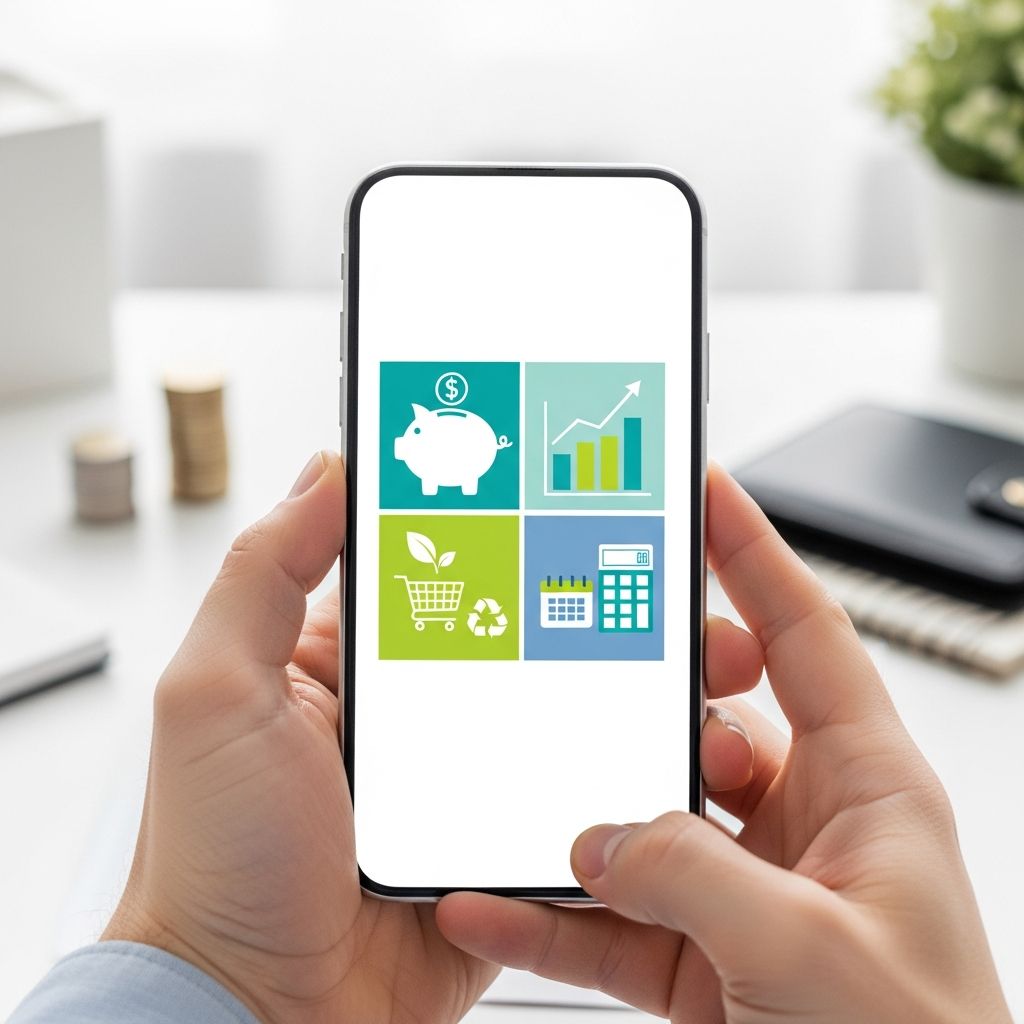
Saving money no longer has to mean complicated spreadsheets, endless receipt piles, or guessing where your paycheck disappeared. A growing wave of free apps now automates budgeting, tracks spending in real time, and helps you set aside money for goals almost without thinking.
Used well, these tools support the core principles that financial experts recommend: knowing where your money goes, spending intentionally, and paying yourself first through regular saving. Many apps now connect directly to your bank and card accounts, then categorize transactions so you can see patterns, spot leaks, and adjust quickly.
This guide walks through the main types of free money-saving apps, how they work, and how to choose and combine them to fit your life—without copying any specific service’s structure or marketing language.
Why Free Apps Can Make Saving Money Easier
Good financial habits still matter more than any single tool, but the right app can remove friction so it is simpler to do what you already know you should be doing. Research on household finances consistently finds that:
- People often underestimate how much they spend, especially on small, frequent purchases.
- Automating savings leads to higher, more consistent contributions over time.
- Clear feedback—like seeing spending by category—helps people change behavior faster.
Free apps help with all three. They give you visibility, automate routine decisions, and nudge you when your spending drifts away from your plan.
Core Types of Money-Saving Apps
Most free money-focused apps fall into a few practical categories. Understanding these types makes it easier to pick the tools that address your specific pain points.
| App Type | Main Purpose | Best For |
|---|---|---|
| Budget planners | Create and monitor a plan for every dollar | People who want structure and limits |
| Automated savings tools | Move small sums into savings with minimal effort | People who struggle to save consistently |
| Subscription & bill analyzers | Find recurring charges and reduce or cancel them | People with many subscriptions and fixed bills |
| Expense trackers | Log and categorize daily spending | Anyone who wants spending awareness |
| Goal-based savings apps | Help you fund specific targets (trips, emergencies) | People motivated by visual goals and progress bars |
1. Budgeting Apps: Give Every Dollar a Job
Budgeting apps are the foundation of a digital money system. They bring your income, bills, and day-to-day spending into one view so you can decide in advance what your money will do.
Common features you will find in free budgeting tools include:
- Linked accounts: Secure connections to bank and card accounts that import transactions automatically.
- Category budgets: Monthly limits for areas like groceries, restaurants, transportation, and entertainment.
- Alerts and notifications: Warnings when you approach or exceed category limits.
- Historical reports: Trends over several months so you can see if you are improving.
Some apps follow a zero-based budgeting approach, which aligns each dollar of income to a specific use—spending, saving, or debt repayment. This method can be especially effective for avoiding mindless spending because it reduces “leftover” money that tends to disappear.
How a Budgeting App Saves You Money
Budgeting software does not magically create cash, but it helps you redirect it:
- Spotting overspending categories (for many people, food delivery and impulse online shopping).
- Setting a realistic cap that matches your income and priorities.
- Freeing up money to send to savings or debt once you cut back in low-value areas.
Because the app surfaces data you might otherwise ignore, it feels easier to say “no” to unplanned purchases—you can literally see how it would squeeze another category or delay a savings goal.
2. Expense Trackers: Build Awareness, One Purchase at a Time
Some people prefer a lighter-weight option than a full budget planner. Expense tracking apps focus on logging what you spend and when, sometimes without requiring a detailed budget.
Typical ways these apps operate:
- Manual entry: You type in each purchase and assign it a category. This can increase mindfulness because you must acknowledge every outflow.
- Automatic categorization: Linked accounts feed transactions into the app, which guesses the category based on merchant and history.
- Daily or weekly summaries: Brief reports show how much you spent today, this week, or this month.
Financial educators often recommend at least a month of detailed logging as a starting point. It reveals where your assumptions are wrong and provides concrete numbers you can use to build a realistic budget.
Tips for Getting the Most from Expense Tracking
- Choose a reminder time (for example, every night at 8 p.m.) to review and categorize the day’s spending.
- Use consistent categories so your trend reports are meaningful.
- Pay special attention to small, frequent purchases; they often add up to more than you expect.
3. Automated Saving Apps: Make Saving the Default
Automated saving tools move money from your checking account into savings without you having to log in and transfer funds manually. This mirrors the “pay yourself first” concept often recommended by consumer finance authorities: treat savings like a non-negotiable bill you pay to your future self.
Common Saving Automations
- Round-ups: Every time you spend, the app rounds the transaction up (for example, from $7.60 to $8.00) and transfers the spare change into savings.
- Scheduled transfers: Fixed amounts move on payday or once a week so you do not have to remember.
- Rule-based triggers: Extra transfers when your balance exceeds a threshold or when you skip a usual expense (for example, “no takeout this week equals $20 to savings”).
Behavioral research shows that when saving is automatic and requires no ongoing willpower, people tend to maintain it longer and accumulate more over time.
Choosing an Automated Savings App
When selecting a free savings tool, look for:
- FDIC or equivalent protection: Ensure deposits held by the app or its partner bank are protected, just as they would be in a regular savings account (subject to coverage limits).
- Clear rules and controls: You should be able to pause, adjust, or cancel transfers at any time.
- Goal tracking: Visual progress bars or timelines for goals like an emergency fund, vacation, or car down payment.
4. Subscription and Bill Analyzers: Stop Paying for What You Don’t Use
Streaming services, digital news, apps, gym memberships, software—subscription spending has exploded in recent years. Many households pay for services they rarely or never use.
Bill and subscription analyzer apps connect to your accounts, scan for recurring charges, and highlight them so you can decide what to keep or cancel. Some tools even help negotiate lower rates with certain providers or remind you before a free trial renews.
How These Apps Help You Save
- Visibility: See all recurring charges in one list, organized by amount or category.
- Quick wins: Canceling just a few unused subscriptions can free up meaningful monthly cash.
- Bill optimization: For services you must keep—like internet or cell phone—some apps offer guidance or negotiation assistance to reduce costs.
To stay in control, always confirm any cancellation or negotiation terms, and make sure you understand whether the app charges a portion of the savings or a flat fee before using premium features.
5. Goal-Based Savings Apps: Turn Dreams into Concrete Targets
While a generic savings account is useful, many people stay more motivated when they can see specific goals and timelines. Goal-based savings apps break your savings into labeled buckets—vacation, moving fund, emergency cushion, holiday gifts—and track progress separately for each.
Key Advantages of Goal-Focused Tools
- Clarity: You know exactly how much you have set aside for each purpose, rather than guessing inside a single big balance.
- Motivation: Visual progress bars, countdowns, and milestones can reinforce positive behavior.
- Prioritization: You can adjust monthly contributions as priorities shift (for example, pausing the travel fund to speed up building an emergency fund).
Consumer finance experts widely stress the importance of an emergency fund—typically three to six months of essential expenses—to buffer against job loss or unexpected costs. Goal-based apps make it easier to build that cushion steadily.
6. Security and Privacy: Protecting Your Financial Data
Any time you connect financial accounts to a third-party app, security and privacy should be top priorities. Many reputable apps now use the same types of encryption and security protocols as banks, but you still need to evaluate them carefully.
Security Features to Look For
- Bank-level encryption: Data encrypted in transit and at rest using modern standards (for example, TLS for connections).
- Read-only access: In many cases, the app only needs to see transactions, not move money on your behalf.
- Multi-factor authentication (MFA): Requiring a second step, such as a code or biometric, to access your account.
- Clear privacy policy: Transparent explanations of how your data is used, whether it is shared, and for what purposes.
Regulators such as the U.S. Consumer Financial Protection Bureau (CFPB) and prudential supervisors provide guidance on responsible data access and security practices for financial technology companies, helping to reduce risk for consumers.
7. Building a Simple App Stack for Everyday Saving
You do not need a dozen different apps to save more money. In fact, too many tools can create confusion. A streamlined combination often works best.
A Practical Three-App Setup
Consider starting with this lean lineup:
- One budgeting app to create a monthly spending plan and track categories.
- One automated savings app that moves small amounts into a high-yield savings account or separate pot.
- One bill/subscription analyzer you review every few months to prune recurring charges.
If you prefer hands-on awareness, add either a manual expense tracker or use your budgeting app’s built-in transaction review features instead of a separate tool.
Habits That Make the Apps Work
Apps are only as effective as the habits around them. To get real value, commit to a few simple routines:
- Review your budget once a week and adjust categories if needed.
- Glance at transaction summaries so you catch suspicious activity early.
- Increase automated savings when your income rises or when you eliminate a recurring bill.
8. Frequently Asked Questions (FAQs)
Q: Are free money-saving apps really safe to use?
Reputable apps generally use encryption and strong security controls similar to those used by banks, and many connect through specialized data aggregators that provide read-only access to your accounts. Always enable multi-factor authentication, use strong unique passwords, and read the app’s privacy policy carefully before connecting your accounts.
Q: Do these apps hurt my credit score?
Most budgeting, expense tracking, and savings apps do not perform hard credit checks and therefore do not affect your credit score. If an app offers credit products, such as a loan or credit-building line, it should clearly disclose whether applying involves a hard inquiry. When in doubt, look for a statement in the app’s documentation or help center before proceeding.
Q: How much can I realistically expect to save using these tools?
How much you save depends on your income, expenses, and willingness to change habits. Many people find that simply canceling unused subscriptions and limiting certain categories—like dining out—can free up a meaningful percentage of their take-home pay for savings or debt repayment. The apps make it easier to identify those opportunities and stay consistent over time, but they cannot replace the need to make choices aligned with your goals.
Q: Should I use more than one budgeting app at the same time?
In most cases, it is better to stick to a single primary budgeting tool. Splitting your financial picture across multiple apps can create confusion, double-counting, and more work. If you want to try several, test them for a month or two each, then commit to the one that feels easiest to maintain.
Q: What if I prefer spreadsheets over apps?
Spreadsheets remain a powerful, flexible option, and many finance professionals still use them. You can combine a basic spreadsheet with a simple expense tracker or bank export files to reduce manual data entry. The key is to pick a system—whether app, spreadsheet, or a hybrid—that you will consistently maintain.
References
- Building Savings: Tips for People with Low Income — Consumer Financial Protection Bureau. 2020-12-10. https://www.consumerfinance.gov/consumer-tools/managing-money/building-savings/
- CFPB Issues Consumer Protection Principles for New Financial Data-Sharing and Aggregation Services — Consumer Financial Protection Bureau. 2017-10-18. https://www.consumerfinance.gov/about-us/newsroom/cfpb-issues-consumer-protection-principles-new-financial-data-sharing-and-aggregation-services/
- Financial Well-Being in America — Consumer Financial Protection Bureau. 2017-09-26. https://www.consumerfinance.gov/data-research/research-reports/financial-well-being-america/
- Strategies for Improving the Financial Lives of Workers — Federal Reserve Bank of St. Louis. 2019-03-01. https://www.stlouisfed.org/publications/bridges/volume-3-2019/strategies-improving-financial-lives-workers
- Using Automatic Enrollment, Escalation, and Defaults in Workplace Retirement Plans — U.S. Department of Labor. 2021-01-01. https://www.dol.gov/sites/dolgov/files/EBSA/about-ebsa/our-activities/resource-center/publications/automatic-enrollment.pdf
- Deposit Insurance FAQs — Federal Deposit Insurance Corporation (FDIC). 2024-02-01. https://www.fdic.gov/resources/deposit-insurance/

- Integrated M.A. in Applied Linguistics, University of Hyderabad
- 5+ years in editorial, instructional, SEO, and research-based writing
Sneha is a relationships and lifestyle writer with a strong foundation in applied linguistics and certified training in relationship coaching. She brings over five years of writing experience to theskillvault, crafting thoughtful, research-driven content that empowers readers to build healthier relationships, boost emotional well-being, and embrace holistic living. Her writing and insights reflect the belief that beauty, happiness, and wellness…