
Understanding Visual Task Management for Modern Productivity
In today’s fast-paced world, effective task management has become essential for maintaining productivity and achieving personal goals. However, not everyone approaches organization in the same way. Visual thinkers—individuals who process information primarily through images, colors, spatial relationships, and graphical representations—often struggle with traditional text-based task management systems. These individuals benefit tremendously from applications that transform abstract tasks into concrete visual elements they can see, manipulate, and track at a glance.
Visual task management represents a paradigm shift in how we approach productivity. Rather than relying solely on written lists and text descriptions, these applications leverage colors, timelines, spatial layouts, and graphical elements to make task prioritization intuitive and engaging. For visual thinkers, this approach dramatically reduces cognitive load and increases the likelihood of task completion.
The Psychology Behind Visual Organization
Research in cognitive psychology demonstrates that visual processing activates different neural pathways than text-based processing. Visual thinkers naturally gravitate toward spatial organization, color association, and pattern recognition. When task management tools align with these cognitive preferences, users experience improved focus, better memory retention, and increased motivation to complete their work.
The effectiveness of visual task management stems from several psychological principles. First, color coding activates the brain’s pattern recognition systems, making it easier to categorize and prioritize tasks instantly. Second, spatial relationships—such as positioning related tasks near one another on a timeline or board—leverage our natural ability to understand spatial hierarchies. Third, visual representations reduce the mental effort required to translate abstract concepts into actionable steps.
Key Features That Define Effective Visual Task Apps
The most successful visual task management applications share several core characteristics that make them particularly valuable for visual thinkers:
- Color-Coded Task Organization: The ability to assign colors to different categories, projects, or priority levels helps users instantly recognize task types without reading labels.
- Timeline and Calendar Visualization: Converting tasks into visual calendar views or timeline representations makes deadlines tangible and helps users understand project sequencing.
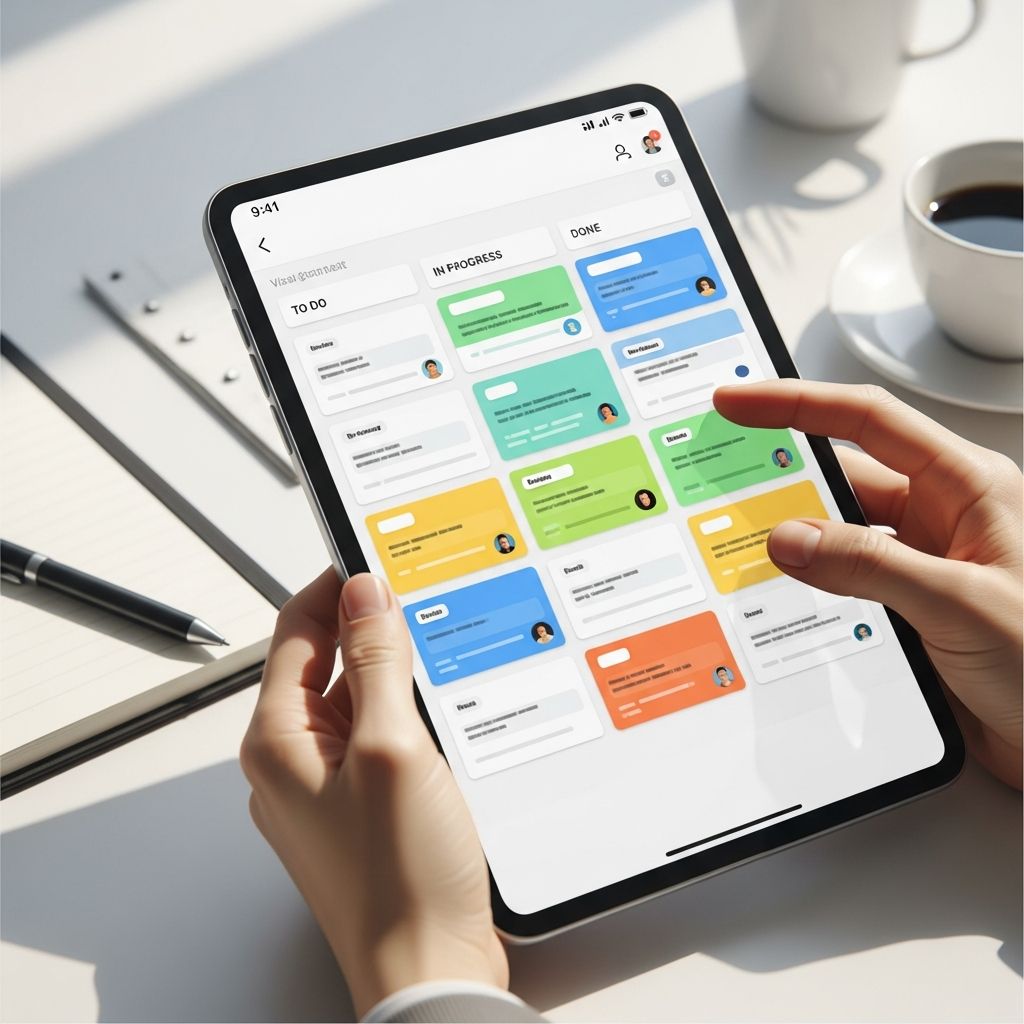
- Kanban Board Layouts: Drag-and-drop interfaces with columns representing different stages of completion provide intuitive task progression tracking.
- Multiple View Options: Applications offering Gantt charts, board views, list views, and calendar perspectives allow users to switch between formats based on their immediate needs.
- Minimalist Design Philosophy: Reducing visual clutter while maintaining functionality prevents cognitive overload and keeps attention focused on actual tasks.
- Customizable Layouts: The flexibility to arrange and personalize the workspace ensures the tool adapts to individual thinking patterns rather than forcing conformity.
Comprehensive Planning Systems for Complex Projects
Some visual thinkers require comprehensive platforms capable of managing entire life systems or complex multi-project initiatives. These applications extend beyond simple task lists to encompass project management, habit tracking, knowledge bases, and integrated scheduling ecosystems.
Robust visual planning systems allow users to create interconnected databases where information flows seamlessly across different sections. Users can build custom fields, create filtered views, establish relationships between tasks and projects, and generate analytics dashboards. The flexibility of these platforms means they scale from simple personal task lists to sophisticated organizational systems managing numerous concurrent projects.
The advantage of comprehensive systems lies in their ability to serve as a centralized “life operating system.” Rather than juggling multiple applications, users maintain one integrated space where all information—from daily tasks to long-term goals—exists in interconnected visual formats. This consolidation reduces context switching and creates a more coherent understanding of how individual tasks contribute to larger objectives.
Specialized Scheduling Applications for Visual Timeline Management
Visual thinkers often excel when they can see their entire day or week laid out chronologically. Specialized scheduling applications transform abstract time into visual blocks that can be arranged, adjusted, and managed intuitively. These applications recognize that visual thinkers benefit from seeing exactly how their time is allocated throughout the day.
Time-blocking applications present schedules as visual timelines where tasks occupy specific time segments. Users can immediately see whether their day is overbooked, identify gaps where additional work can fit, and understand how different activities relate temporally. The visual nature of this approach makes it far more intuitive than traditional written schedules or simple task lists without time allocations.
Many of these specialized applications integrate with calendar systems, allowing automatic synchronization between scheduled events and task management systems. This integration ensures users maintain a single source of truth for their time commitments while viewing everything through a visual lens that supports their thinking style.
Lightweight Daily Planning Tools for Minimalist Users
While comprehensive systems offer extensive functionality, some visual thinkers prefer streamlined applications that focus exclusively on daily planning without unnecessary complexity. These lightweight tools emphasize simplicity, aesthetic design, and anti-productivity philosophies that prioritize well-being over constant task completion.
Minimalist daily planners typically guide users through structured planning rituals—morning routines where users contemplate their day’s priorities and evening reviews assessing progress. Rather than overwhelming users with features, these applications provide just enough functionality to capture, organize, and track tasks effectively. The visual design emphasizes clarity, often featuring ample whitespace, intentional color use, and typography that makes information easy to scan.
These lighter applications often include focus timers, task tagging systems, and inbox functionality for capturing ideas without forcing immediate organization. The philosophy behind such tools recognizes that not every task deserves complex project management features; sometimes people simply need a clean, visually appealing space to plan their day without distraction.
Integration and Ecosystem Considerations
Modern task management rarely exists in isolation. Visual thinkers benefit when their primary task application integrates seamlessly with other tools they use regularly—calendar applications, email systems, communication platforms, and file management services. Integration capabilities determine whether a visual task manager becomes a central hub for productivity or remains a siloed application requiring constant context switching.
The best visual task applications establish two-way synchronization with external systems. Tasks can flow into the visual application from multiple sources, and updates made within the application reflect across connected platforms. This ecosystem approach means visual representations update automatically when external events change, maintaining consistency across all productivity systems.
Comparison of Visual Task Management Approaches
| Application Type | Best For | Key Visual Features | Complexity Level |
|---|---|---|---|
| Comprehensive Planning Systems | Complex projects, life management, multiple domains | Database views, custom filtering, relationship mapping | High |
| Time-Blocking Schedulers | Daily schedule optimization, time allocation visibility | Visual timelines, color-coded time blocks, calendar integration | Medium |
| Kanban Board Systems | Task progression tracking, workflow visualization | Drag-and-drop columns, status transitions, visual card layouts | Low-Medium |
| Minimalist Daily Planners | Simple daily task management, focus on priorities | Clean layouts, color coding, focus timers | Low |
| Infinite Canvas Tools | Brainstorming, mind mapping, exploratory thinking | Unlimited workspace, mind maps, flexible spatial organization | Low-Medium |
Customization as a Core Philosophy
Effective visual task management applications recognize that visual thinking varies among individuals. What works perfectly for one person may feel cluttered or confusing for another. The most successful applications provide extensive customization options allowing users to tailor color schemes, layouts, information density, and feature visibility to match their specific cognitive preferences.
Customization extends beyond mere aesthetics. Users should control which information appears prominently, how tasks are categorized, which views are available, and how notifications function. Some visual thinkers prefer abundance of visual detail, while others require minimalist interfaces. Flexibility ensures the application adapts to the user rather than forcing conformity to a predetermined design philosophy.
Selecting the Right Visual Task Tool for Your Needs
Choosing an appropriate visual task management application requires honest assessment of your specific needs and preferences. Consider the complexity of your projects, the number of concurrent initiatives you manage, your aesthetic preferences, and the degree of integration required with existing tools.
Begin by identifying whether you need a specialized application focused narrowly on daily planning or a comprehensive system capable of managing multiple life domains. Consider whether timeline visualization, Kanban boards, or other specific formats resonate with your thinking style. Evaluate integration capabilities with your existing ecosystem. Finally, assess whether you prefer minimal, focused applications or feature-rich platforms offering extensive customization.
Most quality visual task management applications offer free trials or limited free versions. Taking advantage of these opportunities allows you to experience how different tools feel before committing financially. Pay attention not just to feature lists but to how naturally the interface supports your thinking process.
Frequently Asked Questions
Q: What distinguishes a visual task app from a traditional to-do list application?
A: Visual task apps prioritize graphical representations of tasks—using colors, timelines, spatial layouts, and other visual elements—rather than relying primarily on text lists. This approach leverages how visual thinkers naturally process information, making organization more intuitive and engaging than traditional text-based systems.
Q: Can I use visual task management apps if I’m not primarily a visual thinker?
A: Absolutely. While these applications are designed with visual thinkers in mind, anyone can benefit from color-coded organization, timeline visualization, and spatial task arrangement. Many people discover they think more visually than they realized once they experience well-designed visual interfaces.
Q: Are visual task management apps suitable for team collaboration?
A: Many visual task management applications include collaboration features allowing teams to share projects, assign tasks, and track progress together. However, some lighter applications are designed for individual use. Check specific application features when selecting a tool for team environments.
Q: How do I avoid becoming overwhelmed by complex visual task management features?
A: Start with basic features and gradually incorporate additional functionality as your needs expand. Many applications allow you to use only the features you need, ignoring advanced options. Alternatively, choose lighter applications that intentionally limit features to prevent overwhelming complexity.
Q: Can visual task apps help with ADHD or executive functioning challenges?
A: Yes, many visual task management applications are specifically designed with neurodivergent users in mind. Visual organization, breaking tasks into manageable steps, and providing immediate visual feedback can significantly support individuals with ADHD or executive functioning difficulties.
Q: What’s the learning curve for visual task management applications?
A: Most visual task apps prioritize intuitive design, meaning basic functionality is typically accessible immediately. However, comprehensive systems may require time to master advanced features. Starting with simple views and gradually exploring additional capabilities helps manage the learning process.
References
- Tiimo: Visual Planner for ADHD and Executive Functioning — Tiimo. Accessed January 18, 2026. https://www.tiimoapp.com
- The 5 Kits: Tools for Visual Thinking — Verbal to Visual. https://verbaltovisual.com/the-5-kits-tools-for-visual-thinking/
- 40 Best Visual Project Management Software For 2026 — The Digital Project Manager. January 2026. https://thedigitalprojectmanager.com/tools/visual-project-management-software/
- Obsidian – Sharpen your thinking — Obsidian. https://obsidian.md

Medha Deb is an editor with a master's degree in Applied Linguistics from the University of Hyderabad. She believes that her qualification has helped her develop a deep understanding of language and its application in various contexts. Medha specializes in the areas of beauty, health, sports, and wellness and is committed to ensuring that the content on the website is…