
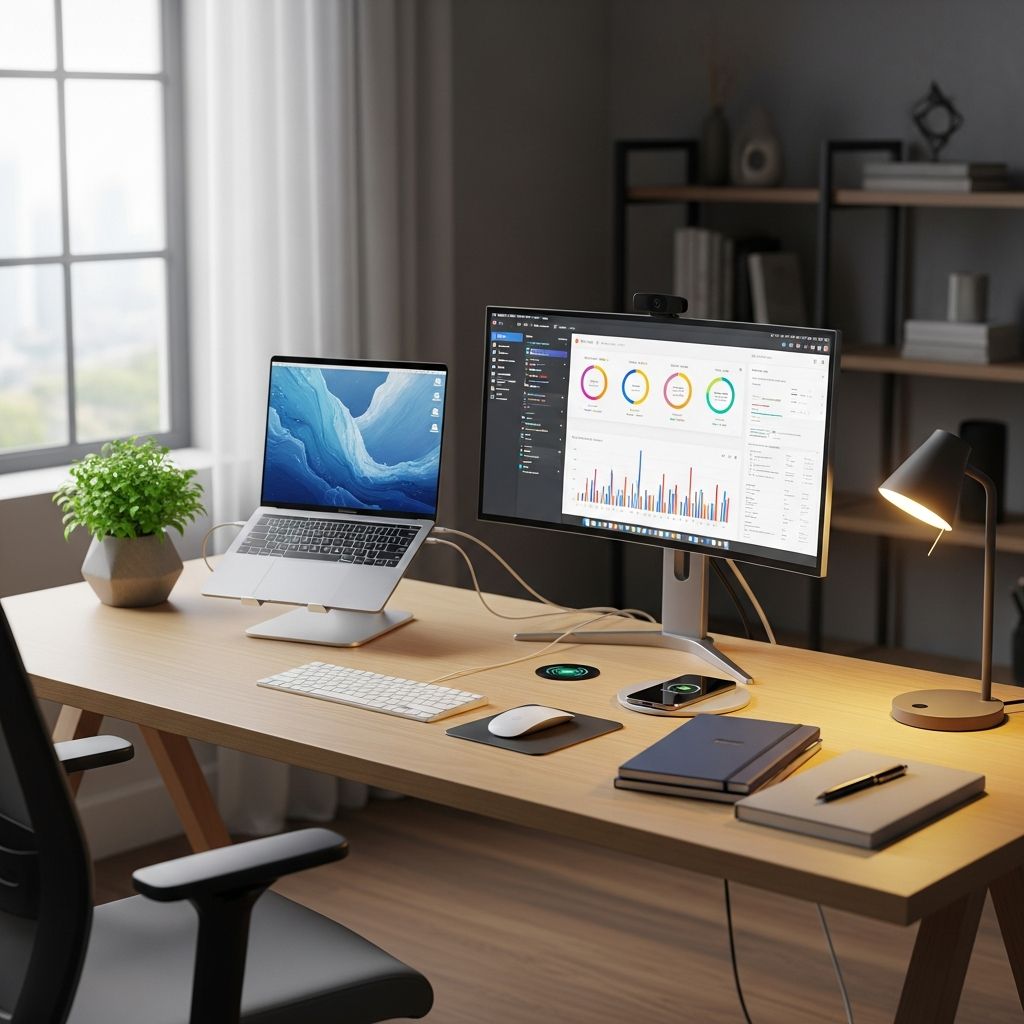
Creating a Performance-Driven Workspace: The Foundation for Success
The environment in which we work profoundly influences our ability to concentrate, maintain focus, and produce quality output. Many professionals underestimate the connection between their physical workspace and their overall work performance. Whether you operate from a home office, corporate environment, or hybrid setup, the deliberate organization and configuration of your desk can yield significant improvements in productivity, comfort, and job satisfaction. This comprehensive guide explores the essential principles of workspace design that enable sustained high performance throughout your workday.
Understanding the Ergonomics-Performance Connection
Ergonomics represents far more than comfort—it embodies a scientific approach to aligning your workspace with your body’s natural mechanics and cognitive needs. When your desk setup respects these principles, your body expends less energy managing discomfort, leaving more mental and physical resources available for your actual work. Research from occupational health studies demonstrates that employees working at ergonomically optimized desks experience tangible performance improvements.
The relationship between physical comfort and mental clarity operates through multiple pathways. When you’re not fighting against poor posture, neck strain, or wrist discomfort, your brain can dedicate full attention to problem-solving and creative thinking rather than pain management. This cognitive liberation translates directly into faster task completion, fewer errors, and higher-quality work output.
Core Elements of an Effective Desk Configuration
Monitor Positioning and Eye Strain Prevention
The placement of your primary display screen establishes the foundation for sustainable work sessions. Your monitor should position the top of the screen at or slightly below eye level when you’re seated naturally, approximately an arm’s length away from your body. This positioning prevents the downward gaze that triggers neck strain and the forward head posture that accumulates tension throughout your workday.
Improper monitor height forces your neck into constant adjustment, diverting mental energy away from productive tasks. By contrast, a properly positioned screen allows your eyes to rest naturally while maintaining appropriate screen distance, reducing visual fatigue and supporting sustained concentration periods.
Seating Solutions and Postural Support
Your chair functions as the primary support structure for extended work sessions, making chair selection critical to overall workspace effectiveness. An ergonomic chair provides lumbar support that maintains your spine’s natural curves, preventing the lower back pain that interrupts focus and creates mental distraction. The seat height should allow your feet to rest flat on the floor or footrest with knees at approximately 90 degrees.
Beyond basic support, your seating solution should accommodate varied positioning throughout the day. Static postures, regardless of how correct they are, eventually create fatigue and reduce engagement. A chair that supports movement and postural variation maintains your energy levels and mental acuity across longer work periods.
Keyboard and Input Device Placement
Your keyboard and mouse positioning directly influences wrist health and typing efficiency. These input devices should position your wrists in a neutral alignment, neither bent upward nor downward. Place your keyboard at elbow height when your arms are relaxed at your sides, enabling efficient typing without repetitive strain.
Ergonomic keyboards and vertical mice can further optimize your setup by reducing repetitive motions and supporting neutral wrist positioning. These accessories prevent the cumulative strain that eventually manifests as carpal tunnel syndrome or other repetitive stress injuries that compromise both comfort and work capacity.
Strategic Workspace Organization and Mental Flow
Proximity and Accessibility Principles
Beyond ergonomic furniture, the logical organization of your workspace materials and tools significantly impacts productivity flow. Items you access frequently should remain within arm’s reach, eliminating wasteful searching or repeated reaching that breaks your concentration. A well-organized desk reduces the time spent locating resources, allowing you to maintain mental continuity in complex tasks.
This organizational principle extends to digital workspace as well. Files, applications, and tools should be arranged logically and accessibly, minimizing navigation time and context switching. Each moment spent searching for a document or application represents lost momentum in your primary work.
Visual Clarity and Minimalist Aesthetics
A cluttered desk imposes cognitive load even when you’re not consciously aware of it. Multiple visual stimuli compete for your attention, fragmenting focus and reducing mental efficiency. A deliberately organized desk with only essential items visible creates an environment that supports concentration and mental clarity.
This doesn’t require austere minimalism, but rather intentional curation. Items on your desk should serve a purpose and contribute to your current work priorities. Personal touches and motivational elements can enhance your workspace without creating visual chaos that fragments attention.
Advanced Desk Configurations for Enhanced Flexibility
Height-Adjustable and Standing Desk Solutions
Static sitting, regardless of ergonomic optimization, eventually creates fatigue and discomfort. Height-adjustable desks that accommodate both sitting and standing positions enable you to vary your posture throughout the day, maintaining energy and mental engagement. The ability to alternate between positions combats the monotony of static work and promotes better circulation.
When using standing desk configurations, anti-fatigue mats can reduce lower-body strain and improve comfort during standing periods. The flexibility to switch between sitting and standing allows you to respond to your body’s natural needs, preventing the gradual fatigue that accumulates through long static sessions.
Lighting and Environmental Factors
Proper lighting prevents eye strain and supports your body’s circadian rhythms, which influence alertness and cognitive performance throughout your workday. Natural light exposure, when available, provides superior benefits compared to artificial lighting alone. Task lighting should supplement ambient lighting without creating glare on your screens.
Temperature control, noise management, and air quality represent additional environmental factors that influence sustained productivity. While these elements fall outside your desk itself, they fundamentally shape the workspace environment that supports or hinders your performance.
Implementing Your Optimized Workspace: A Practical Framework
Assessment and Planning
Begin by evaluating your current workspace honestly. Note areas of discomfort, distractions, or inefficiency that emerge during typical workdays. This assessment identifies your highest-priority improvements, enabling you to address critical issues first rather than attempting comprehensive changes simultaneously.
Priority-Based Implementation
Implement changes in order of impact on your specific situation. If you experience neck pain or visual strain, monitor positioning becomes your first priority. If wrist discomfort interrupts focus, keyboard and input device positioning should lead your modifications. This targeted approach enables rapid gains while avoiding overwhelm.
Measurement and Adjustment
After implementing changes, allow sufficient time—typically one to two weeks—to experience the full effects. Your body requires time to adapt to new positioning and equipment. Track changes in comfort, focus quality, and work output to validate that modifications produce intended benefits.
The Broader Impact: Individual and Organizational Benefits
Performance Gains Across Work Dimensions
Research demonstrates that employees working at ergonomically optimized desks experience productivity increases averaging 11%, with some studies documenting gains as high as 40%. These improvements manifest across multiple dimensions: faster task completion, higher quality output, reduced error rates, and sustained focus during complex work.
Health and Well-Being Advantages
Beyond immediate productivity gains, optimized workspace design prevents musculoskeletal disorders and chronic pain conditions that accumulate over years of poor ergonomic practices. This preventive benefit extends your career capacity and reduces healthcare-related expenses over your professional lifetime.
Mental and Emotional Well-Being
Physical comfort directly influences psychological well-being. When your workspace supports your body comfortably, you experience less stress and frustration, enabling better mood and motivation throughout your workday. This emotional foundation supports better decision-making, improved relationships with colleagues, and greater job satisfaction.
Special Considerations for Different Work Environments
Home Office Optimization
Home office workers often lack proper ergonomic furniture and frequently work from makeshift arrangements. Prioritize investing in a quality chair and proper desk height, as these elements provide the greatest impact on long-term comfort. Create clear boundaries between your workspace and living space to support mental focus and work-life separation.
Shared and Corporate Environments
In shared workspaces, you may have limited control over desk configuration. Focus on elements within your control: chair adjustment, monitor positioning using arms or stands, keyboard and mouse placement, and personal organization. Communicate with management about ergonomic improvements that benefit your team’s collective productivity.
Hybrid and Mobile Work Arrangements
Those working across multiple locations should invest in portable ergonomic solutions: laptop stands, portable keyboards and mice, and cushioned laptop pads. Consistency in your workspace setup across locations supports physical adaptation and sustained comfort.
Measuring Your Workspace Success
Effective workspace optimization produces measurable outcomes you can track over time:
- Increased duration of focused work sessions without discomfort or distraction
- Reduced physical pain or tension at end of workday
- Improved quality and accuracy of work output
- Faster task completion times for routine activities
- Enhanced mental clarity and creative problem-solving capability
- Greater job satisfaction and engagement with work responsibilities
- Reduced absenteeism related to physical discomfort or health issues
Long-Term Maintenance and Evolution
An optimized workspace is not static. As your work patterns change, your body adapts, and technology evolves, your workspace may require adjustment. Periodically reassess your setup to ensure it continues supporting your needs. What worked perfectly six months ago may need refinement as your role or physical circumstances change.
Maintain awareness of emerging ergonomic solutions and technologies. The field of workspace optimization continues advancing, introducing improved products and approaches that may enhance your existing setup further.
Frequently Asked Questions
Q: How much should I invest in ergonomic furniture and equipment?
A: Prioritize quality for items providing greatest impact—chair and desk—then add accessories based on your specific comfort needs. Initial investment pays dividends through improved health and productivity over years of use. Many companies recognize this value by providing ergonomic solutions as part of their benefits packages.
Q: Can I improve my current desk setup without purchasing new furniture?
A: Absolutely. Monitor positioning using books or adjustable stands, keyboard and mouse placement at proper heights, and desk organization provide immediate improvements at minimal cost. Once you identify remaining needs, targeted purchases become more strategic investments.
Q: How long does it take to experience productivity improvements from workspace optimization?
A: Initial comfort improvements occur immediately, but full cognitive and productivity benefits typically emerge within one to two weeks as your body adapts to new positioning and reduces discomfort-related mental drain.
Q: Should I use a standing desk exclusively or alternate with sitting?
A: Alternating between sitting and standing provides optimal benefits. Continuous standing creates different strain patterns than continuous sitting. Height-adjustable desks enable you to vary positions throughout your day, maintaining comfort and energy.
Q: How does workspace organization impact productivity beyond physical comfort?
A: Visual clutter imposes cognitive load and creates distraction even when unconscious. An organized workspace reduces time spent locating resources and minimizes competing visual stimuli, enabling better concentration and mental focus on primary tasks.
References
- The Benefits of a Good and Ergonomic Desk Setup — ISKU. 2024. https://isku.com/en/the-benefits-of-a-good-and-ergonomic-desk-setup/
- Ergonomic Furniture’s Impact on Workplace Productivity — FMGI. 2024. https://fmgi.com/ergonomic-furnitures-impact-on-workplace-productivity/
- How Ergonomics Improve Productivity — Business.com. 2024. https://www.business.com/articles/5-ways-an-ergonomically-designed-workstation-can-improve-your-productivity/
- Ergonomic Desks: Enhancing Team Efficiency and Comfort — Progressive Desk. 2024. https://www.progressivedesk.ca/blogs/wellbeing-productivity/what-every-team-manager-should-know-about-ergonomic-desks
- 6 Valuable Benefits Workplace Ergonomics Can Bring to Your Organization — Vitrue Health. 2024. https://www.vitruehealth.com/blog/6-valuable-benefits-workplace-ergonomics
- 4 Benefits of an Ergonomic Workplace for Employers — Logitech. 2024. https://www.logitech.com/en-us/business/resource-center/article/ergonomic-workplace-benefits.html
- Ergonomic Workspace Setup: Best Practices — UPLIFT Desk. 2024. https://www.upliftdesk.com/blog/ergonomic-workspace-setup/

- Integrated M.A. in Applied Linguistics, University of Hyderabad
- 5+ years in editorial, instructional, SEO, and research-based writing
Sneha is a relationships and lifestyle writer with a strong foundation in applied linguistics and certified training in relationship coaching. She brings over five years of writing experience to theskillvault, crafting thoughtful, research-driven content that empowers readers to build healthier relationships, boost emotional well-being, and embrace holistic living. Her writing and insights reflect the belief that beauty, happiness, and wellness…