
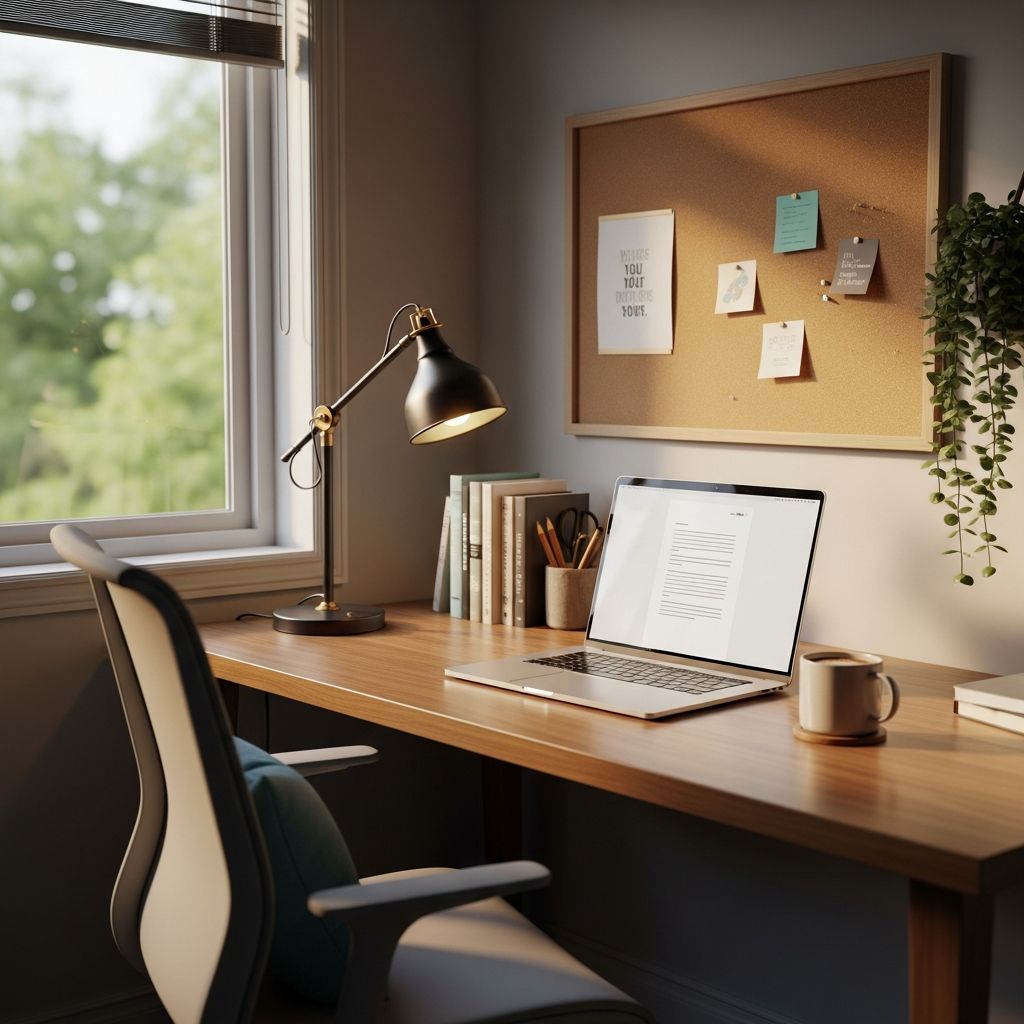
Designing a dedicated home learning space is crucial for students engaging in online education, as it directly influences concentration, comfort, and overall academic achievement. Research shows that well-planned environments aligning with educational goals can significantly improve learning outcomes by supporting varied pedagogical needs and individual preferences.
Aligning Your Space with Learning Objectives
The foundation of any effective study area begins with intentional alignment to specific educational aims. Rather than creating a generic setup, consider the types of activities involved—whether individual reading, group discussions via video, or hands-on projects. Spaces must integrate with broader learning strategies, such as fostering critical thinking or collaboration, to maximize impact.
For online learners, this means evaluating how the room supports active engagement. Flexible designs that accommodate both solo work and virtual teamwork promote adaptability, ensuring the environment evolves with changing needs. Surveys of learners highlight that ample space size ranks high among priorities, allowing room for movement and reconfiguration without constraints.
Essential Layout and Furniture Choices
A thoughtful layout optimizes flow and functionality. Prioritize furniture that enables easy reconfiguration, such as mobile desks and chairs on casters, to switch between lecture viewing and collaborative tasks. Visibility is key—ensure screens and work surfaces are at eye level to reduce strain during long sessions.
Key considerations include:
- Movement paths: Wide aisles prevent clutter and allow seamless navigation.
- Seating density: Balance capacity for solo or group use without overcrowding.
- Writable surfaces: Whiteboards or walls for brainstorming enhance idea capture.
Ergonomic furniture fits the body to the task, conserving energy for mental effort over physical discomfort. Adjustable desks and supportive chairs promote proper posture, linking directly to sustained focus.
Optimizing Lighting and Visual Comfort
Lighting profoundly affects alertness and mood. Natural daylight is ideal, supplemented by adjustable artificial sources to minimize glare and shadows on screens. Position workspaces near windows but with diffusers to avoid direct sun exposure.
| Lighting Type | Benefits | Implementation Tips |
|---|---|---|
| Natural Daylight | Boosts mood, regulates circadian rhythms | Use sheer curtains; orient desk eastward |
| LED Task Lights | Reduces eye strain, energy-efficient | Position at 45-degree angle to screen |
| Ambient Overhead | Even illumination, no harsh spots | Dimmable fixtures for time-of-day adjustment |
Biophilic elements like plants further enhance visual appeal, reducing stress and improving cognitive performance.
Controlling Acoustics and Noise Levels
Sound management is vital in home settings where household noises compete for attention. Acoustic treatments, such as rugs, curtains, and panels, dampen echoes and external sounds, creating a focused auditory environment.
For online classes, test microphone clarity and use noise-cancelling headphones. Designate quiet zones for concentrated work, separate from high-traffic areas, to support diverse sensory needs.
Maintaining Ideal Temperature and Air Quality
Thermal comfort sustains attention; aim for 68-72°F (20-22°C) with good ventilation. Indoor air quality impacts health—plants and HEPA filters help purify air, while fans or open windows circulate fresh oxygen.
Monitor humidity to prevent dryness, which causes fatigue. Smart thermostats allow precise control, adapting to occupancy and activity levels.
Incorporating Technology Seamlessly
Integrate devices without overwhelming the space. Reliable internet, charging stations, and multiple outlets ensure uninterrupted sessions. Mount screens at ergonomic heights and use cable management to maintain tidiness.
Support tools like interactive whiteboards or tablets for dynamic learning, ensuring they enhance rather than distract from core activities.
Promoting Ergonomics and Physical Well-Being
Ergonomics prevent long-term strain. Key principles include:
- Chair height allowing feet flat on floor, knees at 90 degrees.
- Monitor top at eye level, arm’s length away.
- Keyboard and mouse positioned to keep elbows close to body.
Incorporate movement breaks with standing desks or floor cushions. Multisensory modulation—balancing light, sound, and texture—helps regulate engagement, especially for neurodiverse learners.
Fostering Emotional Safety and Personalization
A space signaling calm and belonging boosts confidence. Soft colors, personal items, and flexible seating choices create emotional security. Personalization, like customizable desk organizers, empowers ownership and motivation.
Universal design ensures accessibility: ramps, adjustable heights, and intuitive layouts accommodate all abilities.
Creating Zones for Diverse Learning Styles
Divide the area into zones: a main desk for instruction, cozy nooks for reading, and collaborative corners for discussions. This supports visual, auditory, and kinesthetic preferences, rotating uses seasonally.
Such zoning activates student agency, allowing choice in how and where they learn.
Safety, Security, and Maintenance Routines
Secure setups prevent accidents—cable ties, stable furniture, and fire-safe materials are essential. Regular cleaning maintains hygiene, with storage solutions keeping supplies organized.
Softening elements like rounded edges enhance psychological safety alongside physical protection.
Budget-Friendly Enhancements and Upgrades
Start small: repurpose existing items before investing. Prioritize high-impact changes like better lighting or ergonomics. Track improvements via student feedback to justify expansions.
Measuring Success and Iterating
Evaluate through observations, surveys, and performance metrics. Adjust based on usage patterns, ensuring the space continually aligns with goals.
Frequently Asked Questions
What is the best location in the home for a study area?
Choose a quiet, well-lit room away from distractions, ideally with natural light and minimal foot traffic.
How often should I reorganize the learning space?
Quarterly reviews, or after major schedule changes, keep it relevant.
Can small spaces be effective learning environments?
Yes, with vertical storage, foldable furniture, and zoning to maximize utility.
What role do plants play in study areas?
They improve air quality, reduce stress, and add biophilic benefits for focus.
How do I handle multiple students sharing a space?
Use dividers, scheduled zones, and noise controls for harmony.
References
- Seven Principles for Classroom Design: The Learning Space Rating System — EDUCAUSE Review. 2015-02-01. https://er.educause.edu/articles/2015/2/seven-principles-for-classroom-design-the-learning-space-rating-system
- Learning Space Design Principles: Aligning Educational Environments with Effective Strategy — AUiX. 2023-01-15. https://auix.org/learning-space-design-principles-braligning-educational-environments-with-effective-strategy/
- Designing K–12 Classrooms for Learning Outcomes: 8 Performance Design Considerations — KI. 2024-05-10. https://www.ki.com/insights/blog/designing-k12-classrooms-for-learning-outcomes-8-performance-design-considerations/
- How to Make Decisions When Designing a Learning Space — Kurani. 2022-08-20. https://kurani.us/how-to-design-learning-space-make-better-decisions/
- The Science of Classroom Design — Edutopia. 2021-09-15. https://www.edutopia.org/article/the-science-of-classroom-design/
- The 6 Vital Design Elements of School Design — VELUX Commercial. 2023-11-05. https://commercial.velux.com/blog/learning-environments/the-6-vital-design-elements-of-school-design

Medha Deb is an editor with a master's degree in Applied Linguistics from the University of Hyderabad. She believes that her qualification has helped her develop a deep understanding of language and its application in various contexts. Medha specializes in the areas of beauty, health, sports, and wellness and is committed to ensuring that the content on the website is…