
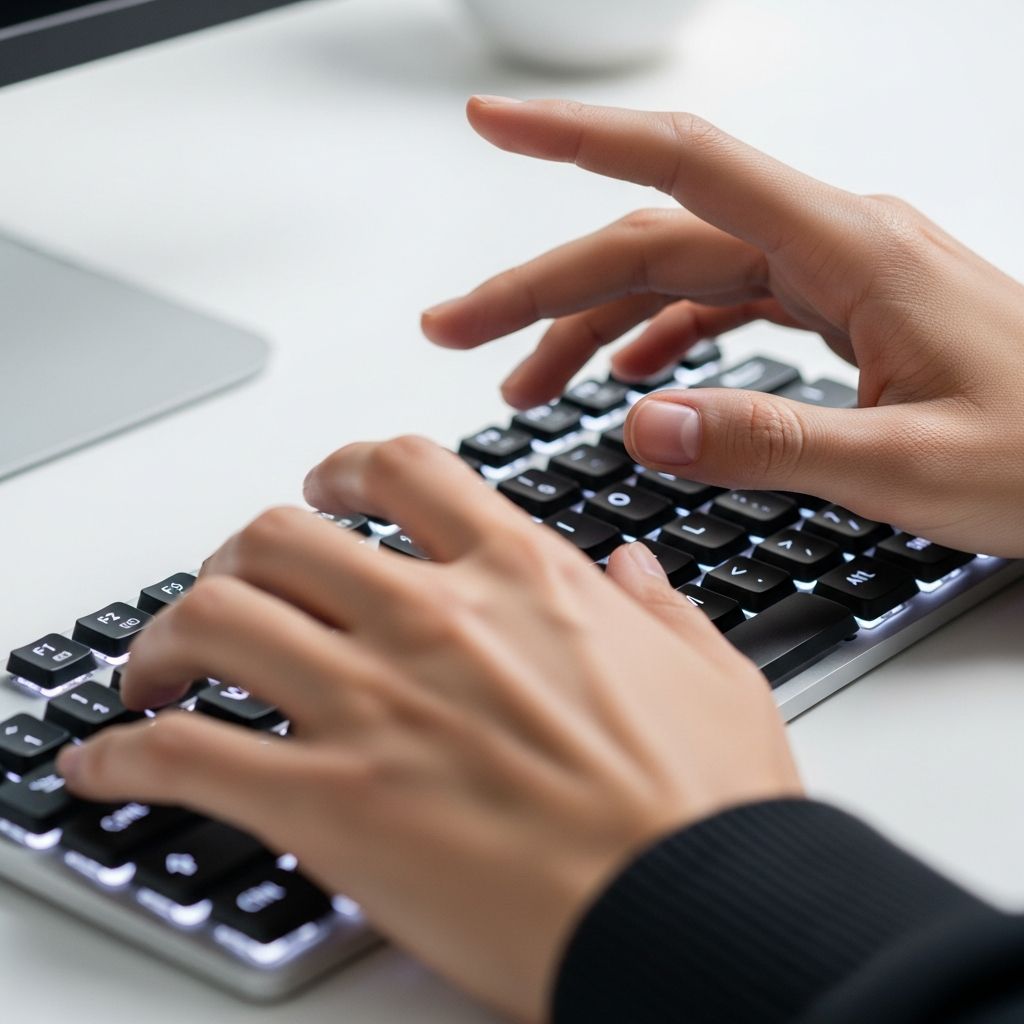
Enhancing your typing abilities transforms how you interact with digital devices, saving time and minimizing errors in professional and personal tasks. This guide explores foundational habits, targeted exercises, and reliable resources to elevate your performance from novice to expert levels.
Establishing the Right Foundation for Efficient Typing
Success in typing begins with consistent basics that promote muscle memory and comfort. Start by positioning your fingers on the home row: left hand on A-S-D-F, right hand on J-K-L-;, with thumbs ready on the spacebar. This setup minimizes movement and fosters automatic key location recall.
Maintaining this position every session builds reliability. Over weeks, it becomes instinctive, allowing fluid transitions between keys without conscious thought. Deviating from it leads to inefficiency and fatigue.
Ergonomic Practices to Sustain Long Sessions
Proper body alignment prevents strain and supports sustained performance. Sit upright with feet flat on the floor, elbows at a 90-degree angle, and wrists straight above the keyboard. Align the keyboard centrally to keep shoulders relaxed.
Hand positioning matters equally: elevate wrists slightly, rest elbows lightly on the desk, and avoid angling them awkwardly. These adjustments reduce repetitive stress risks and maintain high output over extended periods.
- Keep screens at eye level to avoid neck strain.
- Use a chair with lumbar support for back health.
- Position keyboard to allow natural arm reach.
Eliminating Visual Distractions for Better Flow
Avoid glancing at the keyboard; focus eyes on the screen instead. This habit trains tactile awareness, enabling quicker error detection and smoother rhythm. Initial discomfort fades with repetition as fingers learn independent navigation.
Practice scanning text ahead by one or two words. This anticipation boosts pace without sacrificing precision, turning typing into a seamless cognitive process.
Structured Drills for Speed and Reliability
Daily practice is non-negotiable for progress. Dedicate 15-30 minutes to targeted exercises, emphasizing accuracy over haste. Rush early on invites errors that hinder long-term gains.
Begin with basic lessons covering alphabet and symbols, progressing to full paragraphs. Tools like typing tests serve dual purposes: assessment and reinforcement. Track words per minute (WPM) and error rates to monitor improvement.
| Practice Level | Focus Area | Recommended Duration | Expected Gain |
|---|---|---|---|
| Beginner | Home row mastery | 10-15 min/day | 10-20% speed increase |
| Intermediate | Full keyboard fluency | 20 min/day | 20-30% accuracy boost |
| Advanced | Speed challenges | 30 min/day | 30+ WPM uplift |
Top Free Platforms for Hands-On Training
Leverage accessible online resources tailored for all skill levels. Keybr introduces letters gradually with visual finger guides, adapting to your pace for optimal learning. Ratatype offers structured lessons emphasizing minimal finger travel and ring/pinky strength.
Other standouts include Typing.com for accuracy-focused paragraphs and Keyhero for competitive WPM tests against global users. These platforms gamify sessions, preventing monotony while delivering measurable results.
- Keybr: Adaptive exercises matching your speed.
- Ratatyp: Lessons building 20% faster touch typing.
- Typing Academy: Browser-based courses for touch typing.
Advanced Strategies for Peak Performance
Once basics solidify, incorporate dynamic techniques. Limit finger lifts to essentials, keeping hands near base positions to cut motion waste. Strengthen weaker digits through isolated drills.
Integrate typing into routine activities like messaging or note-taking. Short, frequent sessions outperform marathon efforts, enhancing retention via spaced repetition. Aim for 10-minute bursts multiple times weekly for beginners, scaling to daily for pros.
Real-world application accelerates mastery. Transcribe audio clips or journal entries to simulate job scenarios, bridging practice and productivity.
Measuring and Tracking Your Progress
Quantify advancement with regular benchmarks. Initial speeds often hover at 20-40 WPM; consistent effort yields 50-90 WPM within months. Log sessions noting WPM, accuracy percentage, and common errors.
Revisit tests bi-weekly. Plateaus signal technique tweaks, like posture checks or new drills. Celebrate milestones to sustain motivation.
Overcoming Common Hurdles
Hunters-peckers struggle most transitioning to touch typing. Commit fully: no peeking for first lessons. Fatigue? Shorten sessions and stretch hands.
Plateaus arise from inconsistent practice or poor habits. Audit setup—faulty keyboards slow progress. Mobile habits like swipe-typing undermine desktop gains; segregate environments.
Long-Term Benefits Beyond Speed
Refined typing slashes task times, boosting output in writing-heavy roles. Reduced errors cut editing needs, while ergonomics ward off RSI. Enhanced focus from screen-centric typing sharpens cognitive multitasking.
In education and careers, 10-15 WPM gains compound hourly, freeing time for creativity. Transcription fields demand 60+ WPM with 98% accuracy, opening opportunities.
Frequently Asked Questions
How long until I see typing improvements?
Noticeable gains emerge in 2-4 weeks with 15-30 daily minutes. Full proficiency takes months of steady effort.
What’s a good typing speed for professionals?
40-60 WPM suffices for most; 80+ excels in data entry or coding.
Do I need a special keyboard?
Standard models work; mechanical ones aid feel but aren’t essential initially.
Can practice on phone help desktop typing?
Limited transfer; prioritize physical keyboards for muscle memory alignment.
How to fix frequent mistakes?
Slow deliberately for accuracy, then accelerate. Isolate problem keys in drills.
Conclusion
Typing mastery demands deliberate practice, ergonomic awareness, and persistence. Implement these steps for transformative efficiency in your digital life.
References
- 6 Easy Ways on How to Improve Typing Speed — Ditto Transcripts. 2023. https://www.dittotranscripts.com/blog/how-to-improve-your-typing-speed/
- Learn how to type faster. Touch typing tips — Ratatype. 2024. https://www.ratatype.com/learn/
- Full Course – How to Type 3x Faster — YouTube. 2023-02-15. https://www.youtube.com/watch?v=tU_AXrvQjpo
- TypingAcademy: Learn touch typing — Typing Academy. 2024. https://typing.academy
- Typing Lessons | Accuracy Focus — Typing.com. 2024. https://www.typing.com/student/lesson/335/accuracy-drills
- Typing Test · Improve your WPM speed — Keyhero. 2024. https://www.keyhero.com

- Integrated M.A. in Applied Linguistics, University of Hyderabad
- 5+ years in editorial, instructional, SEO, and research-based writing
Sneha is a relationships and lifestyle writer with a strong foundation in applied linguistics and certified training in relationship coaching. She brings over five years of writing experience to theskillvault, crafting thoughtful, research-driven content that empowers readers to build healthier relationships, boost emotional well-being, and embrace holistic living. Her writing and insights reflect the belief that beauty, happiness, and wellness…