
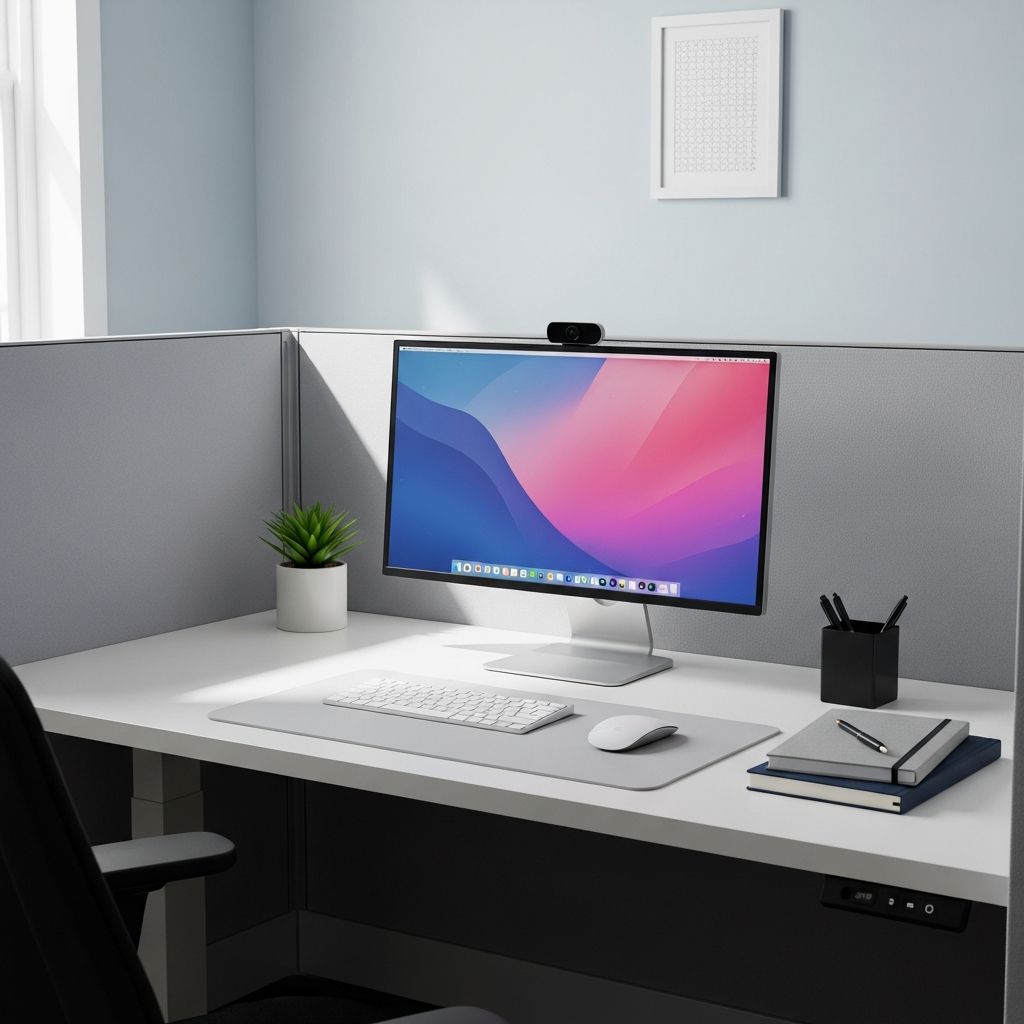
A cluttered cubicle silently drains your energy, slows your work, and broadcasts disorganization to everyone who walks by. A thoughtfully cleaned and organized workspace, on the other hand, can improve concentration, support healthier habits, and help you look more professional to colleagues and clients.
This guide walks you through a complete cubicle refresh: clearing the chaos, cleaning surfaces and tech, designing an efficient layout, and building small daily routines to keep everything under control.
Why Your Cubicle Environment Matters More Than You Think
Your cubicle is not just a patch of carpet and a desk; it is the control room for your workday. The way it looks and functions has measurable effects on both wellbeing and performance.
- Visual clutter competes with the work on your screen, making it harder to focus and increasing perceived stress.
- Poor layout forces you to twist, reach, and shuffle stacks of paper, slowing tasks and increasing physical strain.
- Dust and germs on keyboards, mice, and shared surfaces can contribute to illness and discomfort.
Research in organizational psychology has found that employees who can shape and personalize their workspace report higher satisfaction and are often more productive than those in rigidly controlled environments. At the same time, excessive clutter has been linked to reduced ability to focus and process information.
Step 1: Reset Your Space with a Full Declutter
Before you rearrange or decorate, you need a clean slate. Decluttering is less about becoming a minimalist and more about making sure every item has a clear purpose.
Empty, Sort, Decide
Work in small zones so you do not overwhelm yourself or disrupt your day completely.
- Clear a staging area on a side table or even the floor.
- Empty one drawer, shelf, or desktop section at a time onto the staging area.
- Sort into four piles:
- Keep at desk – used at least weekly.
- Store elsewhere – needed, but not often.
- Shred or recycle – outdated documents, duplicates.
- Trash – broken items, dried-out pens, old swag.
For paper, try the “touch it once” mindset: if you pick up a sheet, either act on it, file it, or discard it instead of putting it back into a random pile.
Set Firm Limits on Personal Items
Personal touches help you feel at home, but too many can look messy and distract you. Facility and cleaning experts recommend keeping decor modest so cleaning is easier and surfaces remain functional.
- Choose 2–3 framed photos or mementos that really matter.
- Avoid large collections (figurines, mugs, toys) that collect dust and occupy valuable space.
- Rotate decor seasonally instead of displaying everything at once.
Step 2: Do a Thorough Clean (Not Just a Wipe-Down)
Once you have cleared excess items, you can properly clean. Shared office environments often host high levels of bacteria on touch surfaces, especially keyboards, mice, and phones.
Safely Clean Your Tech
Check your company or device manufacturer guidelines, then follow these general principles,
- Power down and unplug electronics before cleaning.
- Use disinfecting wipes or alcohol-based wipes approved for electronics on keyboards, mice, and phone handsets. Avoid excessive moisture.
- For screens, use a microfiber cloth slightly dampened with screen-safe cleaner or water; never spray directly on the screen.
- Clean shared items like drawer handles, chair levers, and desk edges regularly.
Refresh Surfaces and Air
- Dust shelves, picture frames, and monitor bases from top to bottom.
- Wipe your desktop with a mild cleaner, paying attention to coffee-ring and snack zones.
- Empty and clean any food drawers or snack containers to prevent pests.
- If allowed, keep a small, low-maintenance plant to subtly improve air quality and mood.
Step 3: Design an Efficient Cubicle Layout
An efficient cubicle is built on intentional zones. Everything should have a logical home based on how often and how you use it.
Map Your Work Zones
| Zone | Purpose | What Belongs There |
|---|---|---|
| Primary Work Area | High-focus computer and writing tasks | Monitor, keyboard, mouse, notebook, 1–2 pens |
| Reference Area | Materials you reach for often | Key binders, current project folders, phone, headset |
| Storage Area | Occasional-use supplies | Extra stationery, backup charging cables, spare notebooks |
| Personal Corner | Motivation and comfort | Photos, plant, small decor |
Use Vertical Space Instead of Spreading Out
When desk real estate is limited, build upward and outward along the walls.
- Install floating shelves or wall-mounted organizers (if allowed) for binders and reference documents.
- Use a hanging file system to keep active folders within arm’s reach instead of stacked on your desk.
- Add hooks or clips to cubicle walls for headphones, ID badges, and lanyards.
Step 4: Build Smart Storage Systems
Good storage makes your cubicle feel larger than it is. The goal is to reduce surface clutter, not to hide chaos in drawers.
Control Paper Before It Controls You
Create a simple paper flow so documents stop piling up “just for now.”
- Use labeled stacking trays for categories like “Today,” “To Review,” and “To File,” as recommended by office cleaning experts.
- Commit to a weekly session where everything in “To File” either moves into your filing system or is discarded.
- Scan documents that do not need to be retained in paper form, following your company’s retention rules.
Tame Drawers and Desktop Supplies
- Add drawer dividers for pens, clips, sticky notes, and cables so you are not rummaging for basics.
- Use desk trays or small bins for items that must stay on the surface, such as stamps or business cards.
- Label containers that hold less obvious items (e.g., “Cables,” “Spare Notebooks”) so you do not have to open each one.
Create a Clean Charging and Tech Area
Cables and devices can quickly overwhelm a small desk if left unmanaged.
- Designate a single charging corner near an outlet or power strip.
- Use cable clips or ties to bundle cords and avoid tangles.
- If possible, mount a small power strip under the desk so fewer cords snake across your work surface.
Step 5: Adjust for Ergonomics and Comfort
An organized cubicle is not only tidy; it also supports your body. Poor ergonomics can contribute to neck, back, and wrist pain, which are common causes of discomfort and lost work time.
Check Your Desk and Monitor Setup
- Position the top of your monitor at or slightly below eye level, about an arm’s length away.
- Place the keyboard so your elbows are at roughly 90 degrees with forearms parallel to the floor.
- Use a monitor riser or a stack of sturdy books if the screen is too low.
- Keep your mouse close to the keyboard to avoid overreaching.
Fine-Tune Your Chair and Lighting
- Adjust chair height so your feet rest flat on the floor (or on a footrest) and your thighs are roughly parallel to the ground.
- Support your lower back with the chair’s built-in lumbar support or a small cushion.
- Add a desk lamp for focused light and to reduce eye strain if overhead lighting is harsh or dim.
Step 6: Add Personality Without Adding Clutter
Once the basics are in place, a few intentional touches can make your cubicle feel like a place you actually want to spend time in.
Use Color and Decor Strategically
- Choose a limited color palette for organizers, file folders, and bins to avoid a chaotic look.
- Opt for functional decor like a stylish pen cup, patterned mouse pad, or attractive storage boxes.
- Display a small, inspiring quote or image at the edge of your visual field rather than covering every wall.
Bring in Nature and Texture
- Place a low-maintenance plant such as a succulent or pothos on your desk or shelf, if your office allows it.
- Add a soft element like a modest cushion or a textured mouse pad to balance hard surfaces.
- Avoid scented items that could bother coworkers with allergies or sensitivities.
Step 7: Maintain with Small Daily and Weekly Habits
A cubicle refresh is only valuable if it lasts. Light, consistent upkeep is easier than occasional deep overhauls.
A Five-Minute End-of-Day Reset
Build a quick closing ritual so tomorrow’s you arrives to a fresh start.
- File or recycle loose papers instead of leaving them in stacks.
- Return pens, staplers, and supplies to their containers.
- Log off, then quickly wipe crumbs or spills if you ate at your desk.
- Place tomorrow’s most important document or notebook in your primary work zone so you can start immediately.
A Short Weekly Review
- Empty “To File” trays and process everything inside.
- Check drawers and shelves for items that have drifted out of place.
- Disinfect high-touch surfaces and dust visible areas.
- Reassess one small pain point each week (for example, tangled cables or an overstuffed folder) and fix just that.
Quick Checklist: From Messy to Streamlined
- All nonessential items removed from the desktop.
- Only current projects visible; long-term references stored neatly.
- Cables bundled and routed away from main work area.
- Personal items limited, meaningful, and easy to dust.
- Monitor height and chair adjusted for neutral posture.
- Simple paper flow in place: Today / To Review / To File.
- Daily five-minute reset and weekly fifteen-minute tidy planned.
Frequently Asked Questions (FAQs)
Q: How often should I deep-clean my cubicle?
A: Aim for a thorough declutter and clean every 3–6 months, with lighter maintenance weekly. High-touch surfaces like keyboards and phones benefit from disinfecting at least weekly or more often during cold and flu season.
Q: What if my job requires a lot of paper and reference material?
A: Focus on a clear paper flow and vertical storage. Keep only active files in labeled trays or a hanging file within reach, and move completed or archival materials to file cabinets or digital archives according to your organization’s retention rules.
Q: How can I improve my cubicle if office rules limit what I can add?
A: Work within policy by rearranging your layout, editing down possessions, and using simple tools like drawer dividers, labeled trays, and cable clips. Small changes to ergonomics, lighting, and paper systems often make a bigger difference than large decorative items.
Q: Is it okay to eat at my desk?
A: Many people do, but it increases crumbs, spills, and germ exposure. If you eat at your desk, use a placemat or tray and clean the area afterward. Regular surface cleaning and hand hygiene are especially important when food and keyboards share space.
Q: How can I keep my cubicle professional but still “me”?
A: Choose a few cohesive elements that reflect your style—such as a color theme, one plant, and a framed photo—while keeping the rest of the space clear and businesslike. This balances personal expression with a tidy, credible appearance.
References
- 20 Organized Cubicle Ideas to Transform Your Workspace — bkm OfficeWorks. 2023-05-10. https://www.bkmoffice.com/organized-cubicle-ideas/
- Cubicle Organization and Cleaning Tips — ServiceMaster Clean. 2021-06-15. https://www.servicemasterclean.com/clean-blog/office-cleaning/cubicle-organization-and-cleaning-tips/
- Workplace Health Promotion: Office Hygiene — Centers for Disease Control and Prevention (CDC). 2022-03-18. https://www.cdc.gov/niosh/topics/workplace-hygiene/
- How to Clean Your Computer — Apple Support. 2023-01-30. https://support.apple.com/en-us/HT204172
- Plants for Indoor Air Pollution Abatement — NASA Clean Air Study (Wolverton et al.). 1989-09-01. https://ntrs.nasa.gov/citations/19930073077
- Computer Workstations eTool: Good Working Positions — Occupational Safety and Health Administration (OSHA). 2020-09-15. https://www.osha.gov/etools/computer-workstations/positions

- Integrated M.A. in Applied Linguistics, University of Hyderabad
- 5+ years in editorial, instructional, SEO, and research-based writing
Sneha is a relationships and lifestyle writer with a strong foundation in applied linguistics and certified training in relationship coaching. She brings over five years of writing experience to theskillvault, crafting thoughtful, research-driven content that empowers readers to build healthier relationships, boost emotional well-being, and embrace holistic living. Her writing and insights reflect the belief that beauty, happiness, and wellness…