
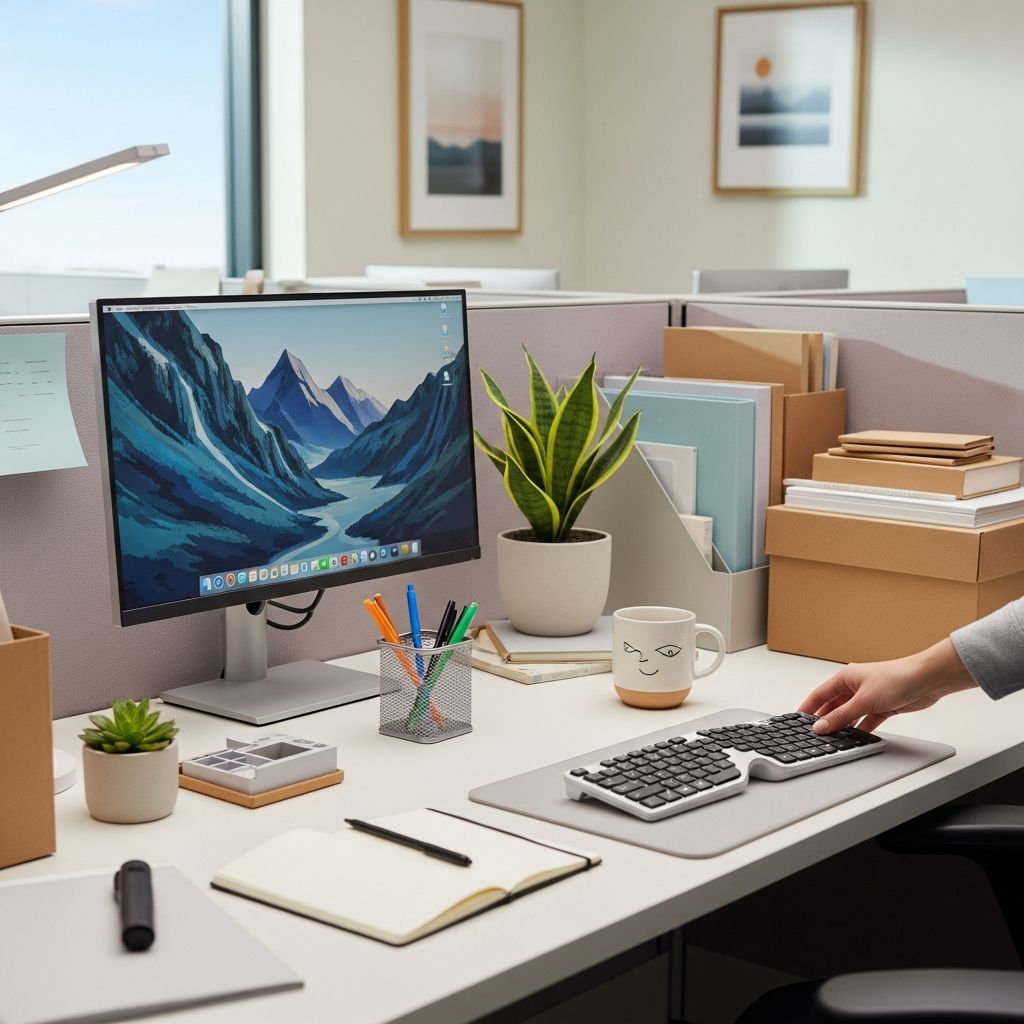
Your cubicle can quietly turn from a focused workspace into a pile of papers, coffee cups, and random office swag. A deliberate reset not only restores order, it also supports better focus, health, and morale. Research on workspace design shows that clutter and visual noise can impair concentration and increase stress, while clean, well-designed environments can support higher productivity and well-being.
Why Your Cubicle Environment Matters
A cubicle is more than just a desk and a chair. It is where you spend a major share of your waking hours, so small improvements compound over time. Studies on workspace quality and job satisfaction have found that having a sense of control over your environment and reducing distractions can improve comfort and performance at work.
Refreshing your cubicle is about three things:
- Removing friction: Less time spent hunting for documents and supplies.
- Reducing stress: Fewer visual distractions and less clutter competing for your attention.
- Supporting health: Cleaner surfaces and healthier ergonomics reduce discomfort and illness risk.
A Simple Three-Phase Cubicle Reset Plan
To avoid getting overwhelmed, approach your cubicle reset in three phases:
- Clear: Remove everything and make tough decisions about what stays.
- Clean: Disinfect, dust, and address neglected corners and technology.
- Curate: Put only intentional, useful, and meaningful items back.
Phase 1: Clear the Decks
Start by giving yourself a temporary blank slate.
- Empty the desktop completely, including decor, trays, mugs, and stacks of paper.
- Pull everything out of drawers and overhead bins.
- Place items into three temporary piles: keep, trash/recycle, and unsure.
Use these questions to decide what truly belongs in your workspace:
- Do I use this weekly? If not, could it live in shared storage instead?
- Is this required for my job or for compliance? If yes, label it clearly.
- Does this object support my focus or comfort? If not, reconsider it.
Phase 2: Deep Clean What You Usually Ignore
Once the surface is clear, clean every area you usually overlook. Regular cleaning of high-touch surfaces can reduce the spread of germs and contribute to fewer illnesses in office environments.
- Wipe hard surfaces: Use disinfecting wipes or spray on your desktop, phone, arms of the chair, and filing cabinet handles.
- Dust equipment: Gently clean your monitor, CPU, and other electronics with microfiber cloths designed for screens.
- Sanitize input devices: Keyboards and mice accumulate high levels of bacteria; clean them carefully according to manufacturer guidance.
- Vacuum and sweep: Clear under the desk, including cable areas and corners.
Phase 3: Curate What Comes Back
Now decide what earns its place in your refreshed cubicle. The goal is to have everything either serve a clear function or bring you modest, intentional joy without creating clutter.
- Return only essential work tools, neatly arranged.
- Limit personal decor to a few meaningful, small items.
- Store reference materials you use less often out of direct sight.
- Leave some open space on your desk to reduce visual overload.
Designing Work Zones Inside a Small Cubicle
Creating functional zones helps your brain understand what belongs where and makes it easier to keep order over time.
| Zone | Purpose | What Belongs There |
|---|---|---|
| Focus Zone | Primary computer work | Monitor, keyboard, mouse, notepad, one pen |
| Paper & Reference Zone | In-progress documents | Stacking trays, labeled folders, binder or reference book |
| Tools Zone | Office supplies | Stapler, tape, highlighters, extra pens in a drawer or caddy |
| Personal Zone | Comfort and decor | Plant, photo frame, small item that reflects your personality |
Optimizing the Focus Zone
Your computer area is the heart of your work. Keep it as uncluttered as possible so your screen and essential tools are easy to reach.
- Position the monitor directly in front of you, at eye level if possible, to support better posture.
- Leave clear space on both sides of the keyboard for comfortable mouse movement.
- Reserve this zone for only one pen, a notebook, and perhaps a headset.
Containing Paper Before It Takes Over
Paper tends to multiply when you are not paying attention. Use a simple, labeled system that tells you exactly what each stack means.
- Create 2–3 labeled trays, such as: “Today”, “To Read”, “To File”.
- Stand active project folders upright so titles are visible.
- Schedule a weekly calendar reminder to empty the “To File” tray.
Smart Storage: Vertical, Hidden, and Within Reach
In a compact cubicle, you gain space by thinking vertically and simplifying what stays at arm’s length.
Make Your Walls Do the Heavy Lifting
- Use wall-mounted file holders for current projects and frequently referenced documents.
- Hang a small whiteboard or corkboard for your key weekly priorities.
- If your panel walls are fabric, use pins or hook-and-loop fasteners to suspend light items.
Use Drawers as Deliberate Storage, Not Junk Space
- Add shallow dividers in top drawers for small supplies.
- Dedicate one drawer to snacks, chargers, and personal items so they do not migrate to the desktop.
- Reserve the bottom drawer for files that must be kept but are rarely needed.
Cable and Tech Management
Tangled cables add visual chaos and make cleaning difficult. A tidy technology setup enhances both aesthetics and safety.
- Bundle excess cable length with clips or ties and keep them off the floor when possible.
- Label chargers and adapters so you instantly know what each plug belongs to.
- Designate a small corner or drawer as a charging station to prevent devices from spreading across the desk.
Balancing Professionalism and Personal Style
Personalizing your cubicle can support mood and identity at work, but too many objects quickly turn into clutter. Aim for a curated, professional look that aligns with company norms.
Guidelines for Thoughtful Personal Decor
- Limit yourself to a few items, such as two photos and one small personal object.
- Choose a single color palette (for folders, pen cups, and decor) for a cohesive look.
- Opt for compact items instead of large, bulky decorations that reduce work surface space.
Bringing Comfort Without Clutter
You can make your cubicle more inviting without filling it up. Thoughtful comfort features can improve your sense of well-being and reduce tension.
- Add soft lighting with a small desk lamp or warm LED light to offset harsh overhead lights.
- Incorporate a low-maintenance plant to introduce a bit of nature, which research has linked with reduced stress in offices.
- Consider a lumbar pillow or footrest if it helps you sit comfortably for long periods.
Daily and Weekly Habits That Keep Order
A one-time cleanup will not last unless you develop light, repeatable habits. Regular maintenance is easier than letting clutter build and trying to tackle it all at once.
Five-Minute Daily Reset
Before you leave each day, run through a quick checklist:
- Return pens, highlighters, and tools to their container.
- Place active papers into the appropriate tray or folder.
- Close down all applications and clear open documents from the desk.
- Do a quick wipe of visible crumbs or spills.
- Position your chair and equipment neatly so you arrive to a calm scene tomorrow.
Weekly Mini-Review
- Empty your “To File” tray into long-term storage or digital archives.
- Remove old meeting printouts and duplicates; recycle them if no longer needed.
- Reassess any personal items that have wandered onto the desk.
- Sanitize high-touch areas: phone, keyboard, mouse, drawer handles.
Common Cubicle Pitfalls (and What to Do Instead)
Even with the best intentions, certain habits quickly undo your progress. Here are frequent trouble spots and more sustainable alternatives.
- Pitfall: The “temporary” paper stack
Instead: Sort new papers immediately into your labeled trays or scan them into digital storage. - Pitfall: Stashing everything under the desk
Instead: Keep the floor mostly clear for legroom and safety; store only a bin or footrest below. - Pitfall: Too many sentimental items
Instead: Rotate a small selection of personal items each season rather than displaying everything at once. - Pitfall: Letting snack wrappers and mugs linger
Instead: Take dishes to the break room daily and empty your trash regularly to avoid odors and pests.
FAQs: Keeping a Cubicle Organized, Clean, and Comfortable
Q: How often should I deep-clean my cubicle?
A: Light cleaning and tidying every day with a more thorough wipe-down and declutter at least once a week works well for most people. Many office hygiene guidelines also recommend regularly disinfecting frequently touched surfaces to help reduce the spread of germs.
Q: What is the best way to handle constant paper inflow?
A: Use a simple three-part paper system: one tray for items you must act on soon, one for material to read, and one for items waiting to be filed. Schedule a short weekly block on your calendar to empty or reassess each tray.
Q: How many personal items are appropriate in a professional cubicle?
A: A good rule of thumb is just a handful of items that fit comfortably on available shelves or a corner of the desk. For example, two photos and one plant or small memento keep the space personal without overwhelming the work function.
Q: What should always stay within arm’s reach?
A: Keep only what you use daily within easy reach: your computer, phone or headset, one notepad, a few pens, and active project folders. Less frequently used items can live in drawers, wall files, or shared storage so your desk stays clear.
Q: How can I keep my cubicle comfortable without making it look cluttered?
A: Choose functional comfort upgrades—like an ergonomic chair adjustment, a small lamp, or a single plant—rather than multiple decorative objects. Aim for items that either improve how you feel physically or offer a subtle visual lift, and avoid anything that blocks workspace or equipment.
References
- Workspace Satisfaction: The Privacy-Communication Trade-Off in Open-Plan Offices — Jungsoo Kim, Richard de Dear. 2013-01-01. https://doi.org/10.1080/09613218.2012.693839
- Cleaning and Disinfecting Your Facility — U.S. Centers for Disease Control and Prevention (CDC). 2021-11-15. https://www.cdc.gov/coronavirus/2019-ncov/community/disinfecting-building-facility.html
- Computer Workstations eTool: Good Working Positions — Occupational Safety and Health Administration (OSHA). 2019-09-20. https://www.osha.gov/etools/computer-workstations/positions
- The Psychological Benefits of Workplace Greenery — University of Exeter, Environment and Sustainability Institute. 2014-08-18. https://psycnet.apa.org/doi/10.1037/a0033260
- Organization Tips for an Office Cubicle — SafetyCompany.com. 2015-04-06. https://www.safetycompany.com/safetyblog/organization-tips-for-an-office-cubicle/
- 5 Effective Office Cubicle Organization Tips — Homestyler. 2023-03-10. https://homestyler.com/article/effective-office-cubicle-organization-tips

- Integrated M.A. in Applied Linguistics, University of Hyderabad
- 5+ years in editorial, instructional, SEO, and research-based writing
Sneha is a relationships and lifestyle writer with a strong foundation in applied linguistics and certified training in relationship coaching. She brings over five years of writing experience to theskillvault, crafting thoughtful, research-driven content that empowers readers to build healthier relationships, boost emotional well-being, and embrace holistic living. Her writing and insights reflect the belief that beauty, happiness, and wellness…