
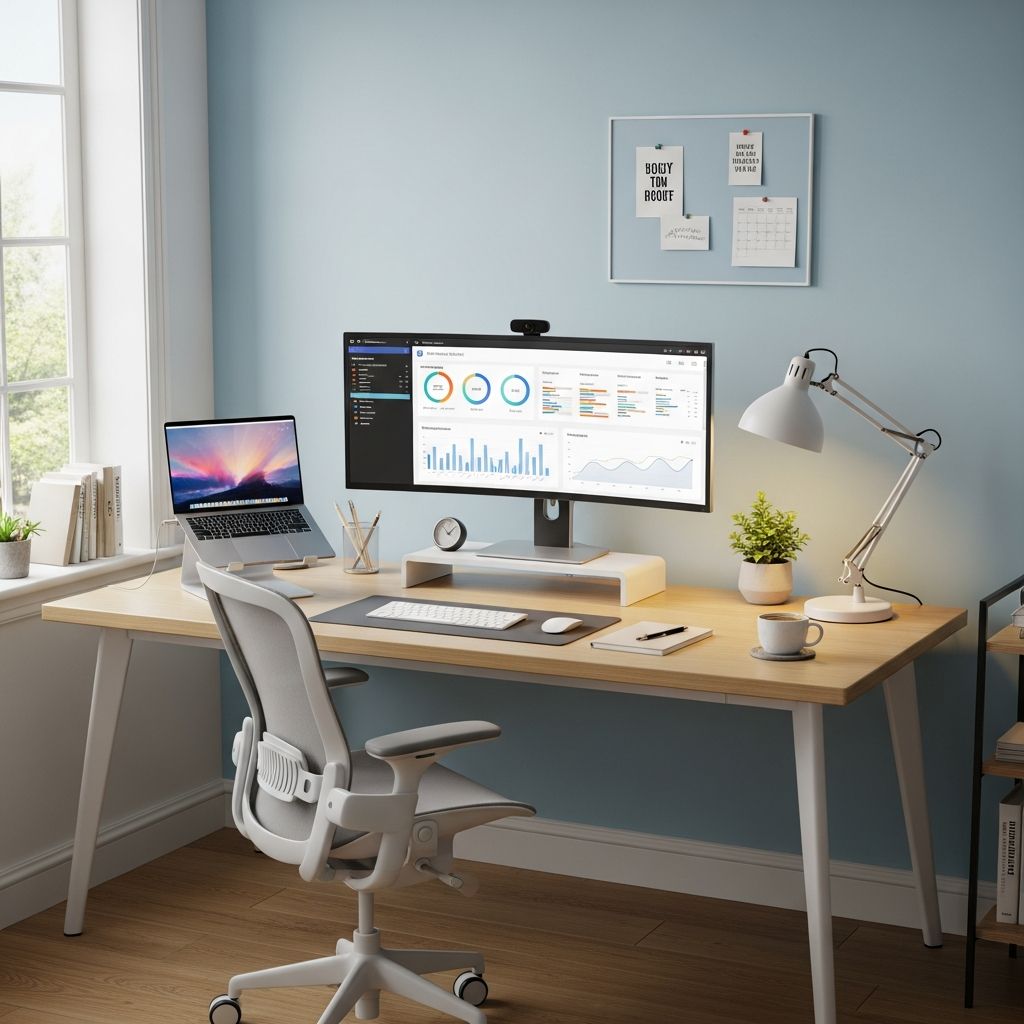
The physical and digital environments where we work exert a profound influence on our ability to concentrate, create, and accomplish meaningful tasks. When properly designed, your workspace becomes an asset that amplifies your efforts and supports your professional goals. Understanding the fundamental principles of environmental design allows you to transform even modest spaces into productivity hubs that inspire excellence and minimize unnecessary friction in your daily workflow.
Understanding the Psychology Behind Workspace Design
Research consistently demonstrates that environmental factors directly impact cognitive performance and work satisfaction. A well-organized workspace reduces cognitive load—the mental effort required to navigate your surroundings and locate necessary tools. When your environment is intentionally structured, your brain can allocate more resources to actual work rather than processing environmental chaos. This mental clarity translates into faster decision-making, improved focus, and enhanced creative thinking.
The relationship between organization and productivity extends beyond mere convenience. Studies reveal that 84% of people report feeling more productive in organized workspaces, with many believing they could increase their productivity by 38% through improved organization. This substantial correlation underscores that workspace design is not a luxury enhancement—it is a foundational component of professional performance.
Establishing Your Physical Workspace Foundation
Creating an effective work environment begins with selecting and configuring your actual physical location. Your workspace choice sets the stage for everything that follows. Whether you work in a dedicated home office, a corporate environment, or a shared coworking space, the selection process deserves thoughtful consideration.
Choose a location that allows mental separation between work and personal life. This psychological boundary helps establish focus and signals to your brain that it is time for concentrated effort. Your workspace should incorporate several essential elements: adequate natural lighting, comfortable furniture that supports good posture, minimal background noise, and freedom from unnecessary interruptions. Positioning your desk near a window provides dual benefits—natural light exposure enhances mood and alertness, while views of outdoor spaces provide restorative breaks for mental fatigue.
Personalization matters more than many people realize. Adding meaningful decorations, plants, or inspiring artwork creates an environment you actually want to spend time in, rather than one that feels sterile or punitive. This personal touch enhances motivation and creates positive emotional associations with your workspace.
Decluttering as a Foundational Practice
Before implementing any organizational system, you must address existing clutter. A cluttered desk creates psychological overwhelm and consumes valuable mental energy before you even begin your actual work. The decluttering process is not a one-time event but rather the foundation upon which all other organization builds.
Begin by evaluating every item in your workspace. Ask yourself whether each object serves your current workflow. Outdated documents, duplicate supplies, broken equipment, and items you haven’t used in months should be removed. Keep only essentials within arm’s reach—typically your primary work materials, writing instruments, and perhaps a notebook for immediate reference. Everything else should be stored away in designated locations or removed entirely.
This approach serves multiple purposes simultaneously. It reduces visual distractions, decreases the time spent searching for items, and creates physical space for your actual work. Many people underestimate how much mental energy a cluttered environment consumes. By removing unnecessary items, you reclaim both physical desk space and cognitive capacity.
Implementing Zone-Based Organization Strategies
Once your space is decluttered, implement a systematic organization approach. Zone-based organization divides your workspace into distinct areas based on activity type and frequency of use. This strategic segmentation creates a logical workflow that matches how you actually work.
Your primary work zone should contain items you use constantly during focused work sessions—your computer, keyboard, mouse, and any tools essential to your primary responsibilities. Frequently accessed materials should occupy the middle zone—items you reference several times daily but don’t need constantly. This might include reference materials, specific project files, or communication devices. Finally, a secondary zone holds items you access occasionally but still need nearby—archived files, backup supplies, or specialized equipment used less frequently.
This organizational structure minimizes wasted movement and decision-making. You always know where to find what you need, reducing the micro-interruptions that fragment your focus throughout the day. The system becomes intuitive over time, requiring minimal conscious thought to maintain.
Digital Organization and Information Management
Modern productivity extends far beyond physical organization. Your digital environment requires equal attention and systematic management. Digital clutter creates the same productivity drain as physical clutter, consuming time and mental energy as you search for files, navigate disorganized folders, and manage duplicated information.
Establish a consistent digital filing system with clear folder hierarchies and logical naming conventions. Create a centralized repository for project-related materials, meeting notes, and important documents. Whether using cloud storage solutions or local organization, consistency matters more than the specific system chosen. Regular backups prevent data loss and the stress associated with potential information loss.
Adopt the “One-Touch Rule” for digital items—when you receive or create a document, immediately file it in its permanent location rather than leaving it on your desktop or in a temporary folder. This prevents digital clutter from accumulating and ensures you can locate information when needed. Digital-first documentation strategies reduce paper usage at the source, creating a more streamlined and searchable workflow.
The Inbox-Outbox System for Workflow Management
Whether managing physical or digital items, the Inbox-Outbox System provides a clear framework for task management. This classic organizational method creates a visual representation of your workflow, making it immediately obvious what requires attention and what is ready for completion or distribution.
In a physical implementation, maintain designated trays or folders for incoming items requiring action and a separate space for completed work ready for filing or distribution. Digitally, this might mean an “Inbox” email folder and a “Completed” folder system. This structure prevents important tasks from getting lost in the shuffle and provides clarity about your current workload.
The primary benefit of this system is reducing decision fatigue and mental load. You always know where to look for new assignments and where to place finished work. This simple structure brings order to potential chaos, ensuring nothing falls through the cracks while maintaining a clear picture of your responsibilities.
Establishing Daily Routines for Sustained Organization
Creating an organized workspace is only effective if you maintain that organization over time. A daily reset routine serves as the cornerstone habit that preserves your organizational gains. This five-minute ritual prevents small messes from escalating into overwhelming projects.
Each workday should begin and end with simple maintenance. At day’s end, file away completed work, clear your desk of temporary materials, and review your inbox to confirm nothing requires attention. At the beginning of the next day, start fresh with a clean workspace and clear mental space. This consistent practice prevents clutter accumulation and ensures you begin each day with focus and clarity.
Beyond desk maintenance, establish a structured daily routine for your work itself. Prioritize tasks from highest to lowest importance, ensuring critical work receives your best energy and attention. This approach prevents less important tasks from consuming time and mental resources that should be directed toward higher-impact work.
Environmental Elements That Support Focus
Beyond organization, several environmental factors significantly influence your ability to concentrate. Minimize distractions by keeping your workspace simple and removing items that pull attention. Common culprits include mobile phones, personal devices, and entertainment materials. If these are necessary for work, store them out of immediate sight or in a separate location to reduce temptation and interruption.
Maintain a clean, professional environment through regular maintenance. Keep your desk disinfected, ensure good air circulation, and remove outdated materials weekly or monthly. A clean environment is a comfortable one, creating an atmosphere where productivity flows naturally rather than feeling forced.
Lighting deserves particular attention. Natural light is ideal, but when unavailable, choose lighting that mimics natural daylight rather than harsh fluorescent options. Poor lighting contributes to eye strain, headaches, and fatigue—all enemies of sustained productivity.
Integrating Tools and Systems for Enhanced Efficiency
Modern work increasingly relies on multiple digital tools and platforms. Rather than allowing these to create context-switching chaos, integrate essential business solutions into unified platforms where possible. Consolidating your tools reduces the mental friction of jumping between applications and allows you to maintain focus on actual work.
Implement automation where repetitive tasks create unnecessary manual work. Automated task assignments, scheduled file backups, and standardized process templates reduce the cognitive load of routine activities. This approach frees mental energy for creative and strategic work that requires genuine human judgment.
Streamlined reporting through centralized dashboards provides stakeholders with real-time information without requiring time-consuming status meetings. This efficiency extends beyond individual productivity to team-level effectiveness.
The Long-Term Benefits of Environmental Investment
The investment in workspace design and organization yields returns far beyond immediate productivity improvements. Feeling in control of your work environment and workflow significantly reduces stress and burnout risk. When you can navigate your responsibilities without constant friction, work becomes more manageable and sustainable.
Better organization translates to consistent workflow improvements that compound over time. By reducing time spent on non-essential activities like searching for documents or following up on unclear assignments, you reclaim substantial hours for meaningful work. Many professionals report saving approximately 60 minutes daily through improved organization—effectively gaining an entire additional work hour.
Perhaps most importantly, a thoughtfully designed workspace enhances professional presence and credibility. When clients, colleagues, and supervisors encounter an organized, professional environment, it reinforces perceptions of competence and reliability. Your physical workspace becomes an extension of your professional brand.
Frequently Asked Questions
Q: How often should I declutter my workspace?
A: Conduct a thorough evaluation weekly or monthly to remove items no longer serving your workflow. Perform daily five-minute reset routines to prevent clutter accumulation. The frequency depends on your specific work environment and how quickly clutter tends to accumulate in your situation.
Q: What if I work in a shared office space where I cannot control the environment?
A: Focus on controlling your individual workspace within the larger environment. Organize your desk thoroughly, use noise-canceling elements if possible, and establish your personal organization systems. When you cannot control the broader environment, meticulous personal organization becomes even more important.
Q: Should I choose digital or physical organization systems?
A: The most effective approach combines both. Use digital systems for documents and electronic information, and physical organization for items requiring tactile access. Hand-writing notes and lists engages deeper cognitive processes, improving retention, while digital storage ensures accessibility and searchability.
Q: How do I maintain organization when dealing with constant new information and materials?
A: Implement the One-Touch Rule—immediately file incoming items in appropriate locations rather than creating temporary piles. Establish an Inbox-Outbox system for managing workflow. Use automation for routine tasks and regular maintenance routines to prevent accumulation. These systems handle continuous information flow without overwhelming your space.
Q: What is the most important element of workspace design?
A: While all elements contribute to overall effectiveness, establishing reliable systems matters more than individual efforts. A system like the Daily Reset Routine prevents small messes from becoming overwhelming projects. Systems automate organizational decisions, requiring less willpower to maintain than relying on personal discipline alone.
References
- 18 Effective Strategies for Staying Organized at Work — TrueProject. Accessed January 2026. https://www.trueprojectinsight.com/blog/project-office/organized-at-work
- How to Organize and Create a Productive Workspace — Zebra Pen. Accessed January 2026. https://www.zebrapen.com/blogs/blog/how-to-organize-and-create-a-productive-workspace
- 8 Essential Desk Organization Tips for a Productive 2025 — Mount-It. Accessed January 2026. https://www.mount-it.com/blogs/articles/desk-organization-tips
- 11 Effective Tips for Work Organization and Productivity — Indeed.com. Accessed January 2026. https://www.indeed.com/career-advice/career-development/work-organization
- Tips for Creating a Productive Home Office Setup — Tribeloo. Accessed January 2026. https://www.tribeloo.com/blog-post/tips-for-creating-a-productive-home-office-setup

Medha Deb is an editor with a master's degree in Applied Linguistics from the University of Hyderabad. She believes that her qualification has helped her develop a deep understanding of language and its application in various contexts. Medha specializes in the areas of beauty, health, sports, and wellness and is committed to ensuring that the content on the website is…