
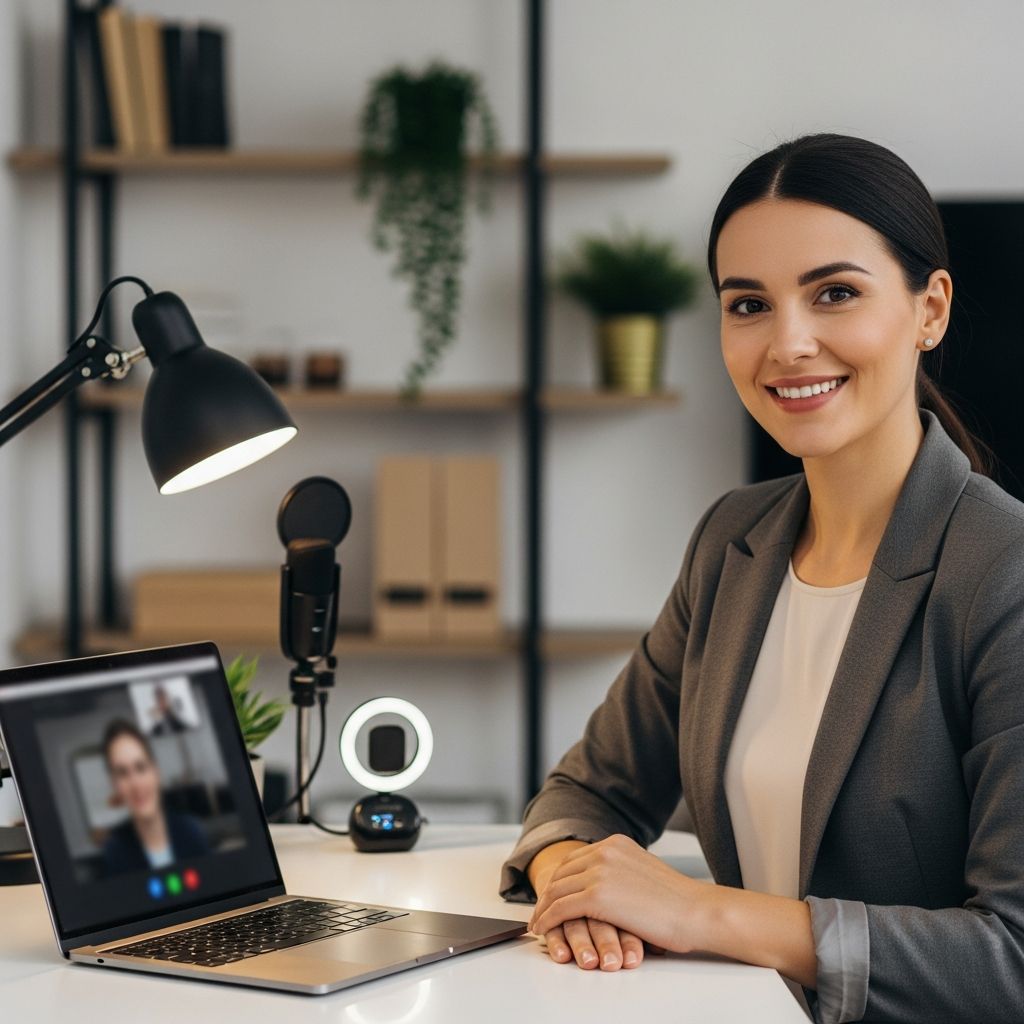
Succeeding in the Digital Interview Environment
The landscape of job interviewing has fundamentally transformed, with video-based assessments becoming a standard part of the recruitment process across industries. Whether you’re interviewing with a startup, multinational corporation, or nonprofit organization, understanding how to navigate the virtual interview format is essential for making a compelling impression. Unlike traditional face-to-face interviews where you can rely on in-person presence and immediate environmental adjustments, video interviews demand a different set of preparation strategies and communication techniques. This comprehensive guide walks you through every aspect of preparing for and executing a successful video interview, from the technical groundwork to the interpersonal dynamics that matter most to hiring managers.
Establishing Your Technical Foundation
The foundation of any successful video interview begins with reliable technology. Before your interview date arrives, invest time in testing and optimizing your equipment setup. Your choice of device significantly impacts how you present yourself on camera. A laptop generally provides the optimal experience, as it encourages better posture, offers superior camera framing capabilities, and delivers more reliable performance than smartphones or tablets. If using a desktop computer, ensure you have invested in a high-quality external webcam rather than relying on built-in options that may produce grainy or unflattering video.
Regardless of which device you select, verify that your microphone and camera function properly well before your scheduled interview time. Poor audio quality or a malfunctioning camera can undermine an otherwise strong interview performance. Consider using a headset or quality headphones, which not only improve audio clarity but also help minimize background noise and echo issues. Test your internet connection to ensure it provides stable, reliable bandwidth—a dropped connection or frequent buffering can create unnecessary anxiety and disrupt your interview flow.
Create a systematic testing process at least one week before your interview. Open the video conferencing platform you’ll be using and conduct a mock session with a trusted friend or family member. This allows you to verify that both parties can hear and see each other clearly, and it gives you practical experience navigating the platform’s features. Familiarize yourself with essential functions including:
- How to join and exit calls smoothly
- Microphone and camera control options
- Screen sharing capabilities, if required for your interview
- The mute and unmute functionality
- Volume adjustment controls
- Any recording or chat features specific to the platform
Close unnecessary applications and browser tabs before your interview begins. This practice improves your computer’s performance, reduces the risk of unexpected notifications interrupting the conversation, and helps you maintain focus on the interview itself.
Designing Your Interview Space
Your physical environment plays a crucial role in how you’re perceived during a video interview. The background visible behind you communicates something about your professionalism and attention to detail. Select a quiet, private location where you won’t be interrupted by household members, pets, or outside noise. If possible, choose a space with a door you can close to minimize disruptions and control the acoustics.
Lighting deserves careful consideration—inadequate lighting can make you appear tired or unflattering on camera, while excessive light can create glare or wash out your features. Position yourself so that natural light falls on your face rather than behind you, which would create a backlit silhouette effect. If natural light is insufficient, consider using a desk lamp or ring light positioned to one side of your camera to create flattering, even illumination.
Curate your background thoughtfully. An uncluttered, neutral background works best, as it minimizes visual distractions and keeps the focus on you as the interviewee. Avoid busy patterns, excessive decorations, or anything that might be interpreted as unprofessional. If your natural background is chaotic, consider using a virtual background feature offered by most video conferencing platforms, though a simple, real background is generally preferable if feasible.
Position your camera at eye level to create the most flattering and natural perspective. If your camera is too low, you’ll appear to be looking down; if it’s too high, the angle can be unflattering. You want your head and shoulders centered in the frame with appropriate space around you—not too close (which feels claustrophobic) and not so far away that viewers struggle to see your facial expressions.
Dressing for Success in Virtual Settings
The adage “dress for the job you want” applies equally to video interviews. Dress professionally as you would for an in-person meeting, even if only your upper body will be visible on camera. This deliberate choice affects your mindset and confidence level, putting you in the appropriate mental state for a formal professional interaction. Aim for business casual or business formal attire depending on the industry and company culture you’re interviewing with.
When selecting your outfit, consider color psychology and visual impact on camera. Neutral colors and solid patterns generally photograph better than bright, neon, or busy designs that can be visually jarring or distracting on screen. Avoid overly reflective jewelry or accessories that might create glare or produce distracting movements. Your clothing choices should enhance your professional image without drawing attention away from your qualifications and personality.
Pre-Interview Preparation and Research
Thorough preparation extends far beyond technical setup. Begin by comprehensively researching the organization, the specific role you’re interviewing for, and the team you might be joining. Visit the company website to understand their mission, values, and recent initiatives. Review the job description multiple times to identify key skills and experiences the employer is seeking. This research allows you to tailor your answers and demonstrate genuine interest in both the organization and the position.
Analyze your resume or application materials and prepare concrete examples that illustrate how your experience aligns with the role requirements. Use the STAR method—Situation, Task, Action, Result—to structure your responses to behavioral interview questions. This framework helps you communicate your achievements clearly and concisely while providing sufficient detail and context. Prepare examples that showcase problem-solving abilities, leadership qualities, teamwork skills, and relevant technical competencies.
Generate a list of common interview questions and practice articulate responses. Consider questions such as:
- Tell me about yourself and your professional background
- Why are you interested in this position?
- What are your greatest strengths and relevant skills?
- Describe a challenging situation you’ve overcome professionally
- How do you handle conflict or disagreement in a team setting?
- Where do you see yourself in five years?
- What questions do you have about the role or organization?
Practice articulating your responses aloud. Record yourself answering these questions on your device and review the recordings critically. Assess your body language, facial expressions, tone of voice, and overall delivery. Listen for verbal tics, filler words like “um” or “like,” or a tendency to speak too quickly or too slowly. Identify any distracting mannerisms such as fidgeting, slouching, or pulling faces that undermine your professional presentation.
Strategic Use of Notes and Reference Materials
Having reference materials available during your interview can be helpful, but using them requires discretion and strategy. Create a concise note sheet containing bullet-pointed key information about the employer, your relevant achievements, and important figures or data you want to reference. Rather than writing out complete answers, jot down key phrases, statistics, and talking points that will trigger your memory without tempting you to read verbatim.
Position your notes where you can glance at them easily without making it obvious or appearing to read directly from a script. Your interviewer should see engagement and natural conversation, not someone reciting prepared text. Have your resume, a copy of the job description, and a pen and notepad within reach, but keep these materials out of your direct line of sight to the camera. This setup allows you to jot down important information the interviewer shares without appearing distracted.
Mastering Communication and Presence
Effective communication in a video interview requires conscious attention to both verbal and nonverbal elements. Speak clearly and at a measured pace—not so slowly that you sound artificial, but deliberately enough that your words are easily understood. There is typically a slight delay in video transmission, so pause briefly at the end of your responses to ensure the interviewer has finished speaking before you begin your next thought. This prevents awkward interruptions and maintains a natural conversational rhythm.
Maintain strong eye contact by looking at your camera rather than at the video of yourself or the interviewer on your screen. This seemingly small adjustment significantly impacts how engaged and present you appear. Nod and smile appropriately to show active listening and genuine interest in what the interviewer is saying. Use hand gestures naturally when they enhance your communication, but avoid excessive or distracting movements that pull attention from your face and message.
Your posture and overall body language communicate volumes about your confidence and professionalism. Sit upright with your shoulders back, maintaining good spinal alignment rather than slouching or leaning. This positioning not only creates a more favorable visual impression but also helps you breathe more deeply, which can calm nerves and improve vocal quality. Avoid swiveling in your chair or making other movements that suggest restlessness or anxiety.
Managing Technical Difficulties
Despite careful preparation, technical issues can occasionally arise. If you experience audio or video problems, remain calm and communicate the issue to your interviewer promptly. Briefly troubleshoot if possible—checking your mute button, adjusting camera position, or reconnecting your headphones. If the problem persists, suggest rescheduling the interview rather than attempting to continue with significant technical barriers that would compromise the quality of your interaction.
The mute function deserves special attention in live interviews. If you need to step away momentarily or if background noise becomes unavoidable, mute your microphone as a courtesy to your interviewer. Remember to unmute when you return to the conversation. This demonstrates awareness of professional etiquette and consideration for the interview experience.
Preparation Timeline and Final Steps
Structure your preparation across several weeks rather than cramming everything into the night before. Begin your research and practice immediately upon receiving the interview invitation. One to two weeks before your scheduled interview, conduct comprehensive technical tests. One week out, refine your practice responses and finalize your note sheet. Three to five days before, do a final equipment check and ensure all required documents are accessible and properly formatted.
The day of your interview, arrive in your designated space at least 15-30 minutes early. Complete final checks on lighting, camera position, and background. Close all unnecessary applications and put your phone in silent mode. Review your key notes and take several deep breathing exercises to calm your nervous system and enter the conversation in a centered, confident state.
Log into the video conferencing platform a few minutes before your scheduled start time if possible. Most platforms allow you to preview your camera shot before you officially enter the meeting room, giving you a final opportunity to adjust your position or appearance if necessary. When the interviewer joins or when you’re admitted to the virtual meeting room, greet them warmly with a smile and introduce yourself professionally.
Pre-Recorded Video Interview Considerations
Some organizations utilize pre-recorded video interviews where you respond to questions without a live interviewer present. This format requires slightly different preparation strategies. Write out your answers to the practice questions in advance to ensure all your points are relevant and concise. Without an interviewer to provide follow-up questions or clarification, your initial response must stand alone and directly address what’s being asked.
Pay close attention to any time limits specified for your responses. Practice keeping your answers within the required timeframe while still providing substantive, thoughtful information. This constraint often requires trimming unnecessary details while maintaining clarity and relevance. Record multiple takes if possible and review them to select the best version that balances confidence, clarity, and professionalism.
Frequently Asked Questions
Q: What should I do if I’m interrupted or there’s unexpected background noise during my interview?
A: Remain professional and composed. Acknowledge the interruption briefly and apologize if appropriate, then move forward. If the noise is ongoing, you might pause and address it (for example, “I apologize—there’s construction noise outside. Should I try to find a quieter space?”). Most interviewers are understanding about occasional disruptions beyond your control.
Q: Is it acceptable to have notes visible during a video interview?
A: Yes, having discreet notes available is acceptable and common practice. Keep them limited to bullet points and key information rather than full written answers. Reference them sparingly so your delivery remains natural and conversational rather than appearing scripted.
Q: How close should I sit to the camera?
A: Position yourself so that your head and shoulders are clearly visible and centered in the frame, with some space around you. You should appear neither uncomfortably close nor distant. A good reference point is imagining you’re sitting across a desk from the interviewer—that’s roughly the appropriate distance.
Q: What’s the best way to handle nervousness before a video interview?
A: Practice deep breathing exercises, thorough preparation, and arrival early with time to settle. Reviewing your notes, ensuring your setup is correct, and taking several minutes to calm yourself before the interview begins can significantly reduce anxiety and improve your performance.
Q: Should I use a virtual background or keep my real background?
A: A clean, neutral real background is preferable if possible, as it appears more authentic and professional. However, if your real background is cluttered or distracting, a simple virtual background is an acceptable alternative.
References
- How to do well in video interviews — UK National Careers Service. 2025. https://nationalcareers.service.gov.uk/careers-advice/how-to-do-well-in-video-interviews/
- Expert video interview tips to impress recruiters — TargetJobs. 2024. https://targetjobs.co.uk/careers-advice/interviews-and-assessment-centres/expert-video-interview-tips-impress-recruiters
- Video Interview Tips: Guide to Acing Your Job Interview — VidCruiter. 2025. https://vidcruiter.com/video-interviewing/how-to-ace-your-interview/
- Video Interview Guide: Tips for a Successful Job Interview — Indeed Career Advice. 2024. https://www.indeed.com/career-advice/interviewing/video-interview-guide
- 20 Best Video Interview Tips That Will Land You the Job — The Muse. 2025. https://www.themuse.com/advice/video-interview-tips
- Virtual Interviews: Applicant Preparation Guide — Association of American Medical Colleges. 2024. https://students-residents.aamc.org/applying-residency/virtual-interviews-applicant-preparation-guide
- Preparing for your video interview — Best Buy Jobs. 2025. https://jobs.bestbuy.com/bby?id=candidate_resource_article&kb_sys_id=2ad450d0c3b05e94a8c2d09f05013143

Medha Deb is an editor with a master's degree in Applied Linguistics from the University of Hyderabad. She believes that her qualification has helped her develop a deep understanding of language and its application in various contexts. Medha specializes in the areas of beauty, health, sports, and wellness and is committed to ensuring that the content on the website is…