
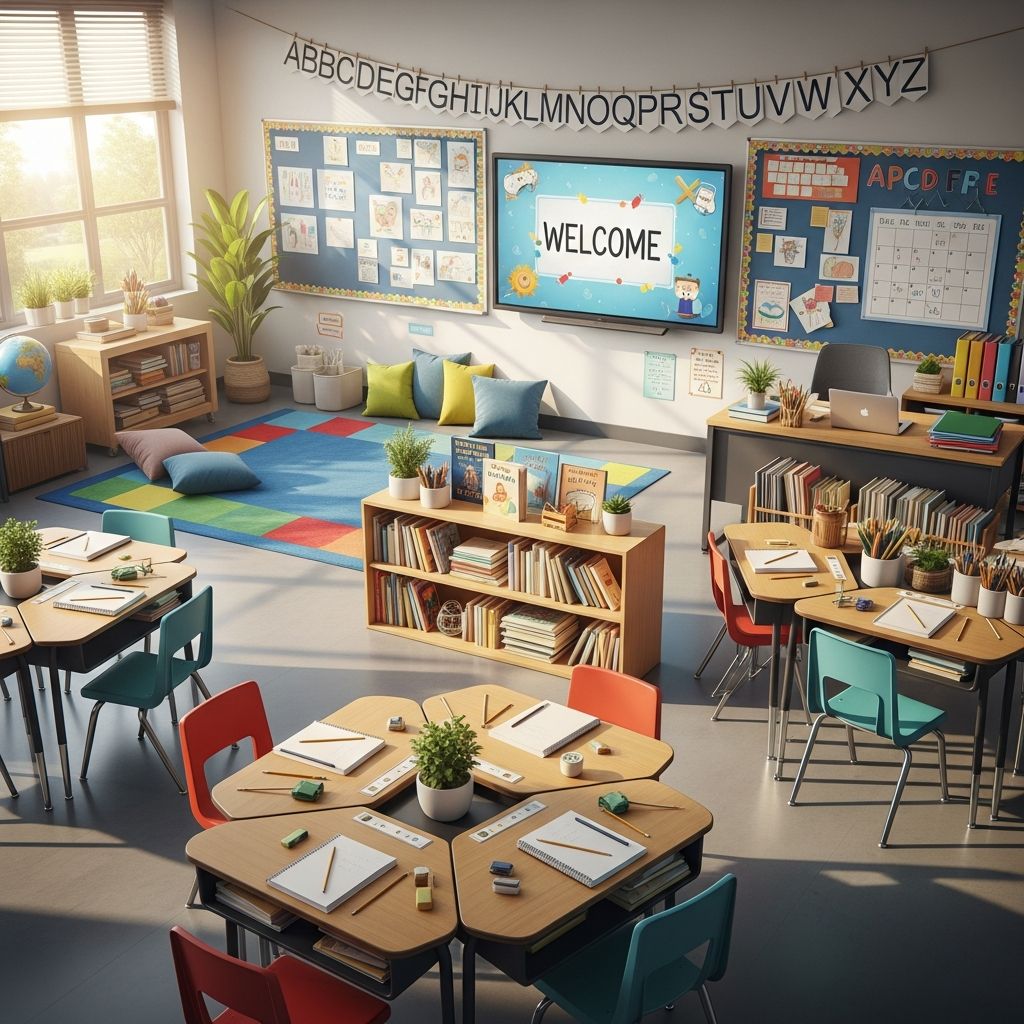
Creating an effective classroom environment sets the foundation for a productive school year. Thoughtful preparation ensures smooth transitions, clear routines, and an inclusive space where students thrive from day one. This guide outlines essential steps, drawing from practical educator experiences to help you build a welcoming and efficient learning hub.
Planning Your Space Before Moving In
Begin preparations outside the classroom to avoid chaos later. Sort materials at home into categorized boxes: one for desk essentials like pens and notebooks, another for books, and separate ones for instructional tools and decorations. This pre-organization streamlines unpacking and prevents clutter buildup.
Next, visualize the layout on paper. Sketch the room’s dimensions, noting doors, windows, outlets, and fixed features like sinks or cabinets. Prioritize traffic flow by mapping entry and exit paths, ensuring at least one wide, unobstructed route connects all areas. Position the teacher’s area centrally for oversight of every student while allowing easy circulation.
- Identify zones early: whole-group instruction, collaborative work, independent tasks, and quiet retreats.
- Mark high-traffic paths with tape temporarily to test feasibility.
- Factor in technology needs, like projector angles and charging stations.
Once planned, clean thoroughly upon gaining access. Wipe surfaces, vacuum floors, and organize empty cabinets. A pristine start promotes a sense of order and hygiene.
Designing Functional Learning Zones
Divide the room into distinct zones tailored to different activities, promoting flexibility and focus. A whole-group area near the front features a whiteboard or smartboard, with student seating in a semicircle for optimal visibility. Angle screens away from glare and keep this wall free of tall obstructions.
For small-group and collaborative work, cluster desks in pairs or trios. These setups encourage peer interaction while maintaining clear sightlines to the teacher. Dedicate perimeter spaces for high-use supplies, labeled clearly by function—such as ‘markers,’ ‘scissors,’ or ‘construction paper’—to minimize disruptions.
| Zone Type | Purpose | Key Features |
|---|---|---|
| Whole-Group | Lectures and discussions | Front-facing seats, visible agenda, voice level chart |
| Small-Group | Collaborative projects | Clustered desks, supply bins, role cards |
| Independent | Self-paced tasks | Quiet seats, timers, resource shelves |
| Quiet Retreat | Regulation breaks | Soft seating, dim lamp, noise-cushioning elements |
Incorporate natural light and plants for a calming atmosphere, prioritizing comfort over aesthetics. Avoid overcrowding the center; keep it open for movement.
Organizing Storage and Supplies
Efficient storage is crucial for independence. Install adjustable shelving in cabinets, labeling each bin with pictures and words for quick identification. Place frequently used items at eye level for students, reserving high shelves for teacher materials.
Create a designated entry area with hooks or cubbies for backpacks and a ‘morning work’ tray to launch the day seamlessly. Near the door, post simple icons guiding routines: ‘Hang bag, pick paper, start task.’ This visual system supports diverse learners, including those with special needs.
For technology, secure charging hubs away from walkways and test all devices beforehand. Designate a ‘tech parking’ spot to prevent cord tangles.
Implementing Safety and Accessibility Measures
Safety underpins every setup. Ensure exits remain clear, with no furniture blocking paths. Install visual timers and a three-tier voice volume poster (whisper, normal, present) visible from all angles. Add flexible seating options like wobble stools or cushions, with rules posted for usage.
Make the space inclusive by offering choices: bean bags for some, standing desks for others. A quiet corner with headphones and fidget tools helps overwhelmed students self-regulate. Conduct a walkthrough to eliminate hazards like protruding edges or slippery rugs.
Visual Schedules and Classroom Expectations
Display a daily agenda on the front wall using icons and minimal text: ‘Morning Meeting, Math Rotations, Recess.’ Include transition signals and a closing routine: ‘Pack up, check work, line up.’ This predictability reduces anxiety.
Hang co-created rules posters emphasizing positives like ‘Listen Actively’ and ‘Respect Space.’ Refer to them during the first week to build habits. A ‘parking lot’ board captures off-topic questions without derailing lessons.
Personalizing Without Over-Decorating
Keep decorations functional: student name tags on desks, a birthday chart, and motivational quotes. Avoid overwhelming walls; use borders sparingly to frame key info. Focus on student work displays that rotate weekly, fostering ownership.
Welcome packets for families include supply lists, schedules, and contact info, distributed on day one.
Technology Integration and Teacher Workspace
Position the teacher desk or station for full visibility, stocked with lesson plans, spares, and a planner. Create a mobile cart for daily materials to stay agile. Integrate tech thoughtfully: document cameras for modeling, headphones for centers.
First Week Rollout Plan
Day 1: Room tour, routine modeling.
Day 2: Supply practice, zone rotations.
Day 3: Group activities, rule co-creation.
Day 4: Literacy focus, feedback session.
Day 5: Adjustments based on input.
Observe and tweak after week one, inviting student suggestions for minor changes.
Frequently Asked Questions
What if my room is small?
Use vertical space with wall pockets and multi-tier carts. Opt for flexible furniture like nesting stools.
How do I involve students in setup?
Assign ‘zone captains’ post-week one for maintenance, building responsibility.
What’s essential for special needs students?
Visual aids, sensory options, and clear paths ensure accessibility.
Should I decorate before students arrive?
Minimal basics only; personalize with student input later.
How to handle tech glitches on day one?
Have backups like printed agendas and non-tech activities ready.
These strategies create a dynamic, supportive space. Regular maintenance sustains organization year-round.
References
- Back-to-School Classroom Setup Checklist: Quick Guide for Teachers — Mien Company. 2023. https://miencompany.com/back-to-school-classroom-setup-checklist/
- Steps for Setting Up a Classroom as a First-Year Teacher — The Simply Organized Teacher. 2023. https://thesimplyorganizedteacher.com/setting-up-classroom/
- First Week of School Tips for the Primary Classroom — A Touch of Class Teaching. 2023. https://www.atouchofclassteaching.com/first-week-of-school-tips/
- 10 Tips for Setting Up Your Classroom — Teach For America. 2023. https://www.teachforamerica.org/stories/10-tips-classroom-set-up
- 12 Essential Back To School Classroom Setup Tips For Primary — Rainbow Sky Creations. 2023. https://rainbowskycreations.com/back-to-school-classroom-setup-tips/

Medha Deb is an editor with a master's degree in Applied Linguistics from the University of Hyderabad. She believes that her qualification has helped her develop a deep understanding of language and its application in various contexts. Medha specializes in the areas of beauty, health, sports, and wellness and is committed to ensuring that the content on the website is…