
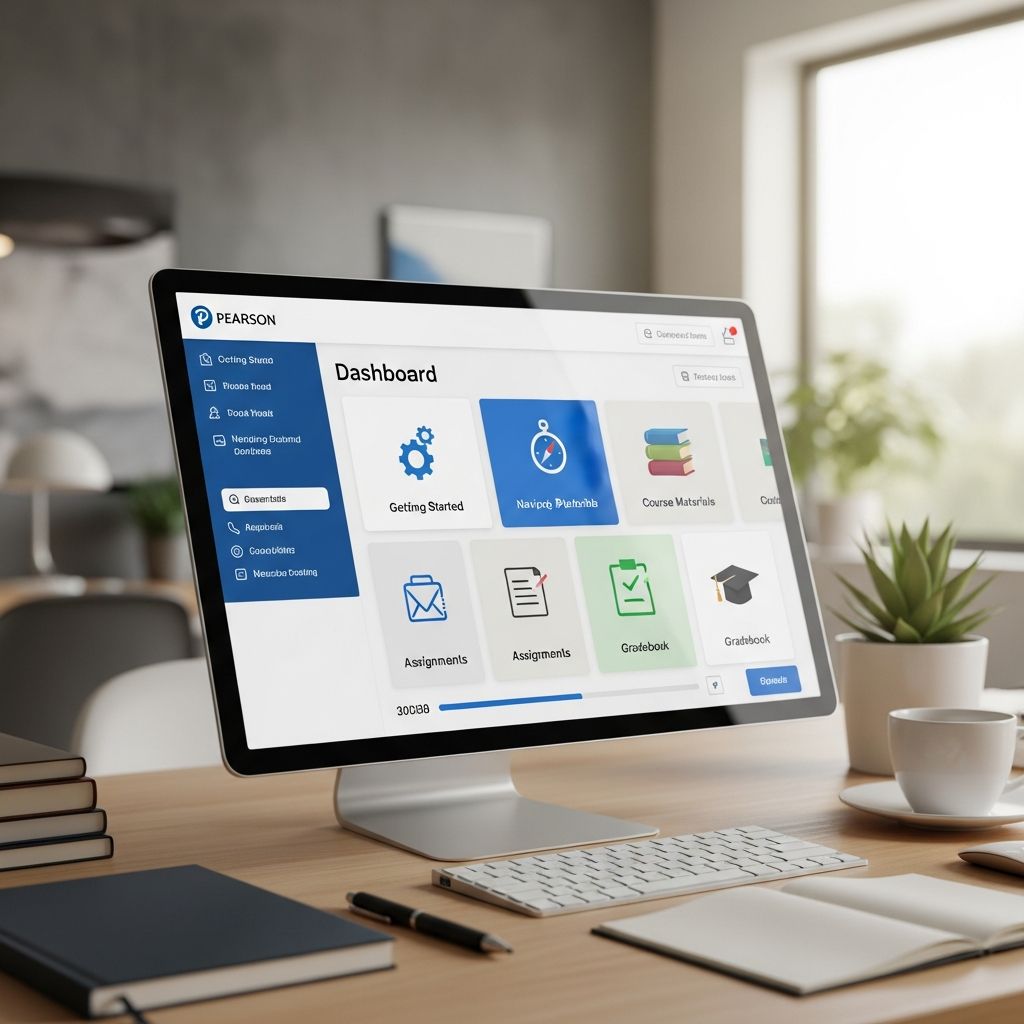
This guide delves into the capabilities of Pearson Online Classroom, a robust digital platform designed to facilitate seamless virtual learning experiences for students, educators, and families. By integrating advanced learning management system (LMS) functionalities with intuitive communication tools, it transforms traditional education into an accessible, engaging online environment.
Core Components of the Virtual Learning Environment
Pearson Online Classroom serves as the central hub for delivering rigorous curricula in a flexible format. It combines educational management with interactive elements to support diverse learning needs. Key aspects include course delivery, assessment handling, and real-time interaction, all accessible 24/7 via any internet connection.
- Course Navigation: Students encounter a personalized dashboard featuring course tiles that display current progress, scores, and upcoming tasks.
- Resource Access: Multimedia content such as eBooks, videos, and interactive modules enriches lesson plans.
- Customization Options: Teachers and administrators tailor views and settings to individual or group requirements.
The platform’s cloud-based nature ensures reliability, allowing users to engage from anywhere without specialized software installations.
Student-Centered Tools for Success
At its foundation, Pearson Online Classroom prioritizes student engagement through features that promote independence and mastery. Upon login, learners see a dynamic homepage with essential information at a glance.
| Feature | Description | Benefits |
|---|---|---|
| Personalized Planner | Customizable schedule showing lessons, assignments, and due dates | Helps maintain pacing and reduces overwhelm |
| Badge System | Rewards for achieving milestones | Boosts motivation and tracks achievements |
| To-Do List | Highlights overdue and upcoming tasks | Promotes timely completion |
| Gradebook Access | Real-time score viewing | Encourages self-monitoring |
These elements foster a sense of accomplishment. For instance, the planner adjusts automatically based on user inputs, accommodating varied paces. Students in grades K-8 benefit from enhanced customization by learning coaches, who can set family-wide or individual schedules.
Empowering Teachers with Efficient Management
Educators leverage Pearson Online Classroom to streamline workflows and focus on instruction. The platform automates grading for certain assignments, freeing time for personalized feedback.
- Assignment Creation: Easy tools for designing and distributing tasks with multimedia integration.
- Progress Dashboards: Comprehensive views of class and individual performance.
- LiveLesson Sessions: Synchronous tools like voice-over IP, chat, whiteboard, and shared browsing for interactive teaching.
Teachers can host group or one-on-one sessions securely via web browsers, enhancing direct engagement without additional setup. Reporting features allow on-demand generation of data exports, supporting data-driven decisions.
Parental Involvement and Family Support
Parents, often acting as learning coaches, play a vital role in online education. The platform provides dedicated access points for monitoring and management.
From the parent homepage, users can:
- Review attendance records with simple entry tools.
- Access student planners to oversee schedules.
- Communicate via integrated messaging systems.
The attendance feature simplifies compliance with logging requirements, while planner management ensures alignment with family routines. This involvement strengthens the home-school partnership, contributing to better outcomes.
Advanced Communication Channels
Effective interaction is key to virtual success. Pearson Online Classroom offers multiple avenues for dialogue.
- WebMail: Secure internal email for student-teacher and peer exchanges, logged for accountability.
- Discussion Boards: Threaded forums for collaborative discussions.
- Student Activity Tracker: Comprehensive logs of communications and engagements.
These tools create a supportive network, with all interactions documented to provide oversight for administrators. Clubs and announcements further connect global student communities.
Assessment and Progress Monitoring
The platform excels in evaluation, blending automated and manual processes. Formative quizzes offer practice, while summative tests confirm mastery.
| Assessment Type | Automation Level | Customization |
|---|---|---|
| Formative | Partial auto-grading | Adjustable for needs |
| Summative | Full auto-grading where possible | Personalized feedback |
| Practice Modules | Interactive with examples | Self-paced |
Data from these assessments populates customizable gradebooks, with export options for further analysis. Calendars integrate due dates, auto-adjusting to keep learners on track.
Accessibility and Global Reach
Serving students across 50 states and 75+ countries, the platform supports diverse populations. Its 24/7 availability and browser-based access remove barriers, enabling learning from any location.
International families benefit from self-paced options and virtual clubs that build global friendships. The branded login pages for districts ensure a familiar entry point.
Administrative Oversight and Reporting
School leaders gain powerful insights through dashboards and reports. Enrollment data, time logs, and performance metrics are readily available.
- Custom calendars for course provisioning.
- Secure data exports.
- Holistic views via activity trackers.
This empowers proactive interventions, aligning with flexible scheduling needs.
Enhancing Engagement Through Interactivity
Beyond basics, features like LiveLessons and multimedia resources make learning dynamic. Partnerships with content providers enrich offerings.
Students explore via shared web tools and voice interactions, mimicking in-person classes. Badges and clubs add gamification and social elements.
Frequently Asked Questions (FAQs)
What devices work with Pearson Online Classroom?
The platform is web-based, compatible with most modern browsers on desktops, laptops, tablets, and mobiles with internet access.
How do parents track attendance?
Learning coaches use the dedicated attendance tool for quick entries and reviews.
Can teachers grade assignments automatically?
Yes, many items auto-grade, with options for custom feedback.
Is the platform secure for live sessions?
LiveLessons operate in a secure environment without network installs.
How does it support personalized learning?
Through adjustable planners, assessments, and progress views tailored to individuals.
Best Practices for Maximizing the Platform
To optimize use:
- Regularly check dashboards for updates.
- Utilize WebMail for clear communication.
- Encourage badge pursuits for motivation.
- Leverage reports for early interventions.
Consistent engagement yields the best results in this flexible ecosystem.
References
- Pearson Online Classroom – Desktop App for Mac, Windows (PC) — WebCatalog. Accessed 2026. https://webcatalog.io/en/apps/pearson-online-class
- Virtual Schools Learning Management System from Pearson — Pearson. Accessed 2026. https://www.pearson.com/en-us/schools/products-services/k12-online-schools/platform.html
- Pearson Online Academy’s Virtual Classroom — Pearson Online Academy. Accessed 2026. https://www.pearsononlineacademy.com/school-life/
- Online Classroom Technology | Pearson Online Academy — Pearson Online Academy. Accessed 2026. https://www.pearsononlineacademy.com/school-life/online-classroom/
- The Best Features on MyLab — Pearson. 2022-09. https://www.pearson.com/en-us/higher-education/insights-and-events/students-blog/2022/09/the-best-features-on-mylab.html

Medha Deb is an editor with a master's degree in Applied Linguistics from the University of Hyderabad. She believes that her qualification has helped her develop a deep understanding of language and its application in various contexts. Medha specializes in the areas of beauty, health, sports, and wellness and is committed to ensuring that the content on the website is…