
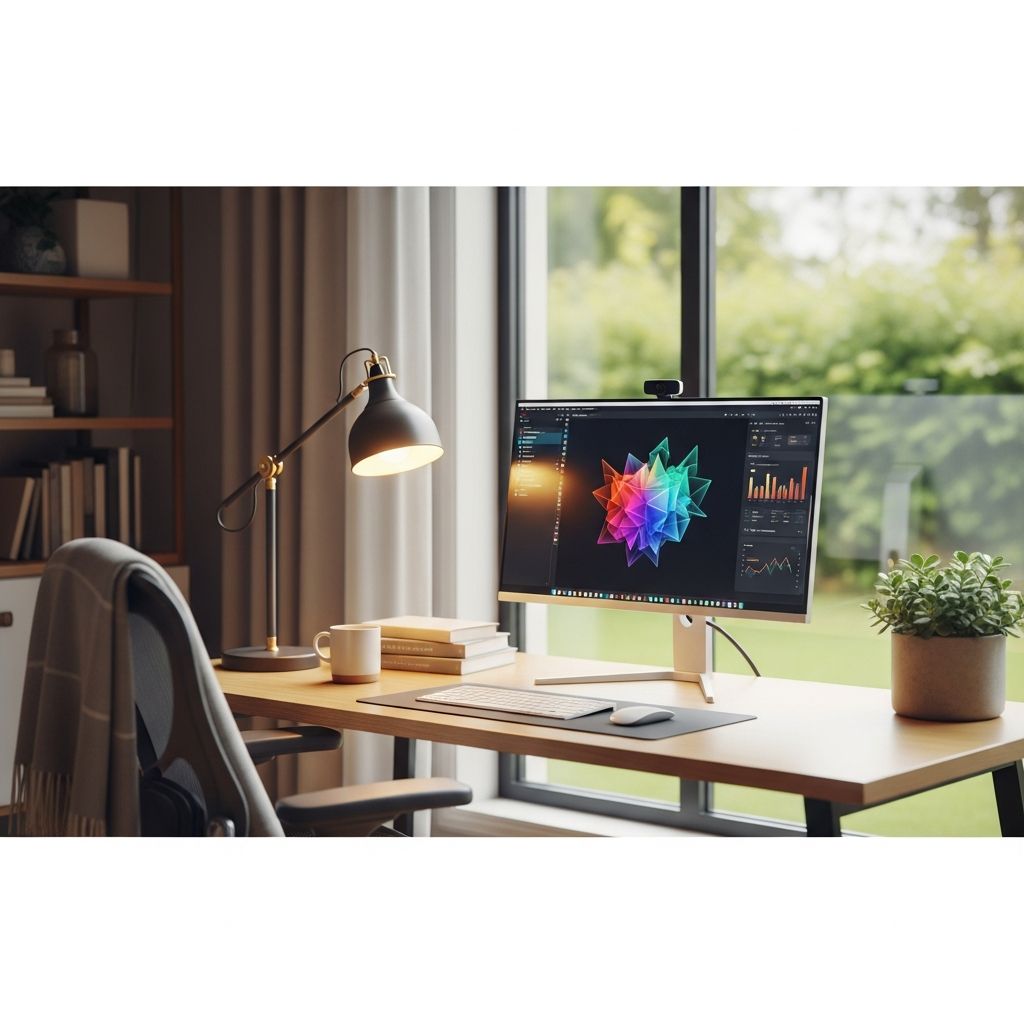
Working from home offers flexibility but demands discipline to stay effective. This guide outlines key elements for building a thriving remote setup, drawing from established practices to enhance output and well-being.
Designing Your Ideal Remote Workspace
A dedicated area signals your brain it’s time for work, minimizing distractions and boosting concentration. Select a quiet spot away from high-traffic zones like kitchens or living rooms.
Invest in ergonomic furniture: an adjustable chair supports posture, while a desk at elbow height prevents strain. Proper lighting reduces eye fatigue—combine natural light with adjustable lamps. Organize with cable management and storage to keep surfaces clear.
- Chair: Lumbar support, height-adjustable.
- Desk: Spacious, stable, 28-30 inches high.
- Lighting: Task lamp with daylight bulbs.
- Plants: Add greenery for air quality and mood.
Personalize minimally to foster ownership without clutter. A tidy space correlates with mental clarity.
Establishing a Daily Rhythm
Consistency combats the blur between personal and professional life. Start with a morning ritual: wake at fixed times, exercise lightly, and dress in work-appropriate clothes to trigger focus mode.
End days with a shutdown routine: review achievements, plan tomorrow’s top tasks, and close apps. This clears mental load, improving sleep and next-day starts.
| Routine Element | Time Slot | Benefits |
|---|---|---|
| Morning Prep | 7-8 AM | Boosts energy, sets tone |
| Core Work | 9 AM-12 PM | Peak focus hours |
| Afternoon Batch | 1-4 PM | Handles routine tasks |
| Shutdown | 5 PM | Prevents burnout |
Mastering Time Allocation Techniques
Fragmented schedules kill momentum. Use time blocking: assign calendar slots for specific activities, like deep work from 9-11 AM.
Adopt the Pomodoro method: 25 minutes focused effort, 5-minute break. After four cycles, take 15-30 minutes off. This sustains attention. Embrace the 90-minute ultradian rhythm for natural energy cycles.
Batch tasks: group emails (9:30, 2 PM), calls (11 AM), and admin (4 PM) to cut context switches.
Eliminating Digital Disruptions
Notifications fragment attention. Set devices to Do Not Disturb during blocks, checking messages at designated times. Use status indicators in tools like Slack: “Focus Mode” or “Busy”.
Employ website blockers for social media during work hours. Create urgency tiers: urgent channels for crises, standard for routine.
Incorporating Movement and Rest
Sedentary habits erode health and focus. Schedule hourly 5-10 minute walks or stretches. Pair with non-screen tasks like brainstorming.
Full breaks recharge: step outside, hydrate, or meditate. Research links regular pauses to lower stress and higher output. Avoid screen faffing—true detachment restores energy.
Leveraging Tools for Efficiency
Quality tech amplifies productivity. Reliable internet, noise-cancelling headset, and dual monitors streamline workflows.
- Task Managers: Trello or Asana for visuals.
- Focus Apps: Forest or Freedom.
- Communication: Zoom with virtual backgrounds.
Integrate AI for transcription or scheduling, but prioritize simple tools to avoid overload.
Handling Quick Tasks Smartly
The Two-Minute Rule: if a task takes under two minutes, do it immediately. Otherwise, batch or delegate. This clears backlogs without derailing focus.
Prioritize via Eisenhower Matrix: urgent/important grid sorts actions.
Fostering Accountability and Boundaries
Share daily goals with peers for gentle pressure. Define work hours and communicate them—”Available 9-5″.
Flexible schedules work if goals are clear. Trust with check-ins maintains alignment.
Optimizing for Peak Performance
Track personal rhythms: morning larks tackle complex tasks early; night owls save them for afternoons. Hydrate, snack mindfully, and use blue light filters evenings.
Weekly reviews adjust strategies: what worked? Tweak accordingly.
Common Challenges and Fixes
| Challenge | Solution |
|---|---|
| Isolation | Virtual coffee chats |
| Motivation dips | Reward milestones |
| Overwork | Hard stop times |
| Family interruptions | Visual cues, shared calendar |
FAQs
How do I stay motivated working alone?
Join online communities or pair with accountability buddies. Set micro-rewards like coffee after tasks.
What’s the best home office lighting?
Layer ambient, task, and accent lights. Aim for 500 lux on desk.
Should I work in pajamas?
No—dress for success to mentally shift gears.
How often should I take breaks?
Every 25-90 minutes, scaling to ultradian cycles.
Can music help focus?
Instrumental or white noise for many; test personally.
References
- 8 Essential Remote Work Productivity Tips for 2026 — Nearshore Business Solutions. 2026. https://nearshorebusinesssolutions.com/news/remote-work-productivity-tips/
- Top 12 Productivity Hacks For Remote Workers — Wishup. 2026. https://www.wishup.co/blog/top-productivity-hacks-for-remote-workers/
- 10 working from home productivity tips in 2026 — Career Gappers. 2026. https://careergappers.com/working-from-home-productivity-tips/
- 14 Remote Work Tips You Need to Stay Productive in 2026 — Novoresume. 2026. https://novoresume.com/career-blog/remote-work-tips
- 10 proven tips to boost remote team productivity in 2026 — ProofHub. 2026. https://www.proofhub.com/articles/remote-work-productivity-tips
- Work-From-Home Office in 2026 – An Easy Guide — Insta360. 2026. https://www.insta360.com/blog/tips/how-to-setup-a-work-from-home-office.html

Medha Deb is an editor with a master's degree in Applied Linguistics from the University of Hyderabad. She believes that her qualification has helped her develop a deep understanding of language and its application in various contexts. Medha specializes in the areas of beauty, health, sports, and wellness and is committed to ensuring that the content on the website is…