
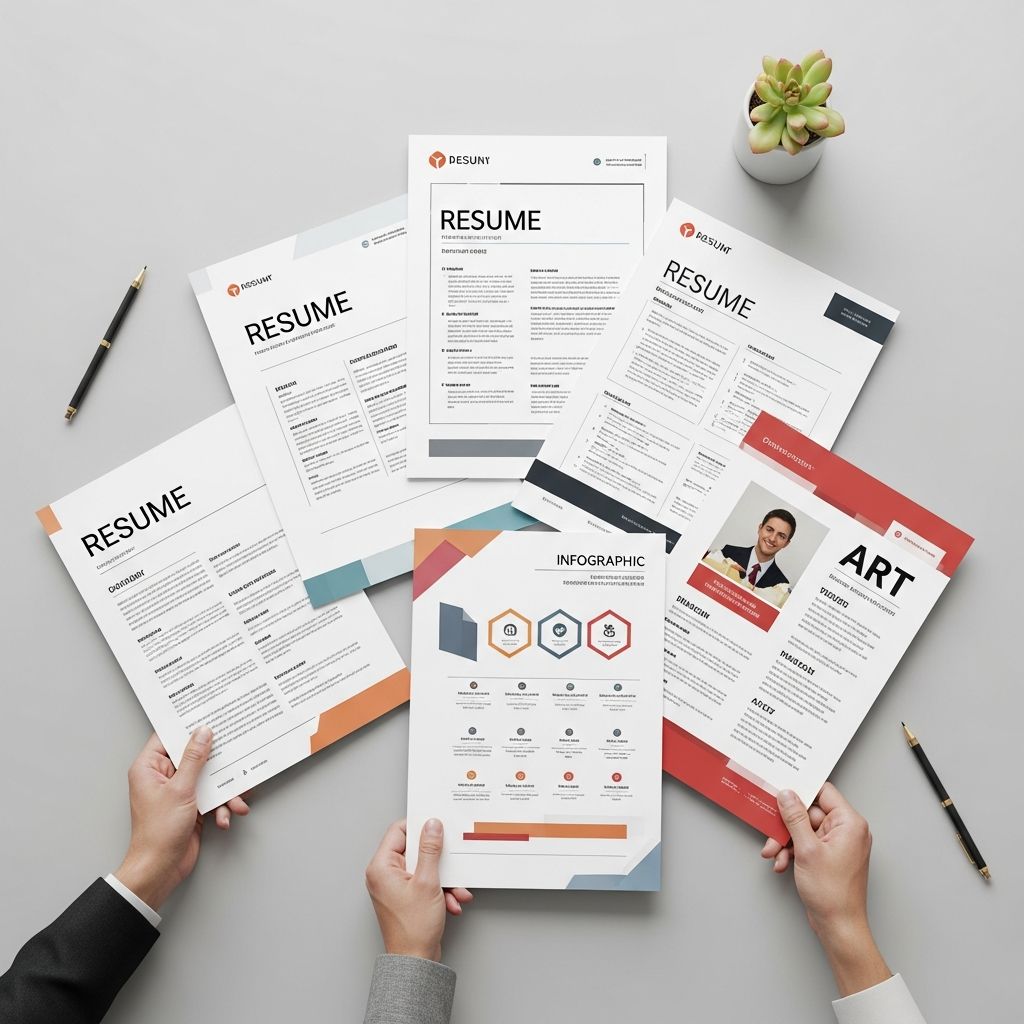
Understanding Resume Templates and Their Importance
A resume serves as your professional introduction to potential employers, functioning as a marketing document that highlights your qualifications, experience, and skills in a structured format. Selecting the appropriate template is a critical first step in your job search journey, as it establishes the visual foundation and organizational framework for presenting your career narrative. The right template doesn’t just make your resume look professional—it ensures your qualifications are presented in a way that resonates with hiring managers and applicant tracking systems alike.
Resume templates provide pre-designed structures that eliminate the guesswork from formatting, allowing you to focus on crafting compelling content. Whether you’re transitioning between careers, re-entering the workforce, or climbing the corporate ladder, having access to well-designed templates can significantly streamline your application preparation process.
The Chronological Template: Traditional and Time-Tested
The chronological approach stands as the most widely recognized and accepted resume format in today’s job market. This template organizes your professional history in reverse order, beginning with your most recent position and working backward through your career timeline. This structure proves particularly effective because it immediately demonstrates career progression and provides employers with a clear picture of your professional growth.
This format works exceptionally well for candidates with steady employment histories and consistent career advancement. Employers can quickly scan your progression through increasingly responsible roles, making it easy to understand your trajectory. However, if you have employment gaps, frequent job changes, or are making a significant career pivot, the chronological layout may draw unwanted attention to these aspects of your background.
The Functional Template: Emphasizing Skills Over Timeline
For professionals who prioritize showcasing their abilities over their employment dates, the functional template offers an alternative approach. Rather than organizing information by job history, this format centers on skill categories and competencies, allowing you to highlight your strengths and capabilities upfront. This structure proves invaluable for career changers, individuals with gaps in employment, or those whose skills matter more than their chronological work history.
The functional template typically begins with a strong summary of your core competencies, followed by detailed sections that demonstrate proficiency in areas most relevant to your target position. This approach can help redirect a hiring manager’s focus toward what you can do rather than when you did it, making it a strategic choice for certain career situations.
The Hybrid Template: Balancing Skills and Experience
The hybrid template, sometimes referred to as the combination format, merges the strengths of both chronological and functional approaches. This structure allows you to highlight your most relevant skills and achievements at the beginning while still maintaining a chronological work history that provides context and credibility. This flexibility makes the hybrid template increasingly popular among professionals at all career stages.
By leading with a skills-focused section and following with traditional employment history, you capture the attention of both automated screening systems and human readers. This format works particularly well for mid-career professionals with solid work experience who want to emphasize specific competencies relevant to their target role.
Specialized Templates for Specific Industries
Different industries and professions often benefit from tailored resume approaches that reflect their particular cultures and expectations.
Creative Industry Templates
Professionals in design, advertising, entertainment, and creative fields often benefit from templates that allow for visual elements and innovative formatting. These templates provide more flexibility for incorporating color, design elements, or portfolio links while maintaining professionalism. A creative resume can showcase your design sensibility and artistic vision, but it should still prioritize clarity and readability above aesthetic elements alone.
Technology and IT Templates
Technical professionals, including software developers, data analysts, cybersecurity specialists, and systems engineers, require templates that accommodate detailed technical skills, programming languages, and project descriptions. These templates typically include dedicated sections for technical proficiencies and often benefit from specific formatting that allows for clear enumeration of technical expertise.
Academic and Research Templates
Scholars, researchers, and academic professionals need templates that can accommodate publications, grants, conference presentations, and institutional affiliations. These specialized formats allow for more detailed descriptions of research achievements and academic contributions than traditional business resume formats.
Executive and Leadership Templates
Senior executives and C-level professionals often use templates that emphasize strategic accomplishments, revenue impact, and organizational leadership. These formats allow for more expansive descriptions of significant achievements and often incorporate sections for board memberships or advisory roles.
Minimalist and Modern Design Templates
Contemporary approaches to resume design favor clean, uncluttered layouts that prioritize readability and information hierarchy. Minimalist templates use generous white space, simple typography, and strategic use of formatting to create documents that are both visually appealing and easy to scan. These designs work across different industries and can convey professionalism without excessive visual flourishes.
Modern templates often incorporate subtle design elements such as strategic use of color, simple icons, or refined typography that makes your resume stand out while maintaining professionalism. The key is ensuring that any design choices enhance readability rather than compromise it.
Essential Sections Within Resume Templates
Regardless of which template structure you select, certain core sections should appear on every resume.
Contact Information and Professional Header
Your resume should begin with your full name prominently displayed, followed by essential contact details including your professional email address and phone number. If you maintain a professional online presence such as a LinkedIn profile, personal website, or portfolio, including these links provides employers with easy access to additional information about your background. You should also include your geographic location, specifying your city and state or country, particularly if you’re willing to relocate for the right opportunity.
Professional Summary or Objective Statement
A well-crafted professional summary provides a concise snapshot of your qualifications, spanning two to three sentences that capture your most relevant experience and skills. This section should immediately communicate why you’re a strong candidate for the specific position you’re pursuing. An alternative objective statement works particularly well for recent graduates or career changers, clearly articulating your career goals and how this position aligns with your professional aspirations.
Work Experience and Professional History
Your employment history should be presented in reverse chronological order, with each position including your job title, employer name, location, and employment dates. Rather than simply listing responsibilities, focus on describing accomplishments and measurable results achieved during your tenure. Use action-oriented language and quantifiable metrics to demonstrate the value you brought to each role.
Skills and Competencies
A dedicated skills section allows you to highlight both technical proficiencies and interpersonal abilities relevant to your target position. Review job descriptions carefully to identify keywords and competencies that match your background, then incorporate these strategically throughout your resume. This practice also ensures your resume performs well when screened by applicant tracking systems that scan for specific skill matches.
Education and Credentials
List your highest level of education first, including the degree earned, institution name, graduation date, and geographic location. If you possess relevant certifications, licenses, or professional designations, include these prominently within your education section or in a separate credentials section. Recent graduates may benefit from including relevant coursework, academic honors, or extracurricular involvement that demonstrates engagement with their field of study.
Customization Strategies for Maximum Impact
While templates provide an excellent starting foundation, successful resumes require thoughtful customization for each application. Begin by carefully analyzing the job description for your target position, identifying keywords, required skills, and emphasized qualifications. Then strategically incorporate these elements throughout your resume, ensuring your most relevant achievements and experiences align closely with what the employer is seeking.
Tailor your professional summary to reflect the specific position and company, demonstrating that you’ve researched the organization and understand how your background fits their needs. Reorganize your work experience bullets to emphasize achievements most relevant to the target role, ensuring your most impressive accomplishments appear in prominent positions.
Formatting Best Practices and Technical Considerations
Effective formatting enhances both readability and compatibility with screening technology. Maintain consistent date formatting throughout your document, using a standardized format such as Month Year for all employment dates. Employ clear hierarchies using different font sizes and weights to distinguish between section headings, job titles, and descriptive content, making your resume easy to scan quickly.
When describing current positions, use present tense language, while describing past roles in past tense. Maintain an implied first-person perspective, avoiding personal pronouns such as “I” or “me” to maintain a professional tone while saving space. Aim for a one-page resume if you have less than five years of professional experience, though more extensive backgrounds may justify additional space.
Common Pitfalls to Avoid
Many candidates inadvertently weaken their resumes through formatting errors or content choices. Excessive use of graphics, unusual fonts, or unconventional color schemes can distract from your qualifications or fail to render properly in different systems. Grammatical errors and typos undermine your credibility, so thorough proofreading is essential.
Avoid irrelevant information such as personal hobbies unless they directly relate to the position, and resist the temptation to pad your resume with inflated descriptions or false claims. Focus instead on clarity, relevance, and honesty in presenting your genuine qualifications and accomplishments.
Frequently Asked Questions
Q: Which resume template should I choose if I have employment gaps?
A: Consider a functional or hybrid template that allows you to emphasize your skills and accomplishments rather than focusing on chronological work history. You can briefly explain gaps in a cover letter if necessary.
Q: Can I use the same resume for all job applications?
A: While you can use the same template structure, you should customize the content for each position, tailoring your professional summary, skills section, and work experience bullets to match the specific job requirements.
Q: Should I include a photo on my resume?
A: In most cases, photos should be excluded from your resume unless explicitly requested by the employer. A professional photo can be included in your LinkedIn profile instead.
Q: How long should my resume be?
A: For most professionals, one page is ideal. Candidates with extensive experience may extend to two pages, but avoid exceeding this unless absolutely necessary.
Q: What file format should I use when submitting my resume?
A: PDF format is generally recommended as it preserves formatting across different devices and systems. However, check specific application instructions, as some employers request Word documents.
Q: How do I make my resume ATS-friendly?
A: Use standard fonts, avoid graphics and tables, include relevant keywords from the job description, and stick to simple formatting structures that applicant tracking systems can easily parse.
References
- The Best Resume Format for 2025 — ResumeGenius. 2025. https://resumegenius.com/blog/resume-help/resume-format
- How to Make a Resume in 2025 — Novoresume. 2025. https://novoresume.com/career-blog/how-to-write-a-resume-guide
- What’s the best resume format in 2025? — Johnson & Johnson Careers. 2025. https://www.careers.jnj.com/en/employee-stories/career-tips/what-s-the-best-resume-format-in-2025/
- How To Make Your Resume Comprehensive — Indeed. https://www.indeed.com/career-advice/resumes-cover-letters/how-to-make-a-resume-with-examples
- Create a Strong Resume — Harvard FAS Mignone Center for Career Success. https://careerservices.fas.harvard.edu/resources/create-a-strong-resume/
- 16 Top Resume Tips to Help You Land a Job in 2026 — Coursera. https://www.coursera.org/articles/resume-tips

- Integrated M.A. in Applied Linguistics, University of Hyderabad
- 5+ years in editorial, instructional, SEO, and research-based writing
Sneha is a relationships and lifestyle writer with a strong foundation in applied linguistics and certified training in relationship coaching. She brings over five years of writing experience to theskillvault, crafting thoughtful, research-driven content that empowers readers to build healthier relationships, boost emotional well-being, and embrace holistic living. Her writing and insights reflect the belief that beauty, happiness, and wellness…