
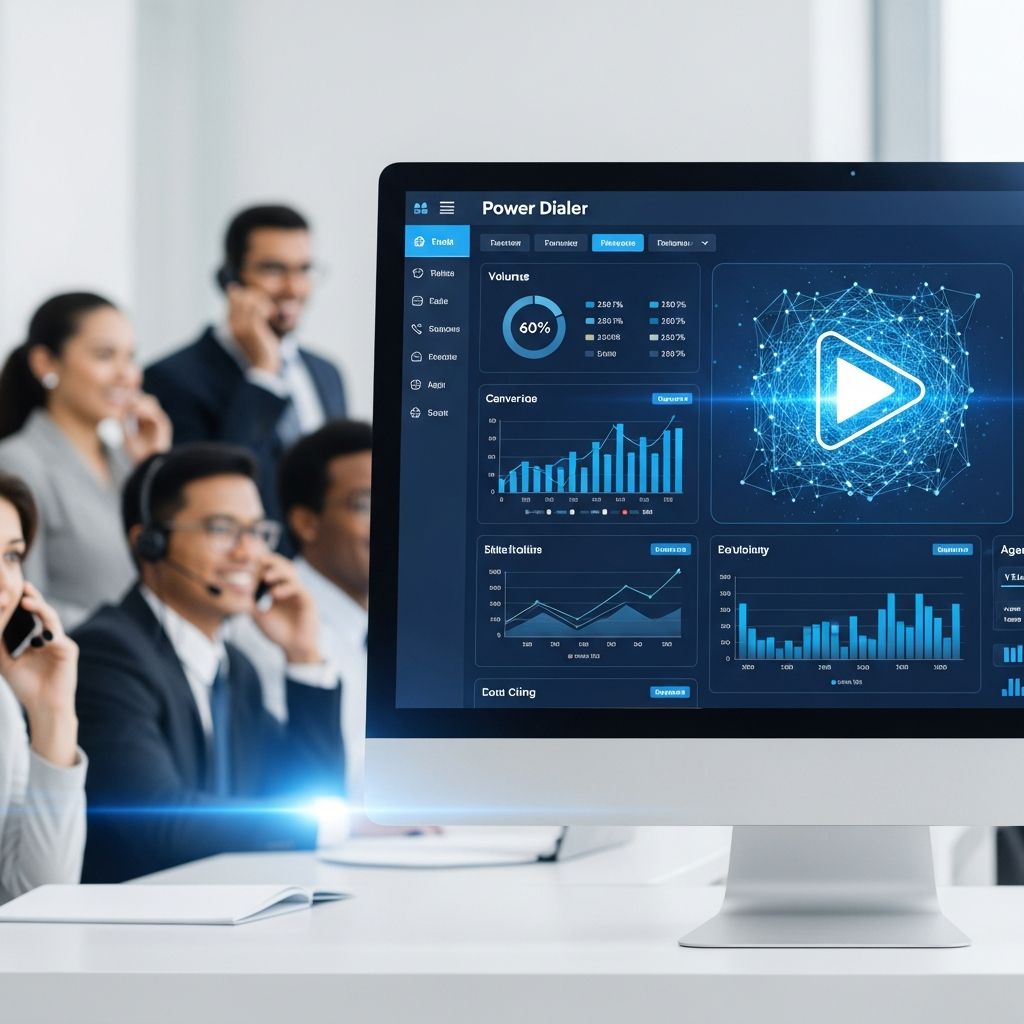
For outbound sales and customer success teams, every second spent typing a phone number or updating a spreadsheet is time not spent talking to prospects. A power dialer solves this by automating the repetitive parts of calling so reps can stay focused on real conversations.
This guide explains what power dialers are, how they work, how they differ from other dialer types, and how to choose, implement, and optimize one for your team.
What Is a Power Dialer?
A power dialer is outbound calling software that automatically dials the next phone number from a predefined list as soon as a rep finishes their current call. Instead of manually entering numbers, reps simply click to start a session and the system keeps calls flowing, one after another.
Unlike more aggressive systems that dial several numbers at once, a power dialer calls one line per available agent, which preserves call quality and avoids most of the compliance risks associated with abandoned calls.
Core Goals of a Power Dialer
- Increase talk time by removing manual dialing and lookup work.
- Reduce idle time between conversations.
- Standardize call workflows such as logging outcomes, sending follow-up emails, or updating CRM fields.
- Improve connection rates by optimizing who to call, when, and in what order.
How a Power Dialer Works Step by Step
Although power dialers differ by vendor, the overall workflow is similar across platforms.
- Upload or sync a call list
Leads are imported from a CRM or spreadsheet, or synchronized automatically via CRM integration. Each record typically includes phone numbers, contact details, and relevant notes. - Define the calling rules
The team configures basic logic such as:- Which list or segment to prioritize first
- Maximum attempts per contact
- Time-of-day or timezone restrictions
- Call disposition options (e.g., “Interested”, “No answer”, “Callback requested”)
- Start a dialing session
Reps log in, put on their headsets, and start the campaign. The power dialer then automatically calls the first number in the queue. - Handle connection logic
The dialer detects common outcomes such as busy signals, unanswered calls, or voicemail. Many tools can automatically skip to the next number or drop a pre-recorded voicemail. - Connect live calls instantly
When someone answers, the rep hears the prospect immediately with no artificial delay and can begin the conversation. The contact record is usually displayed on screen with relevant data and an optional script. - Log outcomes with one click
At the end of each call, the rep chooses a disposition and any follow-up actions (notes, tags, emails, tasks). These are automatically pushed back into the CRM. - Move to the next call
As soon as the disposition is selected, the dialer automatically dials the next number in the queue, keeping the rep in continuous motion.
Key Features to Expect in Modern Power Dialers
Contemporary power dialers have evolved from simple number dialers into complete outbound productivity platforms.
| Feature | What It Does | Why It Matters |
|---|---|---|
| Automatic dialing queue | Sequentially calls numbers from a list based on rules you define. | Removes manual number entry and speeds up each call. |
| CRM integration | Syncs contacts, logs call results, and updates statuses in your CRM automatically. | Maintains clean data and reduces admin work. |
| Voicemail detection & drops | Detects voicemail and can drop a pre-recorded message. | Reps avoid repeatedly recording voicemails by hand. |
| Call recording & monitoring | Records calls and lets managers monitor or join in real time. | Improves coaching, QA, and compliance documentation. |
| Click-to-call override | Allows reps to manually dial or re-dial specific numbers. | Gives flexibility when a fully automated sequence is not ideal. |
| Local presence dialing | Uses local caller IDs to match the prospect’s area code. | Can increase answer rates for outbound calls. |
| Real-time analytics | Shows call volume, connection rates, and outcomes live. | Enables rapid optimization of scripts and lists. |
| Compliance tools | Helps manage do-not-call lists, calling hours, and consent. | Reduces regulatory risk in heavily regulated markets. |
Power Dialer vs. Preview and Predictive Dialers
Dialers come in multiple flavors. Power dialers sit in the middle of the spectrum between highly manual and highly automated systems.
| Type | How It Works | Best For |
|---|---|---|
| Preview dialer | Shows the next contact record and waits for the rep to click “call.” | Complex, high-value calls where research before each call is essential. |
| Power dialer | Automatically dials one number per available rep as soon as a call ends. | Sales or service teams seeking both efficiency and a personal touch. |
| Predictive dialer | Dials multiple numbers at once and connects reps only when someone answers. | Very high-volume call centers focused on volume, accepting more dropped calls. |
Predictive dialers can dramatically increase dials but may produce abandoned calls if more people answer than agents are free, creating potential regulatory and customer experience issues in some regions. Power dialers avoid this by never dialing more lines than available reps.
Benefits of Using a Power Dialer
Organizations that adopt power dialers typically see measurable improvements in efficiency and results.
1. More Calls and More Conversations
- By removing manual dialing and search time, reps can often make 2–3 times more calls per hour compared with manual dialing.
- Higher call volume and better list management lead to more live conversations and more opportunities to close deals.
2. Better Agent Productivity and Morale
- Routine tasks—such as leaving voicemails or logging calls—are automated or simplified, so reps can focus on selling.
- Less repetitive admin work reduces burnout and helps maintain motivation on high-volume days.
3. Improved Customer and Prospect Experience
- Shorter wait times between incoming and follow-up calls demonstrate responsiveness and professionalism.
- Reps can speak more naturally because they are connected only after someone answers, with no awkward delay.
4. Lower Cost per Conversation
- Increasing the calls handled per agent hour spreads fixed labor and software costs over more conversations, effectively reducing cost per call.
- Better targeting and analytics improve conversion rates, making each call more valuable.
5. Stronger Data and Continuous Improvement
- Automatic logging of call outcomes ensures cleaner, more complete data.
- Managers can analyze performance by list, script, or rep and rapidly test improvements.
When a Power Dialer Is the Right Choice
A power dialer is useful anywhere outbound calls happen at scale but still require a human, conversational approach.
- Outbound sales teams running cold or warm calling campaigns.
- Customer success teams doing renewal check-ins or adoption outreach.
- Collections or billing departments needing high volume but controlled conversations.
- Fundraising and political campaigns coordinating large volunteer call efforts.
If your team makes only a small number of complex, highly personalized calls each day, a preview dialer or simple click-to-call might be sufficient. As daily call volume grows, power dialing usually becomes the more efficient option.
How to Choose a Power Dialer: Practical Checklist
Selecting the right solution depends on your tech stack, compliance needs, and team structure.
Technical and Integration Considerations
- CRM compatibility: Does it integrate natively with your CRM, or will you rely on manual imports and exports?
- Cloud vs. on-premise: Most modern dialers are cloud-based and accessible from browsers, which suits remote and hybrid teams.
- APIs and webhooks: If you need custom workflows, ensure the vendor offers robust APIs.
Compliance and Governance
- Regional regulations: Confirm the tool can help you comply with calling-hour limits, consent requirements, and do-not-call rules in your markets.
- Recording controls: You may need flexible options for pausing or disabling recording to comply with privacy laws.
- Audit trails: Reliable logs of call history and dispositions can be essential for regulated industries.
Usability and Adoption
- Simple, intuitive interface: Reps should be able to start a calling session with minimal training.
- Configurable dispositions and workflows: Make sure you can align the tool with your existing sales process.
- Training and support: Evaluate the vendor’s onboarding resources and responsiveness.
Scalability and Performance
- Number of seats: Ensure the platform can scale from a few reps to full call-center volumes if needed.
- Geographic reach: Check calling coverage and local presence options in the regions you target.
- Reporting depth: Look for dashboards that surface not just volume but also connect rates and conversion metrics.
Implementing a Power Dialer Without Disrupting Your Team
A smooth rollout maximizes benefits and minimizes friction.
1. Start With a Pilot Group
- Select a few experienced reps and a well-defined campaign.
- Run the pilot for several weeks to gather data on time saved, calls made, and conversion impact.
- Use this insight to refine dispositions, scripts, and call cadences before a company-wide rollout.
2. Map the Workflow Before You Configure
- Define how leads enter and exit calling campaigns.
- Clarify when and how reps should schedule callbacks versus send follow-up emails.
- Standardize outcome definitions so reporting is meaningful across the team.
3. Train for Conversations, Not Just the Tool
- Teach reps how to handle faster call pacing while staying present and consultative.
- Incorporate listening skills, objection handling, and discovery training alongside dialer training.
- Use call recordings and live monitoring for targeted coaching.
4. Iterate Based on Data
- Review key metrics weekly: calls per hour, connection rate, meeting or sale rate, and time spent after calls.
- Experiment with different lists, call times, and scripts to see what meaningfully moves the numbers.
- Regularly clean and segment call lists to remove invalid numbers and low-value prospects.
Future Trends: AI-Enhanced Power Dialers
Many modern platforms now incorporate AI to enhance traditional power dialing capabilities.
- Smart prioritization: AI models can analyze historical engagement to decide which leads to call first and at what times.
- Real-time guidance: During calls, AI can suggest prompts or surface relevant knowledge base articles to help reps respond quickly and accurately.
- Automated summarization: Transcription and summary tools can reduce after-call work even further by auto-generating notes and updating CRM fields.
These advances do not replace the need for skilled human reps, but they do enhance each rep’s capacity to manage more conversations with better quality.
Frequently Asked Questions (FAQs)
Q: How is a power dialer different from simply using click-to-call in my CRM?
A: Click-to-call still requires a rep to initiate every call manually. A power dialer continuously dials the next number automatically, applies business rules to the queue, and automates post-call actions, which significantly increases call throughput.
Q: Will using a power dialer hurt the quality of my calls?
A: Not if it is configured thoughtfully. Because power dialers only dial one line per agent, there is no connection delay and no need to rush through scripts. The main change is less idle time, not less personalization.
Q: Are power dialers legal in regulated markets?
A: Power dialers can be configured to comply with most telemarketing and outbound calling regulations by enforcing calling hours, managing opt-outs, and avoiding abandoned calls. However, you are still responsible for understanding and following local laws and industry rules.
Q: Can small teams benefit from a power dialer?
A: Yes. Even a few reps making dozens of calls per day can see substantial productivity gains. For very low call volumes, the benefit may be smaller, but as soon as calls become a core part of your process, a power dialer can help.
Q: What metrics should I track to measure success?
A: Start with calls per hour, connection rate, meetings or sales per day, and time spent after calls. Over time, layer in list-level performance, script-level conversion, and rep-level comparison to refine your approach.
References
- What Is a Power Dialer? Guide to Boosting Call Productivity — PowerDialer.ai. 2024-05-10. https://www.powerdialer.ai/blog/what-is-a-power-dialer
- Power Dialer: All You Need to Know — Diabolocom. 2023-11-02. https://www.diabolocom.com/functionalities/power-dialer/
- Power Dialers: How and Why You Should Use Them — Vocalcom. 2023-06-14. https://www.vocalcom.com/blog/power-dialers-how-and-why-you-should-use-them/
- What Is a Power Dialer? Pros, Cons & Alternatives — Trellus.ai. 2024-03-08. https://www.trellus.ai/post/what-is-a-power-dialer
- Power Dialer Software for Sales Teams — PhoneBurner. 2024-01-12. https://www.phoneburner.com/power-dialer
- Exploring the World of the Power Dialer — Bright Pattern. 2022-08-29. https://www.brightpattern.com/exploring-the-world-of-the-power-dialer/
- What Is Power Dialing – Power Dialers in Call Centers — Five9. 2023-09-20. https://www.five9.com/faq/what-is-a-power-dialer

- Integrated M.A. in Applied Linguistics, University of Hyderabad
- 5+ years in editorial, instructional, SEO, and research-based writing
Sneha is a relationships and lifestyle writer with a strong foundation in applied linguistics and certified training in relationship coaching. She brings over five years of writing experience to theskillvault, crafting thoughtful, research-driven content that empowers readers to build healthier relationships, boost emotional well-being, and embrace holistic living. Her writing and insights reflect the belief that beauty, happiness, and wellness…