
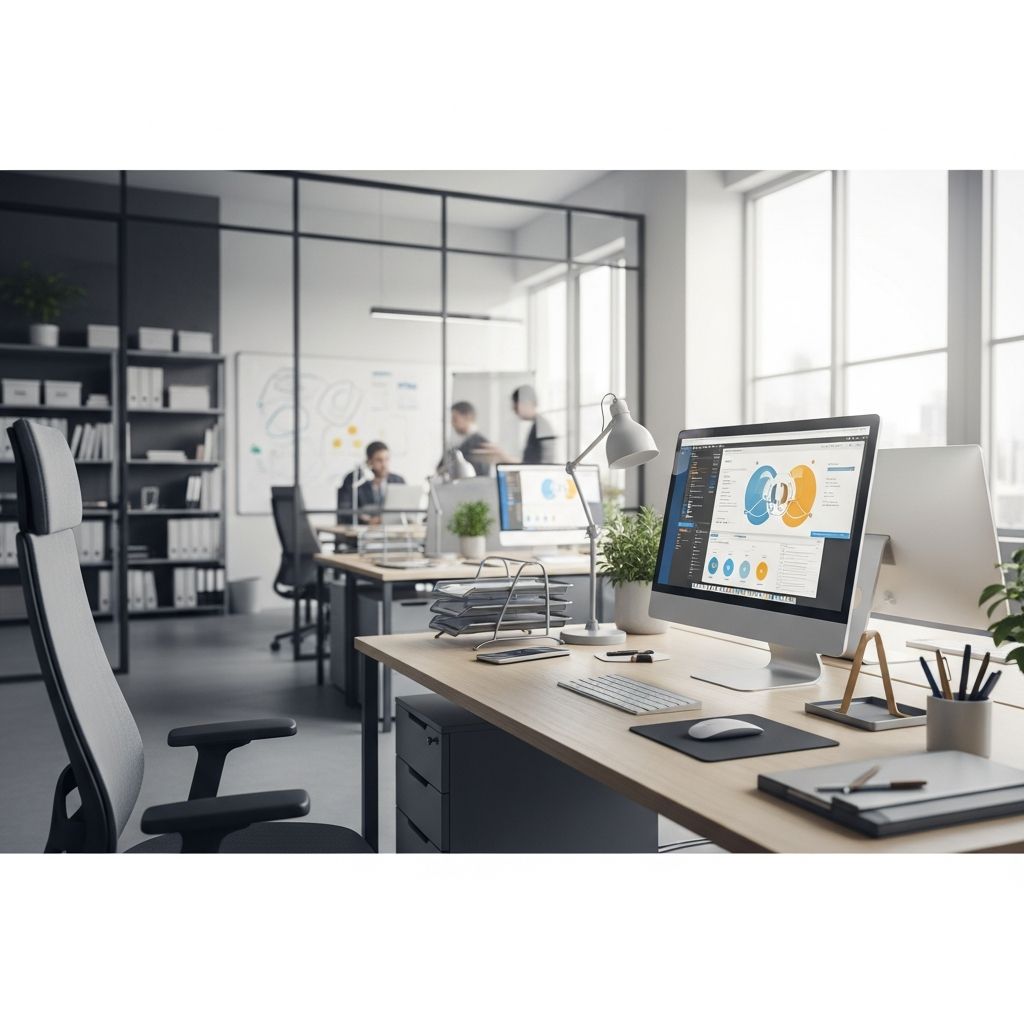
The physical space where you work profoundly influences your ability to concentrate, maintain motivation, and achieve your professional goals. Whether you operate from a dedicated home office, a shared workspace, or a hybrid arrangement, the design and organization of your environment directly impact your productivity levels. Research in environmental psychology demonstrates that well-organized workspaces reduce cognitive load, minimize distractions, and create psychological conditions favorable for deep work and creative problem-solving.
Creating an effective workspace extends beyond aesthetics; it involves strategic planning of layout, storage solutions, lighting, ergonomics, and personal elements that support sustained focus. This comprehensive guide explores multiple approaches to workspace design that address common organizational challenges while accommodating different work styles, space constraints, and professional needs.
The Foundation: Understanding Your Workspace Requirements
Before implementing organizational strategies, assess your specific work patterns and spatial constraints. Consider what tasks dominate your workflow, how many hours you spend at your desk, whether you collaborate with others in your space, and what storage capacity you genuinely require. Understanding these fundamentals prevents investing in solutions that don’t align with your actual needs.
Evaluate your current pain points: Do you waste time searching for supplies? Does paper clutter accumulate rapidly? Are cables creating visual chaos? Does your seating cause discomfort during extended work sessions? Identifying specific problems allows you to prioritize improvements strategically rather than implementing generic organizational tactics that may not address your situation.
The workspace you design should serve as a tool that removes friction from your daily work processes. When organization systems match your workflow, you expend less mental energy on logistics and more on actual work output.
Horizontal Surface Organization: Maximizing Your Primary Work Area
Your desk or primary work surface should function as an active workspace rather than a storage facility. The principle of intentional minimalism suggests keeping only items you use daily within arm’s reach. Desktop organizers, pen holders, and small containers compartmentalize supplies effectively. These tools prevent the gradual accumulation that transforms a clear desk into a cluttered one.
Consider categorizing desktop items into functional zones:
- Writing and marking tools in a dedicated organizer
- Frequently referenced documents in a small tray or file holder
- Electronic devices and chargers in a contained area with managed cords
- Decorative or motivational items in limited quantities
- Beverage and snack containers in a designated corner
This spatial organization reduces decision fatigue throughout your day. When everything has a designated location, you develop automatic placement habits that maintain organization with minimal ongoing effort. Desktop organizers in materials like wood, acrylic, or metal not only contain items but also contribute to the visual quality of your workspace.
Vertical Space Utilization: Expanding Storage Without Expanding Footprint
Most workspaces underutilize vertical surfaces, representing missed organizational opportunities. Vertical storage systems can dramatically increase capacity without consuming valuable floor or desk space. Wall-mounted organizers, bulletin boards, shelving units, and pegboards transform empty walls into functional storage areas.
Bulletin boards serve multiple functions beyond mere decoration: they hold important reminders, display calendars for deadline tracking, showcase inspirational elements, and keep reference materials visible. Unlike items stored in drawers or cabinets, wall-mounted content remains visible, reducing the likelihood of forgotten tasks or overlooked information.
Shelving units create layered storage that separates items by frequency of use. Regularly accessed materials occupy lower shelves, while reference materials and decorative elements occupy higher positions. This stratification keeps your most-needed items readily available while providing dedicated space for other necessities.
Hooks, magnetic strips, and wall-mounted file organizers accommodate frequently used documents and supplies. When positioned thoughtfully, these systems maintain accessibility while clearing desk surfaces. The visual reminder effect also supports task completion—seeing your priority list on the wall maintains focus better than a buried document in a drawer.
Drawer Systems: Taming Internal Chaos with Strategic Division
Drawers provide essential storage for items you need immediate access to but prefer hidden from view. However, unsorted drawers devolve into chaotic repositories where finding specific items requires frustrating searches. Drawer dividers transform these spaces into organized compartments that maintain order even under time pressure.
Implement a drawer hierarchy based on usage frequency and item category:
- Top drawer: Daily essentials like pens, notepads, and frequently needed small items
- Middle drawer: Reference materials, important documents, and secondary supplies
- Lower drawer: Backup supplies, archived documents, and seasonal items
Adjustable dividers accommodate different item sizes and allow reconfiguration as your needs evolve. Materials like bamboo offer both functionality and aesthetic appeal, making organized drawers pleasant to open and maintain. Clear containers within drawers provide visibility without requiring items to be loose, preventing the re-emergence of chaos.
Paper Management: Building Systems for Document Control
Despite increasing digitization, most professionals still manage significant paper volumes. Comprehensive filing systems prevent paper from overwhelming your workspace. Small filing cabinets positioned conveniently to your desk keep important documents accessible without cluttering your work surface.
Establish clear categories for paper management:
- Active projects: Current work materials requiring frequent reference
- Financial: Bills, receipts, and tax-related documents with defined retention periods
- Legal: Contracts, agreements, and important official documents
- Reference: Materials providing background information on ongoing projects
- Archive: Completed projects and historical materials requiring long-term retention
Color-coded folders or labels enhance quick identification, reducing time spent searching for specific documents. Portable storage solutions accommodate long-term paper archiving, allowing you to maintain accessible current files while preserving historical records in accessible but out-of-the-way locations.
Parallel with traditional filing, implement a digitization strategy that reduces paper volume over time. Scanning important documents creates digital backups while reducing physical storage requirements.
Technology Integration: Managing Cables and Digital Devices
Modern workspaces accumulate multiple devices, each requiring charging cables and data connections. Unmanaged cords create visual clutter, damage device longevity through tangling, and make workspace cleaning frustrating. Strategic cord management deserves attention as a core organizational element.
Implement cord management through:
- Labeled cable organizers that clearly identify each cord’s device connection
- Adhesive clips that guide cables along desk edges, keeping them contained
- Dedicated charging stations that consolidate multiple devices in one area
- Power strips positioned conveniently with integrated cord management
- Cable sleeves that bundle multiple cords into single units
Create a designated technology zone where devices, chargers, and cables concentrate rather than scattering across your workspace. This approach contains the visual impact of technology while ensuring convenient access. Consider desk organizers with integrated charging capabilities that combine storage with power delivery.
Environmental Optimization: Creating Conditions for Sustained Focus
Organization encompasses more than physical arrangement; environmental factors significantly influence productivity. Lighting, temperature, noise levels, and visual aesthetics directly affect concentration duration and work quality.
Natural light provides multiple benefits: it regulates circadian rhythms, improves mood, and reduces eye strain compared to artificial lighting alone. Position your workspace near windows when possible, using window areas as primary work zones. When natural light isn’t available or insufficient, supplement with task lighting that reduces shadows on your work surface without creating glare on digital screens.
Color psychology influences both mood and productivity. Neutral tones create calm, focused environments conducive to complex cognitive work. Strategic use of accent colors or natural elements like plants adds visual interest without overwhelming your senses. Incorporating greenery has documented benefits for stress reduction and air quality, making plants valuable workspace elements beyond their aesthetic contribution.
Sound management often receives insufficient attention despite its significant impact on focus. Depending on your environment, consider noise-reducing headphones, white noise machines, or strategic furniture placement that absorbs sound and reduces distracting environmental noise.
Ergonomic Considerations: Supporting Physical Health During Work
An organized workspace that ignores ergonomics ultimately undermines productivity through physical discomfort and health consequences. Proper workspace ergonomics prevent fatigue, reduce injury risk, and enable sustained focus during extended work sessions.
Key ergonomic principles include:
| Ergonomic Element | Proper Configuration | Impact on Productivity |
|---|---|---|
| Chair Height | Feet flat on floor, knees at 90 degrees, hips slightly higher than knees | Reduces lower back strain and enables proper posture |
| Desk Height | Elbows at 90 degrees when arms rest on work surface | Prevents shoulder and neck strain during typing |
| Monitor Position | Top of screen at eye level, 20-26 inches from eyes | Reduces eye strain and prevents neck tension |
| Keyboard Placement | Directly in front of body, close enough to avoid reaching | Minimizes wrist strain and enables efficient typing |
| Lighting | Positioned to reduce glare without creating shadows | Reduces eye fatigue and headaches |
Investing in ergonomic furniture might seem like a secondary consideration, but poor ergonomics create physical discomfort that progressively reduces your ability to concentrate and work effectively. An uncomfortable workspace eventually dominates your attention, making even well-organized systems ineffective.
Flexible and Adaptable Workspace Solutions
Modern work arrangements frequently shift between dedicated home offices, shared workspaces, and mobile arrangements. Creating portable organizational systems accommodates these variations without sacrificing efficiency.
Consider modular storage solutions that adapt to different environments. Portable file organizers, stackable containers, and rolling carts enable you to transport your organizational system between locations. This approach maintains consistent productivity regardless of physical setting, as your essential systems travel with you.
For individuals balancing multiple responsibilities—such as parents managing work while supervising children—portable setups enable workspace flexibility. A dining table workspace with portable organizers creates functional separation from personal spaces while maintaining flexibility to relocate when needed.
Dual workspace configurations benefit partners or roommates sharing office space. Separate work zones with individual storage, clear visual boundaries, and thoughtful spatial arrangement enable productive coexistence without interference. Adequate surface area for both parties ensures neither person’s organization system encroaches on shared space.
Personalization: Balancing Functionality with Individuality
While minimalism and organization benefit productivity, completely sterile workspaces can feel demotivating. Strategic personalization adds visual interest and psychological comfort without introducing clutter. Thoughtful decoration communicates your values and preferences, making your workspace feel genuinely yours rather than generic.
Effective personalization includes:
- Meaningful artwork or photography in limited quantities
- Plants or natural elements that provide visual and air quality benefits
- Motivational quotes or affirmations positioned for frequent viewing
- Color choices reflecting personal preferences within an organized framework
- Selected personal items that bring joy without dominating surfaces
The distinction between personalization and clutter lies in intentionality. Each decorative element should serve a purpose—whether providing motivation, creating beauty, or offering psychological comfort. When every item on your desk or walls serves a function or brings genuine joy, personalization enhances rather than detracts from productivity.
Maintaining Organization: Systems That Sustain Themselves
Creating an organized workspace requires initial effort; maintaining that organization requires systems designed for sustainability. The most effective organizational systems work with human nature rather than against it.
Build maintenance into your workflow through:
- Five-minute end-of-day reset routines that return items to designated locations
- Weekly reviews of paper accumulation with immediate filing or disposal
- Monthly assessment of storage systems to identify emerging clutter patterns
- Clear protocols for new items entering your workspace
- Regular archiving of completed project materials
When organizational systems align with your natural work patterns, maintenance becomes automatic rather than effortful. If your system requires constant external motivation to maintain, it’s poorly designed for your specific workflow and should be redesigned.
Frequently Asked Questions
Q: How do I organize a small workspace with limited storage?
A: Maximize vertical space through wall-mounted organizers, shelving, and pegboards. Use modular, stackable storage containers that adapt to your space. Prioritize storing items you actually use, removing everything else. Multi-functional furniture (like desks with built-in shelving) increases capacity without consuming additional floor space. Consider under-desk storage and wall-mounted filing systems.
Q: What’s the best way to manage paper in a modern digital workplace?
A: Implement a hybrid approach: maintain filing systems for documents requiring physical retention (contracts, financial records, legal documents) while digitizing materials you reference frequently. Use color-coded folders for quick identification. Establish a scanning routine for new documents to create digital backups while reducing physical clutter over time.
Q: How can I maintain workspace organization when working with colleagues?
A: Create clear spatial boundaries for each person’s materials. Establish shared protocols for common areas, designating zones for shared supplies and equipment. Communicate organizational preferences and expectations. Use labeled containers to clarify ownership of items. Schedule regular maintenance routines where all workspace users participate in resetting shared areas.
Q: What organizational products provide the best value for productivity improvement?
A: Drawer dividers, desktop organizers, and cable management solutions typically deliver immediate productivity benefits by reducing time spent locating items. Adjustable shelving and modular storage systems offer flexibility as needs evolve. Ergonomic seating and lighting often provide underestimated returns through improved comfort and sustained focus during extended work sessions.
Q: How often should I reassess and redesign my organizational system?
A: Conduct formal reviews quarterly or when your work responsibilities change significantly. Make minor adjustments monthly during maintenance routines. When you notice yourself repeatedly frustrated by the same organizational issue, that’s a signal to redesign that specific system. Let usage patterns guide your organizational evolution rather than maintaining outdated systems out of habit.
References
- Workspace Organization Ideas (When You Work at Home) — Twin’s Mommy. 2024. https://twinsmommy.com/workspace-organization-ideas/
- Office Organizers – The Container Store — The Container Store. 2026. https://www.containerstore.com/s/office/1
- Modern Office Storage & Organization — Room & Board. 2026. https://www.roomandboard.com/catalog/office/office-storage-and-organization

- Integrated M.A. in Applied Linguistics, University of Hyderabad
- 5+ years in editorial, instructional, SEO, and research-based writing
Sneha is a relationships and lifestyle writer with a strong foundation in applied linguistics and certified training in relationship coaching. She brings over five years of writing experience to theskillvault, crafting thoughtful, research-driven content that empowers readers to build healthier relationships, boost emotional well-being, and embrace holistic living. Her writing and insights reflect the belief that beauty, happiness, and wellness…