
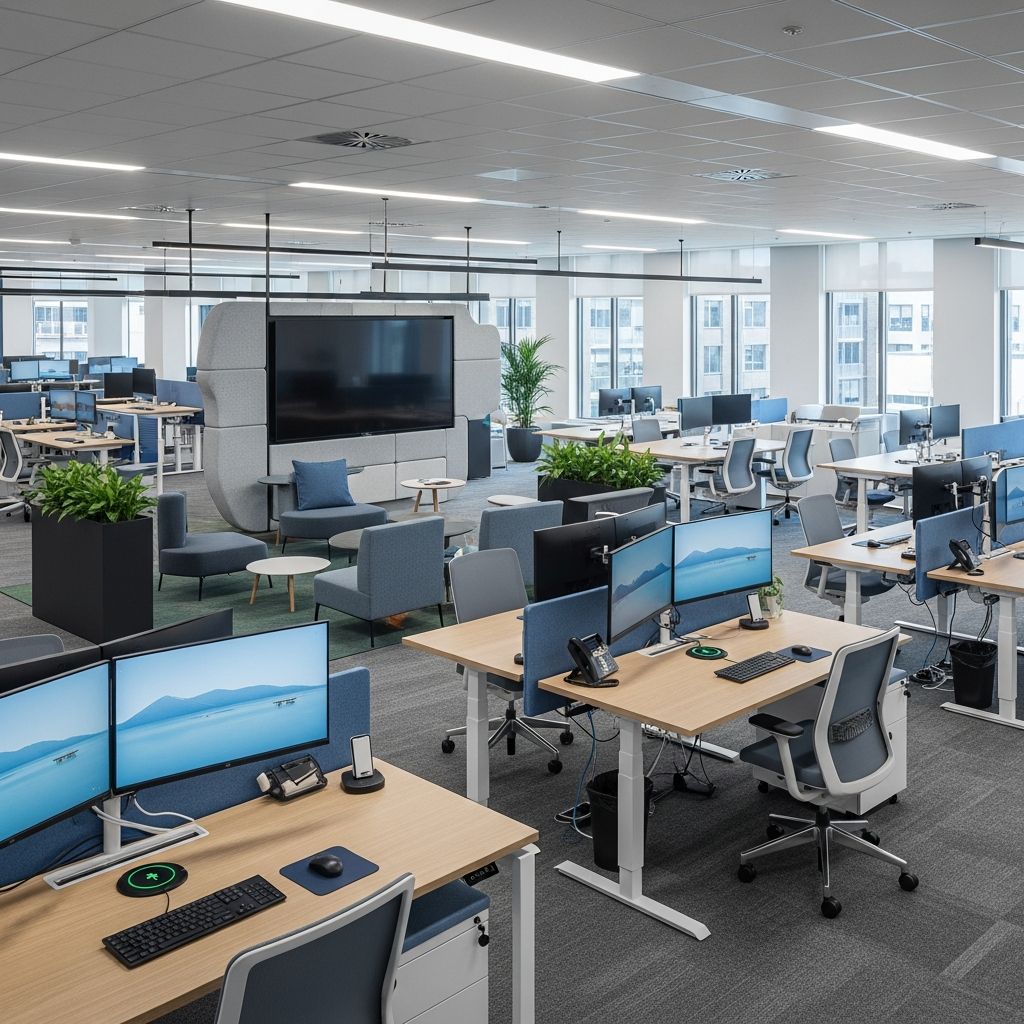
The environment where you work directly influences your ability to concentrate, maintain focus, and deliver quality output. Whether you operate from a dedicated home office, a shared workspace, or a hybrid arrangement, the physical configuration of your work area plays a critical role in determining your overall productivity levels. A well-designed workspace reduces friction in daily tasks, minimizes time spent searching for materials, and creates psychological conditions that support sustained concentration and professional accomplishment.
The relationship between environmental design and work performance has been well documented in organizational psychology and workplace studies. Clutter creates cognitive load, forcing your brain to process unnecessary visual stimuli that compete for attention resources. Conversely, thoughtfully organized spaces with clear zones for different types of work allow your mind to shift between tasks more efficiently and maintain momentum throughout your workday.
Establishing Clear Functional Zones Within Your Workspace
The foundation of an effective workspace begins with intentional spatial planning. Rather than treating your work area as a single undifferentiated zone, consider dividing your space into distinct functional regions that correspond to different types of work activities. This zoning approach helps your brain make psychological transitions between tasks and prevents the creep of non-work activities into your professional space.
Your primary work zone should contain your main desk or work surface, positioned to minimize distractions and capture natural light when possible. Secondary zones might include a reference area where frequently consulted materials remain accessible, a supply station organized for quick access to essential tools, and a filing or storage area for documents requiring preservation. Creating these distinctions allows you to maintain focus at your primary workstation while keeping necessary resources within immediate reach without cluttering your main desk surface.
For those working in shared or compact spaces, even simple visual delineation—such as positioning furniture at specific angles or using area rugs to define zones—helps establish psychological boundaries that improve concentration and task completion rates.
Implementing Hierarchical Storage Systems
Effective storage architecture organizes materials based on frequency of use and accessibility requirements. This hierarchical approach prevents your workspace from becoming a repository for everything you own while ensuring that frequently needed items remain immediately accessible.
Categorize your materials into three primary tiers:
- Daily-access items: Materials used multiple times throughout your workday should occupy prime desk real estate or immediately adjacent surfaces. Pens, notepads, reference materials, and frequently consulted documents belong in this category.
- Weekly-access materials: Items needed less frequently but still regularly should be stored in easily accessible but not prime locations—desk drawers with organizers, nearby shelving, or desktop organizers that keep these items visible but not taking up valuable work surface.
- Archival or infrequent-use items: Documents, reference materials, and supplies needed only occasionally can be stored in less prominent locations such as filing cabinets, closet shelving, or labeled storage containers that you can retrieve when necessary.
This tiered approach dramatically reduces the cognitive burden of maintaining an organized space. Rather than everything being equally accessible (and therefore equally visible), you create a system where your workspace remains visually clean while still providing quick access to materials you genuinely need.
Optimizing Desk Surface Management
Your primary work surface represents prime real estate that should be treated as such. Every item occupying desk space should either be actively in use during your current work session or serve an essential support function that enhances your ability to focus.
Desktop organizers fulfill a critical function in this regard by providing contained spaces for small items that would otherwise scatter across your surface. Rather than allowing pens, clips, sticky notes, and other small supplies to migrate across your desk throughout the day, a quality organizer provides dedicated compartments that keep these items visible and within reach while maintaining visual order.
Consider implementing the following desk surface protocol:
- Limit items on your desk to those relevant to your current project or daily workflow
- Use desktop organizers or drawer dividers to contain small items that naturally proliferate
- Establish a single inbox system for papers requiring attention, processing, or filing
- Position reference materials you need to consult frequently at eye level or slightly above
- Keep your primary writing and input surfaces as clear as possible to maximize usable work area
Leveraging Vertical Space and Wall-Mounted Solutions
Most workspaces underutilize their vertical dimension, representing a significant organizational opportunity. Walls provide valuable storage and display opportunities that don’t consume floor space or interfere with your primary work surface.
Vertical organization systems serve multiple purposes simultaneously. Wall-mounted shelving, bulletin boards, pegboards, and folder organizers keep frequently referenced materials accessible while drawing them off your desk entirely. This simple spatial repositioning creates the psychological effect of a cleaner, less cluttered workspace while actually increasing the quantity of items you can keep immediately accessible.
Wall-mounted command centers serve an additional function beyond storage. By consolidating your daily task management, calendar, and deadline tracking on a visible wall organizer, you create a visual reference point that supports project management without requiring you to maintain separate planning tools on your desk. This integration of planning and storage reduces the number of items competing for your attention and workspace.
When implementing vertical storage, maintain clear sightlines to important items by avoiding excessive crowding. Overloaded walls create the same visual clutter that overloaded desks do, simply at a different height.
Creating Functional Paper Management Systems
Despite ongoing digitalization trends, most workplaces still generate physical documents requiring organization and management. Rather than allowing papers to accumulate in random piles, establishing a structured filing system prevents document-related chaos and ensures you can locate needed materials quickly.
Effective paper management systems include the following components:
| Component | Purpose | Implementation |
|---|---|---|
| Active Work Tray | Temporary holding area for documents currently in progress | Single inbox tray on desk or nearby shelf |
| Processing System | Sorted documents awaiting action, review, or filing | Desktop sorter or small file organizer with labeled sections |
| Reference Filing | Organized storage for documents you need to retain and reference | File cabinet, expandable folders, or labeled storage boxes |
| Archive Storage | Long-term retention of completed projects and historical documents | Off-desk filing cabinet or storage container outside primary workspace |
Many workspaces benefit from incorporating a small filing cabinet directly adjacent to the primary work area. This positioning keeps important documents accessible while removing them from your immediate work surface. Even compact filing solutions occupy minimal floor space while providing significant organizational capacity.
Managing Technology Infrastructure and Cable Organization
Modern workspaces involve multiple devices and power sources that, if left unmanaged, create visual chaos and complicate cleaning and maintenance. Cable organization may seem cosmetic, but it contributes significantly to perceived order and professional presentation.
Implement these strategies to manage technology infrastructure:
- Use cable clips, ties, or channels to bundle cables neatly and direct them behind desks or along walls
- Label each cable at both ends to facilitate future troubleshooting and device changes
- Group power strips near actual usage points to minimize cable runs across your work surface
- Position monitor stands or additional screens to avoid placing their bases on your primary work area
- Consider desktop organizers or stands that incorporate cable management routing
The psychological benefit of hidden or well-organized cables should not be underestimated. Visible cable clutter creates the impression of disorder even when your actual work materials are organized, and it can contribute to a sense of environmental chaos that undermines focus and concentration.
Enhancing Your Workspace with Ergonomic and Environmental Considerations
Organization and functionality represent necessary but not sufficient conditions for optimal workspace design. Environmental factors—lighting, temperature, air quality, and ergonomic support—directly influence both comfort and cognitive performance during extended work sessions.
Natural light serves as a powerful productivity enhancer, supporting circadian rhythm regulation and reducing eye strain associated with screen work. Position your desk to capture natural light when possible, supplementing with quality task lighting for evening work or darker environments. A desk lamp with integrated storage compartments offers dual functionality, supporting both illumination and supplies organization in a single fixture.
Ergonomic chair selection deserves particular attention, as poor seating support leads to physical discomfort that inevitably distracts from work and undermines productivity. Your chair should support your spine’s natural curves, allow your feet to rest flat on the floor or a footrest, and position your arms comfortably for keyboard and mouse use. Quality ergonomic furniture represents an investment in your physical wellbeing and long-term work capacity.
Environmental additions—plants for air quality and psychological benefit, soft furnishings to reduce acoustic harshness, color schemes that promote calm focus rather than agitation—create psychological conditions that support sustained attention and quality output.
Adapting Organization Systems to Your Specific Workflow
Universal organizational principles provide a foundation, but optimal workspace configuration depends on understanding your specific work patterns and requirements. Before implementing any system, assess the actual materials, tools, and resources your particular work demands.
Consider these questions when customizing organization for your workflow:
- Which materials do you genuinely access during your typical work day?
- What tools and supplies does your specific role require?
- How frequently do you need to transition between different types of tasks?
- What reference materials require immediate accessibility?
- Which items can be reasonably stored away from your primary work area?
The most sophisticated organizational system fails if it doesn’t align with how you actually work. Generic solutions work best as starting points that you refine based on real-world experience with your workflow.
Maintaining Organization Through Systematic Review and Adjustment
Workspace organization is not a one-time project but an ongoing practice requiring periodic maintenance and adjustment. As your work evolves, your organizational system must adapt accordingly. Materials relevant to previous projects accumulate clutter, and tools you once used regularly may become obsolete.
Establish a regular maintenance schedule—monthly or quarterly depending on your work volume—to review your workspace and remove items no longer serving active purposes. This systematic pruning prevents the gradual accumulation of clutter that gradually undermines even well-designed systems.
When new materials, tools, or projects enter your workspace, immediately assign them to designated locations within your organizational system. Allowing new items to occupy default locations (usually the nearest flat surface) represents the beginning of system degradation.
Frequently Asked Questions
Q: How much desk space do I actually need for productive work?
A: This depends on your specific work type, but most professionals benefit from at least 24-30 inches of usable surface area for active work, with additional surfaces for reference materials, supplies, and technology. Many people find that improved organization actually reduces their required desk footprint by eliminating clutter.
Q: Should I go completely paperless to maintain organization?
A: Not necessarily. While digitalization reduces paper volume, most workplaces retain some physical documents requiring organized management. Effective paper systems that keep documents accessible but organized often prove superior to fighting against your workflow’s natural tendencies.
Q: What’s the best type of storage for items I rarely use?
A: Off-desk storage—filing cabinets outside your primary work area, closet shelving, or labeled storage containers—keeps infrequently accessed items accessible for occasional use without creating daily visual clutter.
Q: Can small workspace actually be organized effectively?
A: Yes. Compact spaces require more intentional organization but often benefit from the constraint of limited room. Vertical storage, multi-functional furniture, and tiered organization systems allow even small workspaces to function effectively.
Q: How often should I reorganize my workspace?
A: Most people benefit from regular monthly or quarterly reviews to remove obsolete items and adjust systems based on changing work patterns. Major organizational overhauls are less frequently necessary if you maintain systems consistently.
References
- Workspace Organization Ideas: 21 Workspace Organization Ideas (When You Work at Home) — Twins Mommy. Accessed January 2026. https://twinsmommy.com/workspace-organization-ideas/
- Storage Ideas for Organizing a Home Office — Extra Space Storage. Accessed January 2026. https://www.extraspace.com/blog/home-organization/storage-organization-ideas-home-office/
- 8 Effective Workspace Organization Ideas for Better Productivity — Mats 4U. Accessed January 2026. https://mats4u.co.uk/blogs/news/workspace-organization-ideas-8-effective

Medha Deb is an editor with a master's degree in Applied Linguistics from the University of Hyderabad. She believes that her qualification has helped her develop a deep understanding of language and its application in various contexts. Medha specializes in the areas of beauty, health, sports, and wellness and is committed to ensuring that the content on the website is…