
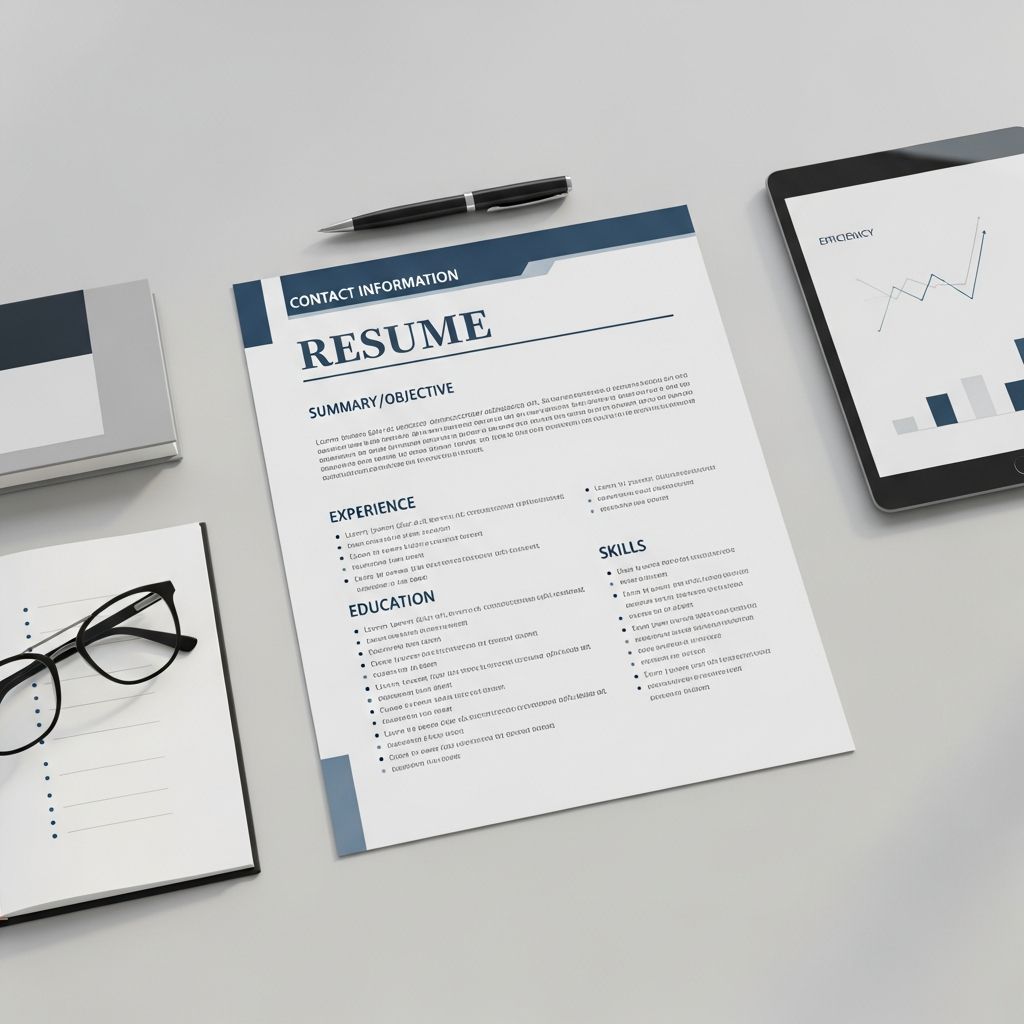
The Strategic Approach to Single-Page Resume Design
Creating an effective one-page resume represents one of the most critical challenges in modern job searching. With hiring managers spending an average of six seconds reviewing each resume, the pressure to communicate your qualifications concisely has never been greater. A well-crafted single-page resume forces you to evaluate your professional narrative strategically, eliminating unnecessary information while preserving the achievements and skills that matter most to potential employers.
The transition from a lengthy resume to a single-page document requires more than simple deletion. It demands a thoughtful reassessment of what truly defines your professional value. By implementing strategic techniques, you can transform your resume into a powerful marketing tool that showcases your strongest qualifications without overwhelming the reader with extraneous details.
Prioritizing Your Professional Identity
The foundation of an effective one-page resume begins with establishing clarity about your professional identity. Before you start condensing content, take time to define the specific role you’re targeting and the qualities that make you an ideal candidate for that position. This clarity becomes your filtering mechanism throughout the condensing process.
Start by placing your most relevant professional accomplishments at the forefront. If you have diverse work experience, focus on positions that directly align with your target role rather than attempting to showcase your entire career history. This selective approach demonstrates to hiring managers that you understand the position requirements and possess the specific expertise they seek.
Your professional summary or objective statement serves as your opening pitch. Rather than a lengthy narrative, craft a concise two to three sentence statement that connects your experience, skills, and career goals to the specific position. This targeted approach saves valuable real estate on your page while immediately communicating your fit for the role.
Mastering Content Condensation Techniques
Reducing your resume to a single page requires tactical decisions about what information to include and how to present it efficiently. Several proven methods help you maximize your available space while maintaining readability and professional appearance.
Streamlining Work Experience Descriptions
Work experience typically consumes the most space on a resume. To condense this section effectively, focus on quality over quantity. Rather than listing every position you’ve held, select two to four roles that best demonstrate your capabilities for your target position. For each position, craft achievement-focused bullet points that quantify your impact when possible.
Replace generic responsibilities with concrete accomplishments. Instead of stating “responsible for managing customer accounts,” write “increased customer retention by 22% through implementation of personalized outreach strategy.” This approach provides more compelling information while using similar amounts of space. Use digits instead of spelled-out numbers—”3 campaigns” takes less space than “three campaigns” and creates visual emphasis on important metrics.
When you have held multiple similar positions, consider consolidating these experiences into a single entry. Rather than listing three different customer service roles at various companies, combine them into one comprehensive entry that showcases the breadth of your experience across all three positions. Highlight only the most advanced title if you progressed through different levels.
Strategic Skill Presentation
Many traditional resumes dedicate considerable space to skill sections with multiple bulleted lists. Instead, integrate your most relevant skills into a single line or compact paragraph format. Select skills that directly align with the job posting, and arrange them in order of relevance. This approach eliminates wasted space while keeping your qualifications immediately visible.
When incorporating skills into your resume, use industry-specific terminology and keywords that match the job description. Applicant tracking systems scan resumes for specific keywords, so alignment between your skill language and the job posting becomes essential. However, maintain authenticity—only claim skills you genuinely possess, as many employers verify technical competencies during interviews.
Education and Certification Refinement
Educational credentials deserve inclusion but need not consume significant space. List your degree, institution name, and graduation date. If you earned high honors or your GPA was exceptional, include this information, but omit it if it’s been several years since graduation or if it doesn’t strengthen your candidacy. Relevant certifications, licenses, and professional development courses can be listed concisely alongside your formal education.
If you’re an early-career professional, education may warrant slightly more prominence. As your career progresses, relevant work experience typically becomes more important than educational credentials, so adjust the emphasis accordingly.
Formatting and Design Optimization
Beyond content selection, formatting choices dramatically impact your ability to fit everything on one page while maintaining professional appearance and readability.
Margin and Spacing Adjustments
Standard resume margins typically measure one inch on all sides. For a one-page resume, reducing margins to 0.5 inches can provide significant additional space without appearing cramped. Adjust spacing between sections—reduce the white space between bullet points and sections to create a more compact layout. However, maintain sufficient spacing to ensure readability and prevent the resume from appearing cluttered.
Use consistent spacing throughout your document. Professional appearance depends on uniformity in section breaks and paragraph spacing. Tools like tab stops and precise line spacing adjustments help you maintain this consistency while optimizing space efficiency.
Font Selection and Sizing
Choose a professional, widely-recognized font such as Arial, Calibri, or Times New Roman. These fonts are easily readable at smaller sizes and universally supported, preventing formatting issues when your resume passes through different systems. Your body text should maintain a minimum of 10-point font size for readability, though 11 or 11.5-point fonts are preferable when space permits.
Your name can appear in a larger size—14 to 20 points—to draw attention, but contact information and body text should remain in the standard range. Avoid using multiple different fonts; stick to one font family with variations in size and weight (bold, regular) to create visual hierarchy without compromising professional appearance.
Strategic Use of Formatting Elements
Leverage bold text, italics, and slight font weight variations to emphasize important information without adding length. Company names, dates, and key accomplishments become more scannable when strategically bolded. Create visual breaks using horizontal lines or subtle formatting to guide the reader’s eye through major sections.
Consider using a two-column layout with a narrow column on the right for skills, contact information, or key qualifications. This approach creates visual interest while maximizing space usage. However, ensure that column layouts remain compatible with Applicant Tracking Systems by testing your final document before submission.
Content Elimination and Prioritization
Sometimes fitting content into one page requires difficult decisions about what to exclude entirely. Develop clear criteria for elimination to make these decisions confidently.
Information to Reconsider
References traditionally listed on resumes now warrant reconsideration. Employers expect to request references separately during later stages of the hiring process. Removing “References available upon request” frees valuable space. Instead, maintain a separate reference document that you provide when specifically requested.
Hobbies, personal interests, and volunteer experiences should be excluded unless they directly strengthen your candidacy for the specific position. While volunteer work can demonstrate commitment and skills when highly relevant, tangential personal interests typically don’t contribute meaningfully to hiring decisions.
Avoid including photographs, colored text, links, or elaborate graphics. These elements consume space, may not display correctly across different systems, and can trigger ATS filtering issues. Maintain a clean, text-focused design that prioritizes content clarity over visual decoration.
Dates and Gaps
Include employment dates for clarity, but use abbreviated formats (e.g., “Jan 2022 – Jun 2024” rather than “January 2022 – June 2024”). This subtle change saves space across multiple positions. If you have employment gaps, address them briefly within your experience section rather than creating separate explanations that consume additional space.
Language Precision and Word Economy
Every word on your one-page resume must earn its place through contributing substantive information about your qualifications and achievements.
Action-Oriented Language
Replace passive descriptions with strong action verbs that communicate your direct contributions. Verbs like “accelerated,” “transformed,” “spearheaded,” and “optimized” convey greater impact than “responsible for” or “worked on.” These powerful verbs take similar space while creating stronger impressions of your professional capability.
Each bullet point should begin with an action verb and focus on tangible results or outcomes. Quantify accomplishments wherever possible using percentages, dollar amounts, or specific metrics that demonstrate your impact. Employers respond to concrete evidence of your contributions far more than to descriptions of duties performed.
Eliminating Redundancy
Review your draft resume for repetitive phrases or overlapping information. When you describe similar responsibilities across multiple positions, consolidate and synthesize rather than repeating the same language. This approach reduces word count while demonstrating progression or consistency in your expertise.
Remove qualifiers and hedging language such as “responsible for,” “assisted with,” or “contributed to.” These phrases soften your accomplishments and consume space unnecessarily. Instead, own your achievements directly: “Managed” rather than “was responsible for managing,” and “Designed” rather than “assisted in the design of.”
Optimizing for Applicant Tracking Systems
Modern hiring processes frequently employ Applicant Tracking Systems that scan resumes for specific keywords and qualifications. Fitting your resume to one page doesn’t exempt you from ATS optimization; these two goals must work together.
Analyze the job posting carefully and incorporate relevant keywords naturally throughout your resume. If the posting repeatedly mentions “project management,” ensure these terms appear in your experience descriptions. If specific software, tools, or methodologies are mentioned, include them if you possess relevant experience.
Maintain a clean, simple formatting structure that ATS can parse accurately. Avoid tables, text boxes, headers with unusual formatting, or graphical elements that may confuse automated systems. Stick to standard resume sections in conventional order: contact information, professional summary, experience, skills, and education.
Tailoring for Your Target Role
A truly effective one-page resume adapts for each position you pursue rather than serving as a static document. This targeted approach allows you to emphasize different accomplishments and skills based on the specific opportunity.
Create a master resume containing all your experiences and accomplishments. For each application, customize this master document to highlight the qualifications most relevant to that particular position. Rearrange bullet points so your most pertinent achievements appear first. Adjust skill emphasis to match the job requirements. This flexibility enables you to maximize relevance within your single-page constraint.
When tailoring, prioritize positioning your strongest qualifications for the specific role at the very top of your experience section. Hiring managers often make initial decisions within those first few seconds of reading, so ensure your most compelling fit appears immediately rather than buried deeper in your resume.
Quality Review and Validation
Before submitting your finalized one-page resume, conduct thorough quality reviews that go beyond simple proofreading.
Check for grammatical errors, spelling mistakes, and consistency in formatting. Dates should match between different sections, company names should be spelled identically throughout, and formatting should be uniform across all positions. Inconsistencies signal carelessness to hiring managers and can lower your candidacy evaluation.
Test your resume across different viewing formats. How does it appear when printed? How does it display on a mobile device? Does it maintain proper formatting when converted to PDF? These practical tests reveal potential issues before your resume reaches a hiring manager.
Have trusted colleagues or mentors review your resume. Fresh eyes catch gaps in logic, identify awkward phrasing, and suggest improvements you might overlook. Ask specifically whether the resume clearly communicates your fit for your target role within the first few seconds of reading.
Frequently Asked Questions About One-Page Resumes
Q: Should everyone use a one-page resume?
A: Early-career professionals, recent graduates, and those with fewer than five years of experience should prioritize one-page resumes. Mid-career professionals may expand to two pages if they have substantial relevant experience. Executive-level candidates sometimes require two pages. The key consideration is whether your experience genuinely merits additional space or whether you’re simply including less relevant information.
Q: How do I handle significant career gaps on a one-page resume?
A: Address gaps briefly and honestly within your employment dates rather than creating separate explanations. For example, list dates accurately and if relevant, mention briefly within an experience description “transitional period focusing on professional development.” More detailed explanations belong in cover letters, not on the resume itself.
Q: Can I use templates to create my one-page resume?
A: While professionally designed templates can provide helpful structure, avoid overly elaborate templates with complex formatting that may confuse ATS systems. Choose simple, clean templates that prioritize readability and maintain standard section organization.
Q: How important is it to customize my resume for each position?
A: Customization dramatically improves your chances of advancing past ATS filters and capturing recruiter attention. Different positions require emphasis on different accomplishments. Tailoring your one-page resume to highlight the most relevant qualifications for each specific role demonstrates genuine interest and strategic career alignment.
Q: What file format should I use for submission?
A: PDF format is generally safest for preserving formatting across different systems, though some applicant tracking systems perform better with Word documents. When submitting through a company website or job board, follow their specific format requirements. Always keep a Word version available in case a recruiter requests edits.
Q: How can I ensure my one-page resume passes through applicant tracking systems?
A: Use standard section headings, incorporate keywords from the job posting, maintain simple formatting without tables or graphics, and save in widely-compatible formats. Test your resume by running it through free ATS checkers available online to identify potential parsing issues.
References
- How to Write a One Page Resume (With Example and Tips) — Indeed Career Guide. 2025. https://www.indeed.com/career-advice/resumes-cover-letters/how-to-write-one-page-resume
- Best One Page Resume Examples and Templates for 2025 — Resume Templates. 2025. https://www.resumetemplates.com/one-page-resume-examples/
- 12 Resume Best Practices from a Career Advisor: How to Make Your Resume Stand Out in 2025 — UC San Diego Extended Studies. 2025. https://extendedstudies.ucsd.edu/news-events/extended-studies-blog/12-resume-best-practices-from-a-career-advisor-how-to-make-your-resume-stand-out-in-2025
- What’s the Best Resume Format in 2025? — Johnson & Johnson Careers. 2025. https://www.careers.jnj.com/en/employee-stories/career-tips/what-s-the-best-resume-format-in-2025/
- Current Resume Trends for 2025 — ResumeBuilder.com. 2025. https://www.resumebuilder.com/career-center/resume-trends/
- Resumes — UC Davis Career Center. 2025. https://careercenter.ucdavis.edu/resumes-and-materials/resumes

- Integrated M.A. in Applied Linguistics, University of Hyderabad
- 5+ years in editorial, instructional, SEO, and research-based writing
Sneha is a relationships and lifestyle writer with a strong foundation in applied linguistics and certified training in relationship coaching. She brings over five years of writing experience to theskillvault, crafting thoughtful, research-driven content that empowers readers to build healthier relationships, boost emotional well-being, and embrace holistic living. Her writing and insights reflect the belief that beauty, happiness, and wellness…