
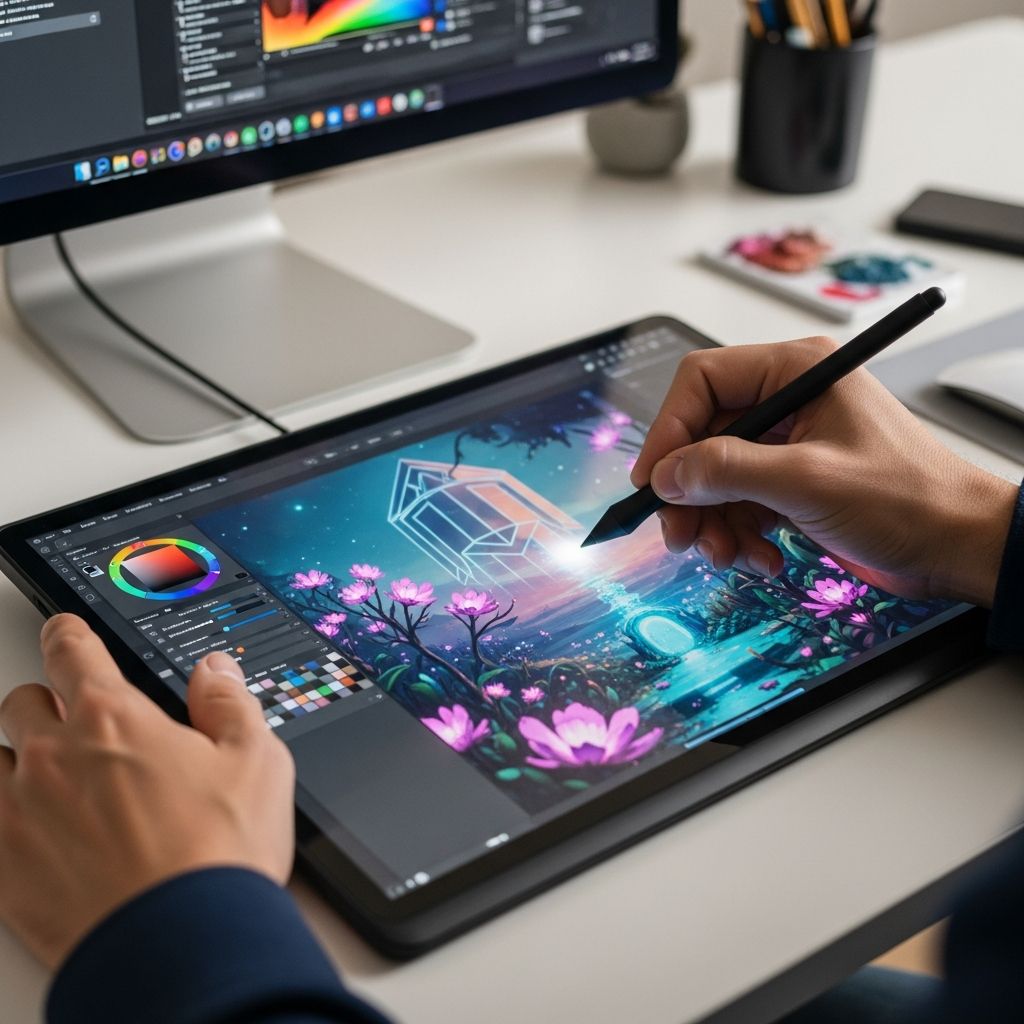
The digital art industry has transformed dramatically over the past decade, creating unprecedented opportunities for creative professionals. Whether you aspire to become an illustrator, concept artist, animator, or digital designer, understanding the complete skill set required for success is fundamental to your career development. Unlike traditional art forms that rely solely on physical media, digital artistry demands a unique blend of classical artistic knowledge and contemporary technological expertise.
Building Your Artistic Foundation
The cornerstone of any successful digital art career rests upon strong fundamentals in traditional drawing and composition. Many aspiring digital artists mistakenly believe that mastering software eliminates the need for classical training, but this assumption undermines their potential for growth. A solid understanding of proportions, spatial relationships, and figure anatomy creates the visual vocabulary necessary to translate ideas into compelling digital work.
Developing observational skills represents another critical foundational element. By regularly sketching from life and studying how light behaves across different surfaces, you train your eye to recognize subtle variations in value, form, and dimension. This practice directly enhances your ability to create realistic or stylized work, depending on your artistic direction.
Composition fundamentals deserve particular attention in your learning journey. Understanding how to arrange visual elements—including focal points, balance, movement, and negative space—transforms adequate artwork into genuinely engaging pieces that capture and hold viewer attention. These principles remain constant regardless of whether you work with traditional media or digital tools.
Technical Proficiency in Digital Tools
Mastering industry-standard software represents an absolute requirement for contemporary digital artists. The digital art landscape includes numerous specialized applications, each designed for specific creative purposes. Adobe Creative Suite dominates the professional landscape, with Photoshop serving as the versatile standard for digital painting, photo manipulation, and composite work, while Illustrator excels at vector-based design and scalable graphics.
Beyond Adobe’s ecosystem, alternative software options cater to specific artistic disciplines. Professionals focused on digital painting often prefer Corel Painter or Clip Studio Paint, which offer extensive brush libraries that simulate traditional artistic media. Animation professionals rely on After Effects and specialized animation software like Blender for 3D work. Understanding not just how to operate these tools, but when and why to use specific features, separates competent artists from truly exceptional ones.
Software competency extends beyond familiarity with interface elements. Professional-level proficiency encompasses mastery of keyboard shortcuts that accelerate workflow efficiency, understanding of adjustment layers and non-destructive editing techniques, and knowledge of advanced features that solve specific creative challenges. While you need not master every feature of every program, developing depth in tools relevant to your specialization becomes essential.
Hardware Knowledge and Equipment
A often-overlooked technical competency involves understanding the hardware that enables digital art creation. While some digital artists work successfully with a mouse or trackpad, transitioning to a drawing tablet dramatically improves control, precision, and comfort. Modern graphics tablets featuring pressure-sensitive pen inputs allow you to work with natural hand movements and access pressure-based tool variations that produce more organic, varied mark-making.
Selecting appropriate hardware depends on your specific needs, budget, and working style. Entry-level tablets provide excellent value for learning, while professional-grade displays with built-in digitization technology enable direct-on-screen drawing that many artists find more intuitive. Understanding monitor calibration, color accuracy, and display technology ensures your digital creations maintain color fidelity across different viewing platforms.
Mastering Color Theory and Lighting
Color theory represents one of the most transformative skills any digital artist can develop. Beyond understanding basic color wheels, genuine mastery involves comprehending how colors interact emotionally with viewers, how they create visual hierarchy, and how color relationships establish mood and atmosphere within compositions. The strategic use of complementary colors, analogous palettes, and carefully considered saturation levels elevates artwork from technically competent to visually compelling.
Lighting fundamentals carry equal importance in creating dimensional, believable artwork. Understanding how light behaves when it encounters different surface qualities—whether matte, reflective, or translucent—enables artists to create convincing depth and form. Strategic lighting guides viewer attention, establishes three-dimensionality, and conveys specific emotional tones. From dramatic chiaroscuro contrasts to subtle ambient illumination, lighting choices fundamentally shape how audiences perceive and respond to your digital creations.
Creative Problem-Solving and Conceptual Development
Beyond technical execution, professional digital artists require sophisticated creative thinking capabilities. This competency encompasses the ability to translate abstract creative briefs into concrete visual solutions, experiment with diverse stylistic approaches, and troubleshoot visual challenges through iterative refinement. Creative problem-solving involves brainstorming multiple solutions to design challenges, evaluating alternatives based on specific project objectives, and synthesizing feedback into improved iterations.
Concept development skills prove particularly valuable in fields like character design, environmental design, and narrative illustration. The capacity to generate multiple variations on a visual concept, explore different aesthetic directions, and communicate ideas through visual progression separates professional concept artists from hobbyists. This requires maintaining flexibility in your thinking while developing technical skills sufficient to execute your conceptual visions.
Design Principles and Visual Communication
Understanding fundamental design principles transcends specific artistic disciplines and becomes invaluable regardless of your specialization. These principles—including contrast, emphasis, rhythm, balance, and unity—provide a framework for evaluating your own work and making intentional compositional decisions. Strong design fundamentals enable you to create visually coherent pieces that communicate intended messages effectively and engage audiences.
Visual communication skills specifically matter for artists creating work intended to convey narratives, concepts, or information. Whether designing infographics, creating editorial illustrations, or developing character concepts, your ability to communicate ideas through visual means determines project success. This involves understanding how viewers read images, where their eyes move within compositions, and what visual cues guide interpretation.
Specialization-Based Technical Skills
Different digital art disciplines require specialized technical competencies beyond general foundational skills. Digital painters need advanced proficiency with brushes, blending modes, and color sampling. Photo manipulation specialists require expertise with selection tools, masking techniques, and color correction adjustments. Vector illustrators must master bezier curves, path manipulation, and typography. 3D artists require understanding of modeling principles, UV mapping, texturing workflows, and rendering techniques.
Rather than attempting to master all specialized areas simultaneously, developing deep expertise in your chosen discipline allows you to build a distinctive professional practice. However, maintaining basic competency across multiple specializations often proves valuable, as contemporary projects frequently combine traditional digital painting, photo manipulation, vector design, and 3D elements.
Continuous Learning and Adaptability
The digital art field evolves continuously with emerging technologies, new software updates, and shifting industry trends. Professional artists recognize that education never concludes; instead, they maintain curiosity about new tools, techniques, and creative approaches. This adaptive mindset—coupled with willingness to invest time in ongoing skill development—ensures your capabilities remain competitive and relevant throughout your career.
Successful digital artists actively experiment with emerging tools and techniques, participate in professional communities, study contemporary work in their specialization, and remain open to influence from diverse artistic traditions. Whether through formal training courses, online tutorials, professional conferences, or self-directed experimentation, maintaining momentum in your learning journey sustains creativity and professional growth.
Practical Skill Development Recommendations
Developing these competencies requires structured practice combined with intentional study. Consider these approaches for comprehensive skill development:
- Foundational Drawing: Dedicate regular time to observational sketching, studying anatomy from reference materials, and practicing perspective construction before transitioning to digital work
- Software Mastery: Begin with comprehensive training courses covering your chosen software’s full feature set, then specialize deeply in capabilities relevant to your artistic direction
- Color and Lighting Studies: Complete dedicated projects focusing exclusively on color relationships and lighting scenarios to develop intuitive understanding
- Concept Exploration: Practice rapid ideation and thumbnail sketching to develop creative problem-solving fluency
- Portfolio Development: Create finished pieces across diverse subjects and styles to demonstrate technical range and creative versatility
- Professional Community Engagement: Participate in artist communities, seek constructive feedback, and study professional work in your specialization
Building Complementary Business Skills
Beyond technical and creative competencies, professional digital artists benefit from developing supporting business capabilities. Understanding copyright and intellectual property protection safeguards your work. Developing professional communication skills facilitates client relationships and collaboration. Basic understanding of project management, time estimation, and workflow optimization enables realistic commitment to professional deadlines. For freelance artists, acquiring fundamental marketing and self-promotion capabilities becomes essential for sustainable career development.
Frequently Asked Questions
Do I need traditional drawing skills to become a digital artist?
While traditional drawing fundamentals prove valuable for most digital art specializations, they’re not universally required. Artists creating photo manipulations, vector designs, or purely digital collages can succeed without extensive drawing training. However, developing at least basic drawing skills provides advantages across virtually all artistic disciplines.
Which software should I learn first?
Begin with software aligned with your primary artistic interests. Aspiring digital painters should focus on Photoshop or Corel Painter. Those interested in illustration might prioritize Adobe Illustrator. Animators should study After Effects and animation-specific software. Rather than attempting to learn everything simultaneously, developing depth in software relevant to your specialization proves more effective than shallow familiarity with multiple programs.
How long does it take to develop professional-level digital art skills?
Professional competency typically requires consistent dedicated practice over multiple years. While basic proficiency in software can develop within months, achieving mastery of composition, color theory, and conceptual skills demands ongoing dedicated development. The trajectory varies considerably based on starting experience, daily practice hours, and quality of instruction.
What hardware investment is necessary to begin?
You can begin digital art with modest equipment: a computer capable of running professional software and a graphics tablet in the $50-200 price range. As your skills and professional work develop, investing in higher-quality equipment becomes justified. Prioritize learning fundamentals before making substantial hardware investments.
How important is staying current with software updates?
Maintaining awareness of significant software updates helps you access new capabilities and workflow improvements. However, obsessing over every minor update diverts focus from actually developing your artistic skills. Focus primarily on mastering core functionality while selectively incorporating genuinely beneficial new features.
References
- How Viable is a Digital Art Career of Any Sorts? — CareerVillage. Accessed 2026. https://www.careervillage.org/questions/1010771/how-viable-is-an-digital-art-career-of-any-sorts
- Top Skills Every Aspiring Digital Artist Needs — OCAD (Online College of Art and Design). Accessed 2026. https://artcoursework.com/top-skills-every-aspiring-digital-artist-needs/
- 7 Must-Have Skills You Need To Be A Digital Artist — Ginangiela. Accessed 2026. https://ginangiela.com/what-skills-do-you-need-to-be-a-digital-artist/
- What Skills Do Graphic Designers Need? (2026 Guide) — BrainStation. 2026. https://brainstation.io/career-guides/what-skills-do-graphic-designers-need
- 2026 Strategy: How to Thrive as a Human Artist in an AI World — YouTube. Accessed 2026. https://www.youtube.com/watch?v=vapMTpc7TlM

Medha Deb is an editor with a master's degree in Applied Linguistics from the University of Hyderabad. She believes that her qualification has helped her develop a deep understanding of language and its application in various contexts. Medha specializes in the areas of beauty, health, sports, and wellness and is committed to ensuring that the content on the website is…