
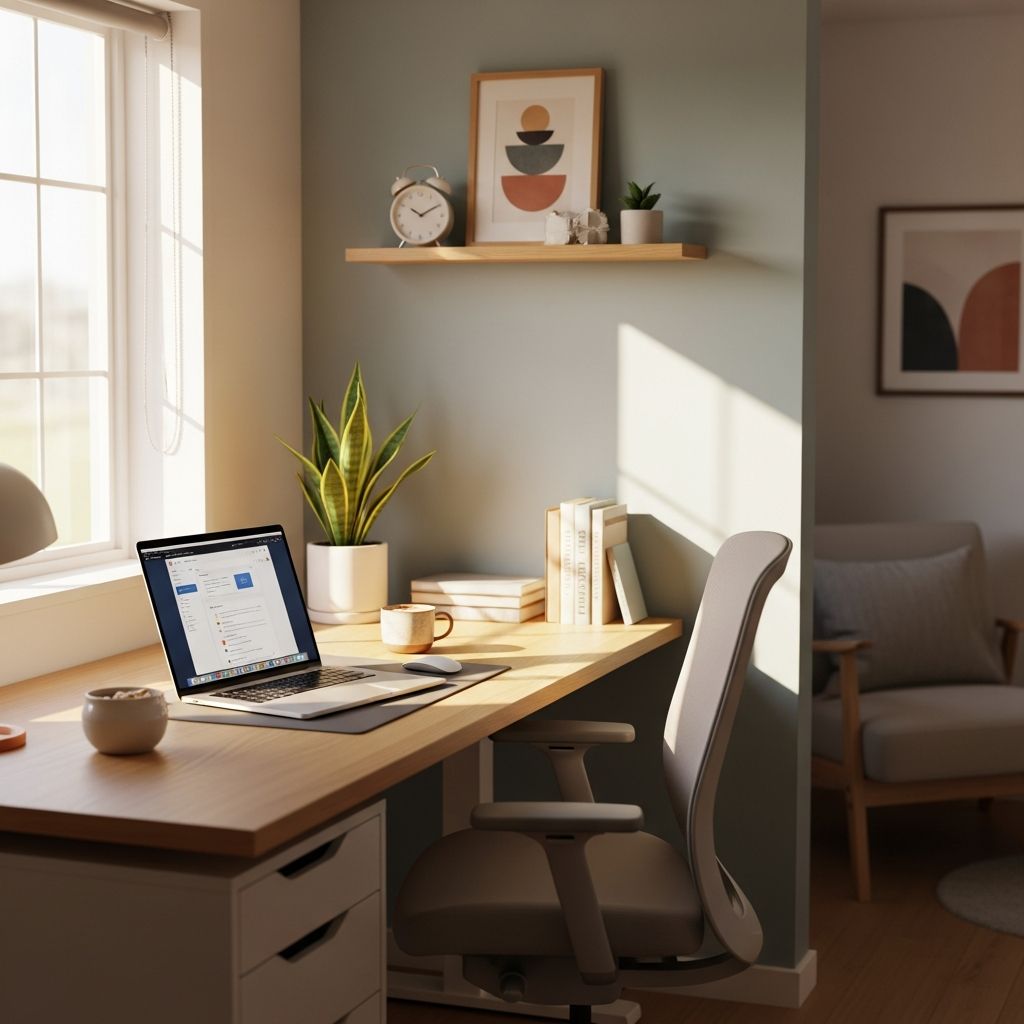
Creating an effective home office goes beyond arranging furniture; it involves crafting an environment that supports sustained focus, physical comfort, and mental clarity. With remote work now a staple for millions, optimizing your setup can significantly elevate daily performance. This guide draws on established principles to help you build a workspace that minimizes distractions and maximizes efficiency.
Selecting the Perfect Location for Focus
The foundation of a productive home office starts with choosing the right spot. Opt for a dedicated area separated from high-traffic zones like kitchens or living rooms. This boundary signals to your brain and household that it’s work time, reducing interruptions and fostering a professional mindset.
Consider factors such as proximity to natural light sources and minimal exposure to household noise. A quiet corner in a spare room or even a well-partitioned alcove can serve effectively. Avoid multifunctional spaces like beds or sofas, as they blur lines between rest and work, potentially leading to burnout.
- Evaluate room acoustics for echo reduction.
- Ensure easy access to power outlets without extension cord hazards.
- Test the space during peak work hours to gauge real-world distractions.
Ergonomics: Prioritizing Body Health for Long Hours
Ergonomic design is non-negotiable for preventing strain during extended sessions. An adjustable chair with lumbar support promotes neutral spine alignment, while a desk at elbow height keeps arms relaxed. Studies indicate ergonomic setups can boost productivity by 15-20% by curbing discomfort.
Enhance your setup with peripherals like keyboard trays, monitor arms, and footrests. Position screens at eye level to avoid neck craning—about 20-30 inches away. For dynamic work, invest in a standing desk converter to alternate postures, reducing sedentary risks.
| Ergonomic Element | Ideal Specification | Productivity Benefit |
|---|---|---|
| Chair | Adjustable height, lumbar support | Reduces back pain by 25% |
| Desk | 29-30 inches high, standing option | Supports posture variety |
| Monitor | Eye-level, 20-30 inches distance | Minimizes eye strain |
| Accessories | Wrist rests, footrests | Prevents repetitive injuries |
Harnessing Lighting for Alertness and Mood
Lighting profoundly influences energy levels and concentration. Prioritize natural daylight by positioning your desk near windows; it regulates circadian rhythms, enhancing mood and reducing fatigue—47% of office workers report tiredness from poor light exposure.
Supplement with task lighting: adjustable LED lamps with warm tones (3000-4000K) prevent glare and eye strain. Avoid overhead fluorescents; opt for diffused sources. Dimmable options allow customization for day-to-night shifts, maintaining visual comfort.
- Use sheer curtains to diffuse harsh sunlight.
- Incorporate bias lighting behind monitors to cut contrast fatigue.
- Blue-light filters or glasses for evening work protect sleep quality.
Decluttering and Organizing for Mental Clarity
A tidy workspace sharpens focus by eliminating visual noise. Clutter competes for attention, fragmenting thought processes; organized spaces can save up to 60 minutes daily through efficient retrieval.
Implement vertical storage: wall-mounted shelves, pegboards, and drawer dividers. Categorize items—digital files in cloud folders, physical supplies in labeled bins. Adopt a ‘one-touch’ rule: handle items once to avoid pile-ups.
Digital decluttering is equally vital: maintain desktop icons under 10, use keyboard shortcuts, and schedule weekly audits. Tools like cable organizers keep surfaces sleek, signaling a calm, controlled environment.
Tech Essentials: Reliable Tools Without Distractions
Seamless technology underpins modern productivity. Secure a high-speed internet plan (at least 100Mbps) and reliable router placement for lag-free video calls. Update software regularly and use VPNs for secure remote access.
Invest in quality peripherals: external webcam at eye level, noise-cancelling headset, and dual monitors for multitasking—boosting efficiency by 30%. Cable management trays prevent tangles, maintaining a professional aesthetic.
- Backup systems: external drives or cloud services like Google Drive.
- Productivity apps: Pomodoro timers, task managers (e.g., Todoist).
- Power setup: surge protectors and UPS for uninterrupted work.
Incorporating Nature and Personal Touches
Biophilic elements like plants improve air quality and lower stress, with studies showing 15% cognitive gains from greenery. Low-maintenance succulents or air plants add vibrancy without upkeep demands.
Personalize thoughtfully: motivational art, a vision board, or family photos boost morale without overwhelming. Keep it minimal—aim for items that inspire rather than distract, creating an inviting yet focused vibe.
Managing Noise and Encouraging Movement
Background noise disrupts focus; combat it with noise-cancelling headphones or white noise machines. Soft furnishings like rugs absorb echoes, while strategic furniture placement blocks sound paths.
Counter sedentary habits by designing for movement: place printers across the room, set hourly stretch reminders, or use under-desk treadmills. Hydration stations encourage regular breaks—keep a reusable bottle visible.
Routine and Boundaries for Sustained Performance
A dedicated space thrives with rituals. Define work hours, start with a setup ritual (e.g., brewing coffee), and end with shutdown procedures. Communicate boundaries to household members via visual cues like closed doors.
Track progress: weekly reviews adjust setups based on pain points. Experiment with layouts, measuring output via task completion rates.
Frequently Asked Questions (FAQs)
What is the most important element in a home office setup?
Ergonomics tops the list, as proper posture and comfort directly impact long-term productivity and health.
How can I make a small space productive?
Use vertical storage, multifunctional furniture, and minimalist designs to maximize efficiency without clutter.
Do plants really improve office productivity?
Yes, greenery enhances mood and air quality, leading to better concentration and reduced stress.
What’s the best lighting setup for all-day work?
Combine natural light with adjustable LEDs; avoid glare and use blue-light blockers post-sunset.
Should I use a standing desk?
Absolutely, alternating sit-stand reduces fatigue and boosts energy; start with 20-30 minutes hourly.
Advanced Strategies for Elite Productivity
Beyond basics, integrate smart tech: automated blinds for light control, air purifiers for quality, and IoT hubs for device management. Gamify habits with apps tracking posture or break compliance.
Zone your desk: hot desk for deep work, lounge area for calls. Seasonal tweaks—warmer lights in winter—keep it optimal year-round. Measure ROI: log pre/post-setup output to quantify gains.
Sustainability matters: choose durable, eco-friendly materials to future-proof your investment. Community insights from remote worker forums emphasize iteration—perfect setups evolve with needs.
In summary, a high-performing home office blends physical comfort, psychological cues, and technological reliability. Implement these layered strategies systematically for transformative results, turning your space into a productivity engine.
References
- Tips for creating a productive home office setup — Tribeloo. 2023. https://www.tribeloo.com/blog-post/tips-for-creating-a-productive-home-office-setup
- The ideal office setup for maximum productivity — Firm of the Future. 2023. https://www.firmofthefuture.com/productivity/ideal-office-setup/
- 8 Tips for The Ultimate Desk Setup for Peak Productivity — Autonomous. 2023. https://www.autonomous.ai/ourblog/a-guide-on-how-to-create-the-most-productive-desk-setup
- Desk Setup Ideas: A Complete Guide — BenQ US. 2023. https://www.benq.com/en-us/knowledge-center/knowledge/desk-setup-for-productivity.html

- Integrated M.A. in Applied Linguistics, University of Hyderabad
- 5+ years in editorial, instructional, SEO, and research-based writing
Sneha is a relationships and lifestyle writer with a strong foundation in applied linguistics and certified training in relationship coaching. She brings over five years of writing experience to theskillvault, crafting thoughtful, research-driven content that empowers readers to build healthier relationships, boost emotional well-being, and embrace holistic living. Her writing and insights reflect the belief that beauty, happiness, and wellness…