
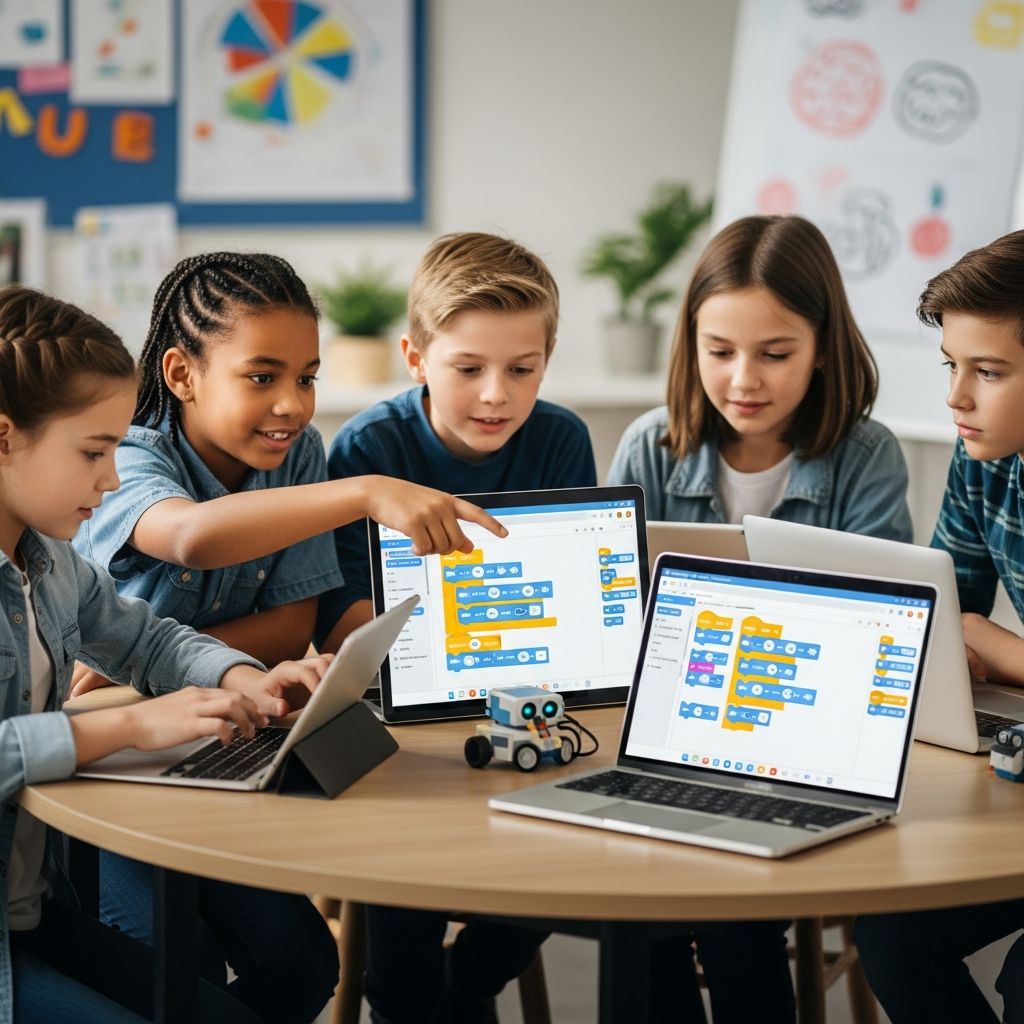
Introducing children to coding early can transform their approach to problem-solving and innovation. Starting as young as age 5, kids can grasp fundamental programming concepts through playful, interactive experiences that make learning feel like an adventure rather than a chore.
Why Coding Matters for the Next Generation
Coding cultivates **computational thinking**, a skill set that involves breaking down complex problems, recognizing patterns, and devising logical solutions. These abilities extend far beyond technology, enhancing math, science, and even everyday decision-making. Research shows that early exposure to programming boosts creativity and resilience, preparing children for a job market where tech proficiency is essential.
In today’s digital landscape, understanding code demystifies the technology surrounding us. Children learn to create rather than just consume, whether building simple games or automating tasks. Programs like those from Code.org demonstrate how structured curricula align with educational standards, ensuring skills development matches school expectations.
Determining the Perfect Starting Age for Coding
Children as young as 4 or 5 can begin with visual, image-based activities that require no reading. These introduce sequencing and logic without overwhelming young learners. By ages 5-7, block-based platforms become ideal, allowing kids to drag and drop commands to see immediate results.
Older children, around 8-10, transition smoothly to text-based languages. This progression respects developmental stages, building confidence step-by-step. Platforms like CodeMonkey support this by offering courses from basic puzzles to Python programming, suitable for K-8 students.
| Age Group | Recommended Approach | Key Skills Developed |
|---|---|---|
| 4-6 years | Image puzzles, simple games | Sequencing, patterns |
| 7-9 years | Block-based coding | Loops, conditionals |
| 10+ years | Text-based languages | Variables, functions |
This table outlines a phased introduction, ensuring steady growth without frustration.
Essential Programming Languages for Young Learners
Selecting the right language depends on the child’s age and interests. **Scratch** tops the list for beginners, using colorful blocks to create animations and games. It’s perfect for storytelling enthusiasts aged 5 and up.
**Python** follows as an accessible text-based option. Its readable syntax resembles English, making it ideal for robotics, AI, and games. CodeMonkey’s Banana Tales course teaches Python through engaging challenges.
**JavaScript** (or beginner variants like CoffeeScript) introduces web interactivity. Kids learn to manipulate pages and build apps, bridging to real-world development. Avoid rigid focus on one language; flexibility encourages exploration.
Top Platforms and Apps to Kickstart Coding Journeys
- CodeMonkey: Award-winning game-based program for ages 5-14. Covers block-coding to Python, with puzzles like catching bananas. Free trials and school curricula available.
- Code.org: Free K-12 resources organized by grade. Features Hour of Code events for hands-on projects like game design.
- Kodable: Play-based STEM exploration. Kids code fuzzy aliens through mazes, advancing to real code writing aligned with math standards.
- Scratch Jr.: For pre-readers, focuses on storytelling via simple programming blocks.
These tools prioritize fun, with gamification proven to boost motivation and retention.
Unplugged Activities: Coding Without Screens
Not every lesson needs a device. Use household items for **unplugged coding** to reinforce concepts offline. For instance, create algorithms with a muffin tin: place toys in compartments to represent steps in a sequence.
Outdoor games like modified hopscotch teach directions and loops—hop forward (move), repeat three times (loop). Role-play as robots following human instructions hones debugging skills. Treasure hunts introduce conditionals: “If you find blue, go left; else, go right.” These build intuition before digital tools.
Integrating Coding into Daily Routines and School
Parents can weave coding into playtime via apps during short sessions. Schools benefit from ready-made curricula like CodeMonkey’s, which include teacher training and progress reports. Start clubs or robotics teams to foster collaboration.
Encourage creation over consumption: let kids mod Minecraft or design apps. Affordable online classes on platforms like Outschool offer themed sessions, such as video game coding for $11 per class.
Overcoming Common Hurdles in Teaching Coding
Frustration arises when concepts feel abstract. Scaffold learning: break tasks into tiny steps with hints, as in Kodable’s environment. Make it team-based—pair programming where one codes, the other debugs.
Self-paced platforms prevent overwhelm, allowing kids to retry without judgment. Tie coding to interests: sports stats apps for athletes, art generators for creators. Patience is key; celebrate small wins to sustain enthusiasm.
Advanced Steps: From Basics to Real Projects
Once comfortable with blocks, introduce text-coding. CoffeeScript eases into JavaScript for web projects. Advanced learners tackle AI or robotics with Python libraries.
Host Hour of Code events for community building. Track progress with portfolios of games and apps, showcasing growth. This prepares kids for certifications or competitions.
Frequently Asked Questions (FAQs)
What is the best age to begin teaching coding to kids?
Age 5 is ideal for basics via image games; pre-readers can start earlier with visual puzzles.
Do children need prior experience or math skills for coding?
No experience required—platforms guide beginners. Basic math aids algorithms, but logic is primary.
Are there free resources for parents to teach coding at home?
Yes, Code.org and Hour of Code offer free, grade-specific lessons and games.
How can I make coding fun for kids who dislike screens?
Use unplugged activities like robot games, mazes, or board games adapted for sequences and logic.
What languages should tweens learn next after blocks?
Python for its simplicity, or JavaScript/CoffeeScript for web interactivity.
References
- Coding for Kids | Game-Based Programming | School & Home Use — CodeMonkey. 2026 (accessed). https://www.codemonkey.com
- Introduction to Basic Coding & Computer Programming for Kids — ComputerScience.org. 2026 (accessed). https://www.computerscience.org/resources/kids-introduction-to-coding/
- Six Tips for Teaching Kids How to Code — Syracuse University Online. 2026 (accessed). https://onlinegrad.syracuse.edu/blog/six-tips-for-teaching-kids-code/
- 6 Fun Ways to Explore Coding and Programming for Kids — Amy Boyington. 2026 (accessed). https://amyboyington.com/how-to-teach-kids-coding/
- Kodable: Programming for Kids — Kodable. 2026 (accessed). https://www.kodable.com
- Want to teach your kids to code? Here are three apps that can help — Stack Overflow Blog. 2021-01-12. https://stackoverflow.blog/2021/01/12/want-to-teach-your-kids-to-code-here-are-three-apps-that-can-help/
- Code.org: Free K–12 Curriculum for Computer Science and AI — Code.org. 2026 (accessed). https://code.org

- Integrated M.A. in Applied Linguistics, University of Hyderabad
- 5+ years in editorial, instructional, SEO, and research-based writing
Sneha is a relationships and lifestyle writer with a strong foundation in applied linguistics and certified training in relationship coaching. She brings over five years of writing experience to theskillvault, crafting thoughtful, research-driven content that empowers readers to build healthier relationships, boost emotional well-being, and embrace holistic living. Her writing and insights reflect the belief that beauty, happiness, and wellness…